PixelBin logo
Image generator is here -   Create Now   and Claim 30% off on Pro Plans. Use code SALE30 at checkout.   Claim Discount

AI goth generator

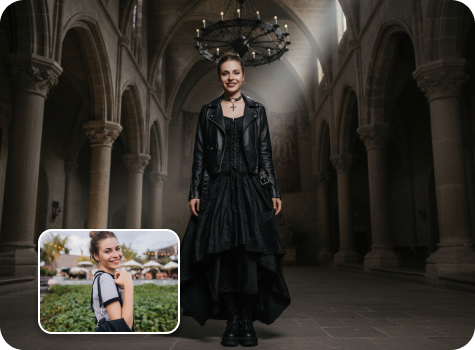
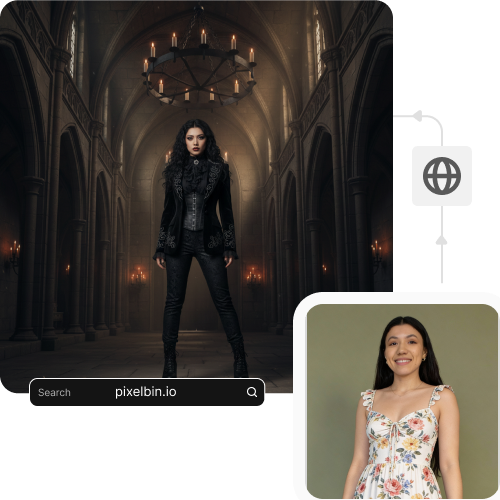
Turn your selfies into goth-inspired avatars with dark clothes, smoky eyes, and gothic accessories in seconds.

Upload Image

File should be less than 10MB

or paste URL

Before
Loading

AI Magic in progress
Applying dark fashion styling and cinematic gothic background

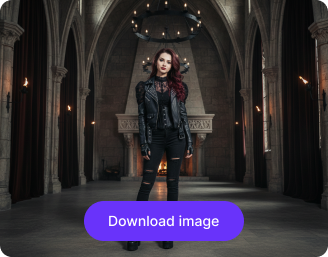
After

Your AI-generated gothic look is ready!

Edit image with AI
Get 🔥 free credits for image editing, upscaling, generation and more
Deblur another image
Generation Failed

There was some issue on our end. Please try again.

Try Again
Show case

How to use Pixelbin’s Goth AI tool online?

1
Upload an image
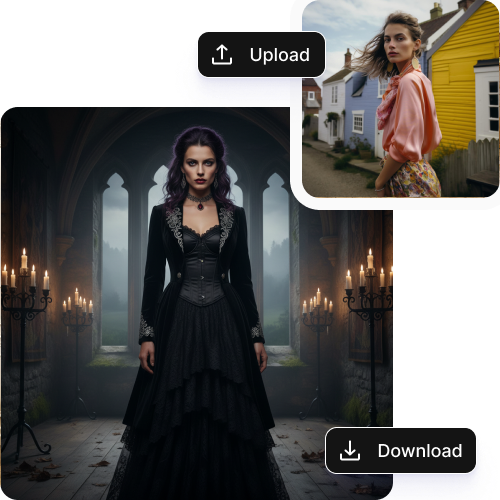
Paste an image URL or simply upload your selfie or portrait in JPEG, JPG, PNG, or WEBP.
2
Wait for AI processing
Pixelbin’s goth AI automatically detects your face and applies gothic makeup, fantasy backgrounds, or dark clothing instantly.
3
Download the image
Save your new goth-inspired avatar in HD with no watermarks, labels, or added texts; ready to share or use anywhere.

Why use Pixelbin’s AI goth art generator?

Multiple formats
Upload your selfies or portraits in popular formats, such as JPEG, JPG, PNG, or WEBP.
HD outputs
Save all your generated avatars in high resolution while preserving all the details.
No watermarks
Download your goth avatars without any marks, labels, or added texts, perfect for sharing or printing.
Image upscaling
Increase your resolution by up to 2x,4x, or 8x to keep your portraits sharper and more detailed.
Instant sharing
Copy the generated image URL and share it directly with your friends, followers, or creative groups, even before downloading.
Asset management
Keep all your generated AI goth avatars organized and easy to access whenever you need them.

Create vampires, witches & dark fantasy characters for free

Explore different gothic AI styles placed in mysterious rooms, graveyards, or enchanted forests.

Browser-based

Use the AI gothic art generator directly in your browser, such as Safari, Chrome, Edge, or Firefox; no downloads or installations needed.

Feature 1
User-friendly interface

Create your gothic avatars easily with a simple and intuitive interface, perfect for beginners and professionals alike.
Feature 2
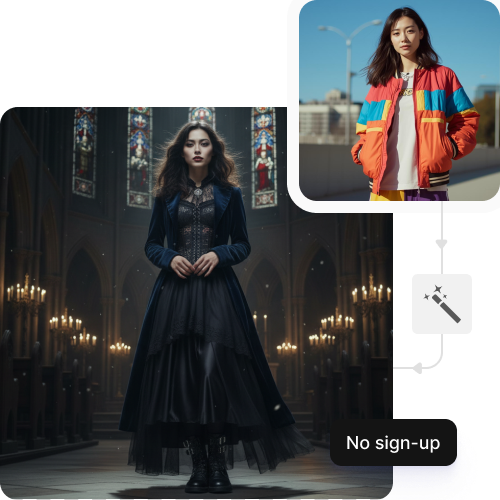
No sign-up

Start transforming your photos instantly without signing up or sharing your personal information.
Feature 3
Complete privacy

Your images are processed on secure servers and are never shared without your permission.

Feature 4

AI tools by Pixelbin

Key highlights of Pixelbin’s AI goth generator

Benefits of using the online goth AI maker

  • Get the right vibe: Most apps try to make you look bright and happy. With a goth AI, you don't have to fight the settings to get that dark, moody look. It understands that you want shadows, pale skin, and heavy eyeliner right from the start.
  • Try expensive gothic styles for free: Gothic fashion is stunning, but it’s pricey. AI lets you see yourself in elaborate corsets, velvet capes, or futuristic techwear instantly. It’s like having a massive, high-end dark wardrobe at your fingertips without spending any money.
  • Stay private and stylish: If you don't want to show your real face online, a goth avatar is the perfect mask. It represents your personality and style perfectly while keeping your actual identity a secret. It’s a way to be "you" without being exposed.
  • Pick the perfect background: You aren't stuck with a messy bedroom in your photo. You can place your avatar in a spooky forest, an old castle, or a dark city street. You have total control over the mood and the setting of your digital self.
  • Save a ton of time: Getting the perfect goth look in real life takes hours of makeup and hair preparation. AI goth generator gives you that detailed, "all-out" look in seconds. It’s perfect for when you want to look your best online but don't feel like spending all day in front of a mirror.

Use cases for online goth AI maker

1. Distinctive and coherent social media look

The AI gothic generator allows you to create high-quality images that fit your desired vibe, so that you can have your Instagram, TikTok, or Pinterest feed look professional and on-brand without having to hire a professional photographer.

2. Characters of stories and games

The AI acts as your concept artist and can give you a clear picture of your characters and their world, even before you begin your project, whether you are writing a dark fantasy novel or playing a tabletop RPG.

3. Cover art on design atmospheres on books or music

You can easily create professional album covers or book jackets by creating gothic avatars while saving your time and money spent on the costly commissions.

4. Fake gothic merchandise and gothic fashion designs

If you are an artist, you can ask the goth AI online maker to display your artwork on other models or apply the generated photo to design the stickers, posters, and clothing in your own way.

5. Personal tattoos and physical art

Rather than generic designs, you can use the generator to combine certain elements- such as lace, skulls, or architecture into a unique piece to present to your tattoo artist or use as a painting reference.

How to get the best results using the AI Gothic image generator

Here are 6 simple tips to get the best results using our goth AI online:

  • Use a clear and sharp photo, not blurry or low quality.
  • Look straight at the camera so your full face is visible.
  • Make sure the lighting is even and not too dark or too bright.
  • Keep your face free from sunglasses, hands, or anything covering it.
  • Choose a simple background without too many objects behind you.
  • Use a natural expression instead of extreme angles or heavy filters.

FAQs

Here’s a list of commonly asked questions about our Saree Trend Maker Tool. If you still can't find what you're looking for, reach out to us at support@pixelbin.io or check out our documentation for more details.

The tool works better with close-up photos because they show your facial details. You can use full-body photos as long as your face appears clear and visible in the picture.
Yes, you can choose or guide the type of background you want to create, which includes a castle, forest, graveyard, and dark room. The goth AI generator will place your portrait into a matching scene.
Pixelbin’s AI gothic generator identifies the most prominent face when multiple faces appear in the same photograph. For the best results, you need to upload a photo with a single person in it.
Yes. You get 3 free actions with 3 free credits per month. After that, you can sign up and buy additional credits on a pay-as-you-go basis.
Yes, you can use your generated avatar for commercial projects, which include book covers and music art, social media branding, and merchandise, since our exports are watermark-free. However, you need to follow the platform's usage terms where you are planning to use your avatars.
Edit images in seconds, not hours
Get pixel-perfect results just with your words
Start editing with AI