PixelBin logo
Image generator is here -   Create Now   and Claim 60% off on Pro plans. Use code PB60 at checkout.   Claim Discount

AI old age filter

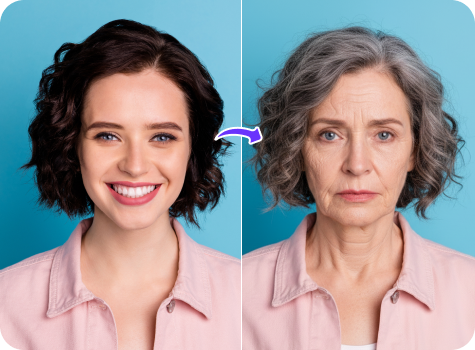
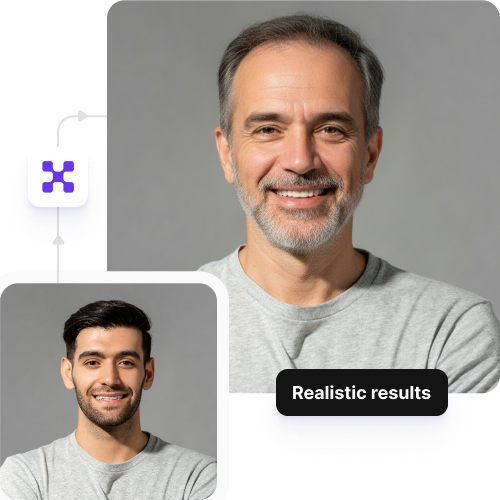
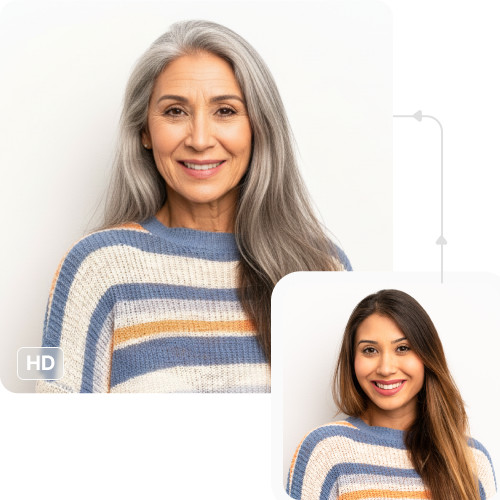
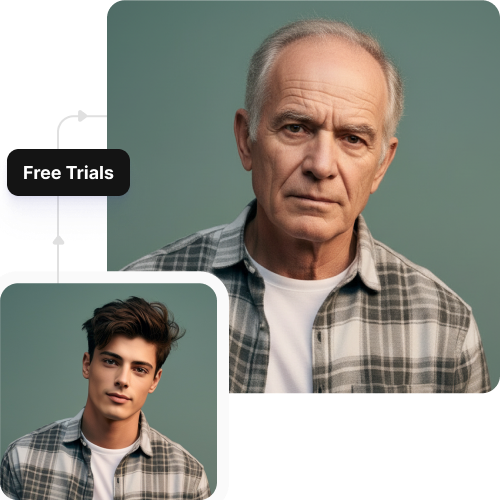
Add natural-looking aging effects to your selfies, including wrinkles, fine lines, and grey hair.

executive headshots generator tool

File should be less than 10MB

or paste URL

Upload a clear face photo to instantly apply a realistic old age transformation using AI.

Before
Loading

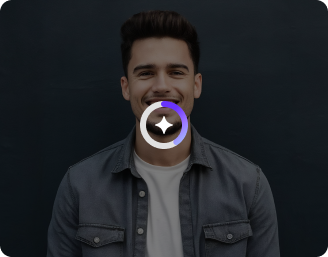
AI Magic in progress
Adding wrinkles, adjusting facial structure, enhancing skin texture, and simulating natural aging

After

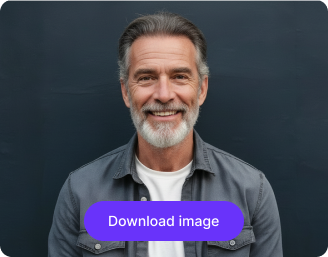
Your old age photo is ready!

Edit image with AI
Get 🔥 free credits for image editing, upscaling, generation and more
Add old age filter to another image
Generation Failed

There was some issue on our end. Please try again.

Try Again
Show case

How to use Pixelbin’s AI old age filter?

1
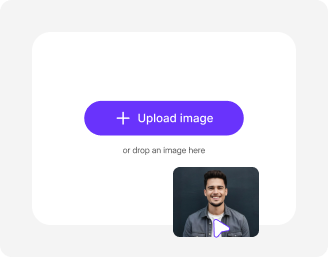
Add your image
Paste a URL or upload your image, in any of the following formats: JPG, JPEG, WEBP, or PNG.
2
Wait for AI processing
Pixelbin automatically turns it into an older-looking version without any manual editing required.
3
Download your image
Preview the filtered image & download it in HD, free from any watermark or additional costs.

Why use Pixelbin’s free old age filter?

Multiple image formats
Upload images in popular formats such as JPG, JPEG, WEBP, or PNG.
Easy accessibility
Use the aging filter from any device with a browser and an internet connection.
Batch editing
Process multiple images at once with API support to save time and improve workflow efficiency.
Free HD downloads
Download your filtered images in high definition without watermarks or extra costs.
No sign-up required
Access the tool instantly without logging in or entering payment details.
Complete privacy
Your images are encrypted, processed securely, and never shared with anyone.

Try the free old age filter online

Create a realistic older look without manual editing, retouching, or extra tools.

Photo-realistic aging

Add natural aging effects such as wrinkles, grey hair, fine lines, and texture changes to your photo automatically with the old-age filter.

Sailling ship of sketche to image
Unchanged picture quality

Preserve your photo’s original resolution, detail, and sharpness even after applying the filter to your image.
Mountain sketch to image
Completely free to try

Apply the filter to up to three images each month for free and upgrade anytime for more credits or API access.
Sketch hot air baloon to image generator
No app installations

Use the aging filter directly from your browser on any device without downloading software or mobile apps.
sketch to image in HD-resolution pictures

AI tools by Pixelbin

Key highlights of Pixelbin’s free old age filter

Benefits of using our make-me-old filter

  • Natural expression: The tool adds hyper-realistic skin textures, age spots, and wrinkles without distorting the rest of the image.
  • Cost-effective: Eliminate the need for expensive photo editors using our AI filter.
  • Unchanged picture quality: Ensure your final image remains sharp, as our AI only modifies your facial features.
  • User-friendly interface: Easily navigate the tool and generate filtered images without any learning curve.
  • No watermarks: Download your filtered image in HD without any distracting watermarks.
  • Cross-device access: Use our AI filter online from your phone, tablet, or computer, anytime you want.
  • Batch editing: Using our API, you can apply our filter to multiple images in one go.
  • Use cases of our old person filter online

    Pixelbin’s AI editor is perfect for creating friendly pranks, social media posts, or simply satisfying your curiosity about the future. Let’s look at some popular ways to use it:

    1. Participate in social media challenges

    Join the viral "Time Travel" trends on Instagram Reels and TikTok by showing a transition from your current self to your future self. Use Pixelbin to generate the "after" photo that looks authentic enough to surprise your followers and boost engagement.

    2. Create funny birthday cards

    Design hilarious birthday cards for a friend or sibling who is turning a year older. By running their photo through our make me old filter, you can add a humorous visual touch to their gift, guaranteed to make everyone laugh.

    3. Visualize the future

    Curious about how you will look in your 60s or 70s? You can easily do that using Pixelbin’s AI-powered filter to get a realistic glimpse of your future self with accurate skin textures, hair changes, and facial features.

    4. Plan retirement party decorations

    Planning a retirement party too early? Create fun posters or slide decks showing the retiree "enjoying their golden years" decades from now.

    5. Visualize genealogy & resemblance

    Curious if you will look like your grandparents when you get older? Use Pixelbin to generate your aged photo and place it side-by-side with pictures of your grandparents to compare genetic traits and family resemblances.

    How to get the best results from old age filter free tools?

    1. Upload clear portraits

    Ensure your face is evenly lit so the AI can accurately place wrinkles and shadows.

    2. Face the camera

    Front-facing photos allow the AI to map wrinkles and features more effectively.

    3. Avoid accessories

    Remove sunglasses or hats so the old face filter works on the entire face.

    4. Use high-resolution images

    Higher quality uploads result in more detailed skin textures and realistic grey hair.

    5. Keep a neutral expression

    A simple, neutral expression prevents distortion when the AI adds aging effects.

    6. Choose simple backgrounds

    Plain backgrounds ensure the AI focuses on your face and not the surroundings.

    FAQs

    Here are some of the most common questions about our AI Old Age Filter. If you can’t find the information you need, contact us at support@pixelbin.io or refer to our documentation for more details.

    Pixelbin’s free tier allows you to generate up to three aged images per month at no cost. To continue using the filter, you will need to sign up to redeem ten free credits, which you can use to access any of Pixelbin's other AI apps.
    While our old man filter processes your entire image, the aging effect is concentrated specifically on the facial features. For the most realistic results, we recommend uploading headshots or portraits where the face is the primary focus of the image.
    Yes. Our old filter online free tool is designed to realistically simulate aging, which often includes whitening or greying of the hair to match the wrinkles and skin texture applied to your face.
    Yes, your privacy is our top priority. Any image you upload to Pixelbin is processed on secure, encrypted servers. We do not share your photos with third-party websites without your consent.
    Yes. Images up to 10 MB should work as long as they’re in the mentioned file formats (JPG, JPEG, PNG, WEBP).
    Edit images in seconds, not hours
    Get pixel-perfect results just with your words
    Start editing with AI