PixelBin logo
Image generator is here -   Create Now   and Claim 30% off on Pro Plans. Use code SALE30 at checkout.   Claim Discount

Mirror image converter

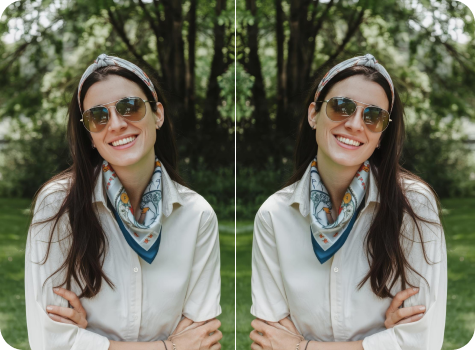
Flip your photos left-to-right in one click. Fix backward text or create mirrored, symmetrical images instantly without any manual editing or paid software.

remove shadow from photo tool

File should be less than 10MB

or paste URL

Before
Loading

AI Magic in progress
Flipping image orientation while preserving original quality and details

After

Your mirrored image is ready!

Edit image with AI
Get 🔥 free credits for image editing, upscaling, generation and more
Mirror another image
Generation Failed

There was some issue on our end. Please try again.

Try Again
Show case

How to mirror an image online using Pixelbin?

1
Add your image
Paste a URL or upload your photo in any of these formats: JPG, JPEG, PNG, or WEBP.
2
Wait for AI processing
Pixelbin automatically flips your uploaded image without requiring any manual edits.
3
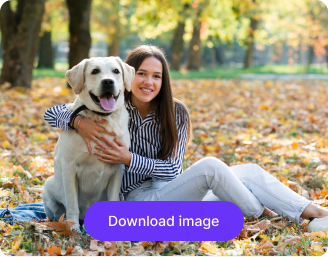
Download your image
Preview & download the flipped image for free, without watermarks or any charges.

Why use Pixelbin’s mirror image free online tool?

Multiple image formats
Upload images in popular formats such as JPG, JPEG, PNG, or WEBP.
Batch editing
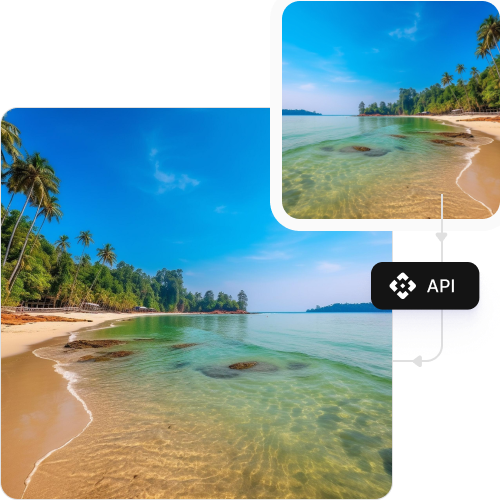
Flip multiple images at once with API support to save time and improve workflow efficiency.
Easy accessibility
Use the mirror image tool from any device with a browser and an internet connection.
Free HD downloads
Download your flipped images in high definition without watermarks or extra costs.
No sign-up required
Access the tool instantly without logging in or entering payment details.
Complete privacy
Your images are encrypted, processed securely, and never shared with anyone.

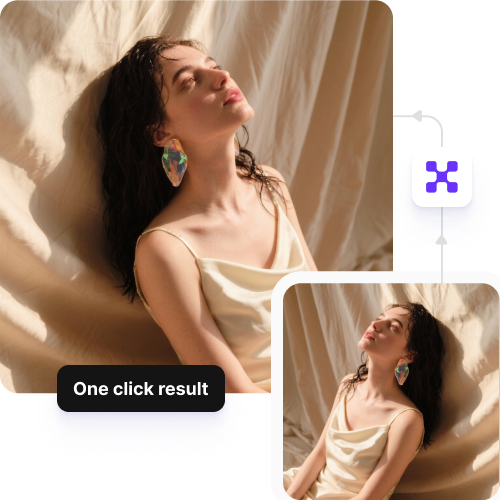
Flip photos in one click, no manual editing needed

Mirror your images online and fix orientation issues instantly, without complex software or design skills.

Instant results

Flip your photo automatically as soon as you upload it – no descriptions or settings required.

Sailling ship of sketche to image
Perfect for any platform

Download your mirrored image in high definition for Instagram stories, YouTube thumbnails, product listings, or print-on-demand designs.
Mountain sketch to image
Monthly free trials

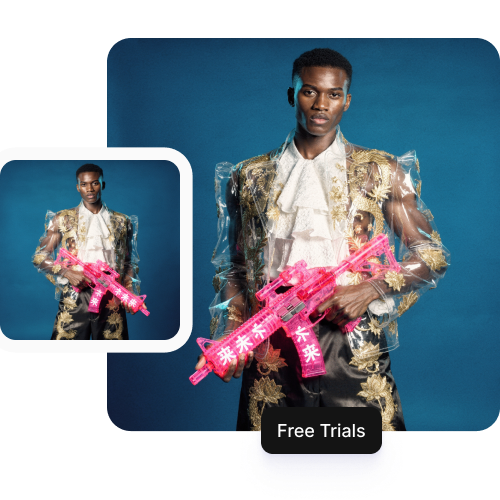
Flip up to three images each month for free and upgrade anytime for more credits or API access.
Sketch hot air baloon to image generator
Browser-based editor

Use the mirror image tool directly from your browser on any device without downloading software or mobile apps.

sketch to image in HD-resolution pictures

AI tools by Pixelbin

Key highlights of Pixelbin’s mirror image photo editor online

Benefits of using our mirror image online tool

Using Pixelbin, you can fix image orientation or create symmetry without needing any design software. Here are some of its benefits:

  • Instant results: Turn backward selfies into readable photos in seconds using our simple AI editor.
  • No design skills required: Flip images horizontally without navigating complex Photoshop menus.
  • Consistent results: Create uniform reversed images ideal for design layouts or product listings.
  • Cross-platform access: Access our tool from any device or operating system (Windows, Android, iOS, etc.).
  • No watermarks: Download your transformed image in high definition without any branding or intrusive logos.
  • Bulk-ready: Pixelbin’s API lets you mirror images online in large batches simultaneously.
  • Secure processing: We ensure your data is safe with encrypted processing and strict privacy protocols.

Use cases of our free online mirror image converter

Using Pixelbin, you can create visuals for a wide range of needs - from fixing mistakes to creating abstract art. Let’s check out some of the best use cases:

1. Correct selfie orientation

Phone cameras often flip selfies, making text on shirts or signs appear backward in the background. Use our tool to mirror such images online for free and make the text readable.

2. Create symmetrical artistic patterns

Transform standard landscape or architectural photos into surreal, kaleidoscopic art. By mirroring one half of the image against the other, you can generate perfectly symmetrical visuals that look like professional abstract art.

3. Improve photo composition

Sometimes a photo looks better if the subject is looking inward rather than out of the frame. Using our online mirror image converter, you can flip the image to adjust the composition and keep the viewer’s eye focused on the important elements.

4. Design balanced marketing graphics

Brand visuals look more engaging when they appear symmetrical. You can use Pixelbin’s AI editor to create balanced backgrounds or headers for your website, flyers, and social media ad campaigns.

5. Create fun reflection effects

Simulate water reflections or "twin" effects by duplicating an image and flipping one side. Embrace this popular technique for creative social media challenges and making standard portraits look more dynamic and engaging.

How to get the best results from mirror image online converters?

  • Upload the highest resolution version of the photo available to maintain clarity after downloading.
  • Check for any text in the background (like street signs) to ensure mirroring doesn't make them unreadable.
  • Ensure the subject is centered if you are planning to place the original and mirrored versions side-by-side.
  • Avoid mirroring images where lighting is strictly directional unless you want to change the mood of the shot.
  • Use PNG formats for graphics with transparent backgrounds to keep the transparency intact during the flip.

FAQs

Here are some of the most common questions about our online image mirror tool. If you can’t find the information you need, contact us at support@pixelbin.io or refer to our documentation for more details.

Pixelbin’s free plan lets you flip up to three images per month completely free of charge. If you have higher volume needs, you can sign up to get ten free credits or upgrade to a premium plan anytime for extra perks and additional credits.
No. Our mirror image online free tool is designed to flip the pixel data horizontally without compressing or degrading the image. The download you get will match the quality of the source file you uploaded.
Your privacy is our priority. When you mirror an image online using our AI editor, your picture is processed on secure, encrypted servers. We do not store your photos permanently or share them with third-party websites.
Yes. While you can mirror an image online free at a time for quick edits, Pixelbin offers an API (available in premium plans) that allows for batch processing, letting you process images in bulk for large catalogs or projects.
No. Pixelbin is a cloud-based platform. You do not need to download any software or any mobile apps. You can mirror an image online directly from your web browser on any computer or smartphone.
Yes. Images up to 10 MB should work as long as they’re in the mentioned file formats (JPG, JPEG, WEBP, or PNG).
Edit images in seconds, not hours
Get pixel-perfect results just with your words
Start editing with AI