


Support webp/jpg/jpeg/png, up to 10MB
/pixelbin_blogs/PB_2.0/Apps_New_design_graphics/Recolor_image_online/Sample_Images/Sample_1)
/pixelbin_blogs/PB_2.0/Apps_New_design_graphics/Recolor_image_online/Sample_Images/Sample_2)
/pixelbin_blogs/PB_2.0/Apps_New_design_graphics/Recolor_image_online/Sample_Images/Sample_3)
Recolor any photo in one click
Free AI image recolor tool
Recolor objects, clothes, or backgrounds in any photo using text prompts.
/pixelbin_blogs/PB_2.0/Apps_New_design_graphics/Recolor_image_online/Banner_Images/download_(14).webp)
/pixelbin_blogs/PB_2.0/Apps_New_design_graphics/Recolor_image_online/Banner_Images/gorgeous-woman-driving-orange-suv-car.webp)


How to recolor an image online with Pixelbin?
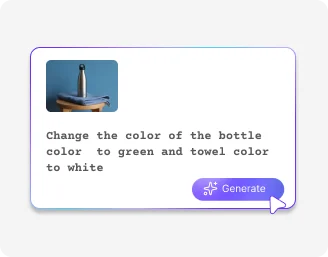
Add your image
Upload your image in any of the following formats: JPG, JPEG, PNG, or WEBP.
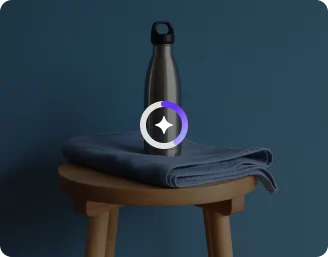
Write a prompt
Describe the color changes you want to make using simple text.
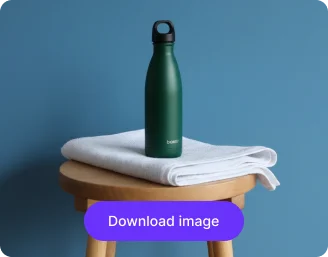
Generate the result
Preview the recolored image & download it in HD, at no extra cost or watermarks.
Why use Pixelbin’s online recolor image tool?

Multiple image formats
Upload images in popular formats such as JPG, JPEG, WEBP, or PNG.

Smart AI editor
Automatically recolors images with simple prompts like “change the t-shirt color to navy blue".

Easy accessibility
Adds a Halloween filter as per instructions, without any manual edits required.
.png)
Free HD downloads
Download your recolored images in high definition without watermarks or extra costs.
.png)
No sign-up required
Use the tool instantly without registering or entering payment details.

Complete privacy
Images are encrypted, processed securely, and never shared with anyone.
Get perfect colors in seconds, effortlessly
AI recolors your images instantly, giving you precise color changes without the need for masking or manual edits.
Simple text-based prompts
Change image colors effortlessly by uploading your photo and describing the desired adjustments in plain text.
High-quality edits
Achieve precise, pixel-level color changes without blur or distortion using the AI recolor tool.
No app installations
Access the color editor directly from your browser on any device – no downloads or installations required.
Monthly free trials
Recolor up to three images each month for free, and upgrade anytime for more credits or API access.
/pixelbin_blogs/PB_2.0/Apps_New_design_graphics/Recolor_image_online/Blog_images/No_editing_skills_required_(1).webp)
AI tools by Pixelbin
/pixelbin_blogs/PB_2.0/Apps_New_design_graphics/AI_Tools_by_Pixelbin/Photo_Color_Correction.webp)
/pixelbin_blogs/PB_2.0/Apps_New_design_graphics/AI_Tools_by_Pixelbin/AI_online_colorize_photo.webp)
/pixelbin_blogs/PB_2.0/Related_apps_tumbnail/erasebg-transformed_-_2026-04-01T130755.340.webp)
/pixelbin_blogs/PB_2.0/Apps_New_design_graphics/AI_Tools_by_Pixelbin/AI_Coloring_image.webp)
Key highlights of Pixelbin’s recolor image online tool
Benefits of using an AI image recoloring tool
Make fast, accurate color changes without any manual editing. Here’s what sets this AI tool apart:
- No learning curve: A clean, intuitive interface makes it easy for anyone to start editing instantly.
- Realistic results: The AI understands light, shadow, and texture to ensure colors blend naturally into your image.
- Cost-effective: Get professional-quality results without expensive editing software or subscriptions.
- Zero distortion: Your images stay sharp and clear – no blurring or loss in quality after edits.
- Works on any photo: Optimized for all types of images, including portraits, products, landscapes, and even old photos.
- No watermarks: Download your recolored images in high quality, completely watermark-free.
Use cases of best online image recolor tools
Pixelbin’s free AI editor can be used for eCommerce, marketing, and personal design projects. Here are some common use cases:
1. Create eCommerce product variations
Showcase your products in every available color. Instead of ten different photoshoots, upload one photo of your t-shirt, sofa, or accessory, and recolor it online to create a full catalog.
2. Visualize home & auto updates
Thinking of painting a wall or buying a new car? Take a photo and use the image recolor tool to see how it looks in different colors. Visualize the change before you commit to a purchase.
3. Update marketing & brand assets
When brand guidelines change, you don't need to redo every graphic from scratch. Use our AI recolor image online free tool to easily update the color of logos, icons, and banners in your existing marketing materials without any manual designing required.
4. Bring family history to life
Turn old, faded black and white family portraits into vibrant color photos. Our AI recoloring tool adds realistic skin tones, clothing colors, and backgrounds by analyzing your prompts, making those memories feel new again.
5. Improve your social media feed
Make your Instagram or Pinterest posts stand out. With Pixelbin, you can change the color of your outfit to match your feed's aesthetic, or make the sky in a landscape photo look more dramatic.
How to get the best results from recolor image online free AI tools?
Here are some suggestions to get the most accurate results from Pixelbin’s free AI image recoloring tool:
- Use clear, simple prompts like “change the red shirt to white”.
- Start with a bright, high-quality image for accurate color identification.
- Recolor one or two objects per prompt for cleaner results.
- Specify exact colors (“mint green,” “royal blue”) for precise outcomes.
- Avoid very dark or blurred images as AI might struggle with edges.
- Experiment with descriptive tones like “soft pastel” or “deep matte”.
FAQs
Here are some of the most common questions about our Recolor Image Online free tool. If you can’t find the information you need, contact us at support@pixelbin.io or refer to our documentation for more details.


Edit images in seconds, not hours
Get pixel-perfect results just with your words
Start editing with AI