


Support png/jpg/jpeg/webp, up to 10MB
/pixelbin_blogs/PB_2.0/Apps_New_design_graphics/AI_Headshot_generator/erasebg-transformed-4BDkkzQGq.webp)
/pixelbin_blogs/PB_2.0/Apps_New_design_graphics/AI_Headshot_generator/erasebg-transformed_(1)-ivywhhmQW.webp)
/pixelbin_blogs/PB_2.0/Apps_New_design_graphics/AI_Headshot_generator/sample_for_headshot.webp)
/pixelbin_blogs/PB_2.0/Apps_New_design_graphics/Hair_color_changer/platnium.webp)
/pixelbin_blogs/PB_2.0/Apps_New_design_graphics/Hair_color_changer/golden.webp)
/pixelbin_blogs/PB_2.0/Apps_New_design_graphics/Hair_color_changer/copper.webp)
/pixelbin_blogs/PB_2.0/Apps_New_design_graphics/Hair_color_changer/rosegold.webp)
/pixelbin_blogs/PB_2.0/Apps_New_design_graphics/Hair_color_changer/ice_white.webp)
/pixelbin_blogs/PB_2.0/Apps_New_design_graphics/Hair_color_changer/rainbow.webp)
/pixelbin_blogs/PB_2.0/Apps_New_design_graphics/Hair_color_changer/jet_black.webp)
/pixelbin_blogs/PB_2.0/Apps_New_design_graphics/Hair_color_changer/auburnog.webp)
/pixelbin_blogs/PB_2.0/Apps_New_design_graphics/Hair_color_changer/burgandy.webp)
Change hair color online with AI
Free online hair color changer
See yourself in any hair color you imagine, from classic tones to vibrant shades, with just simple descriptions
/pixelbin_blogs/PB_2.0/Apps_New_design_graphics/Hair_color_changer/erasebg-transformed_-_2026-05-25T145454.559.webp)
/pixelbin_blogs/PB_2.0/Apps_New_design_graphics/Hair_color_changer/erasebg-transformed_-_2026-05-25T145450.202.webp)


How to use Pixelbin’s online hair color changer?
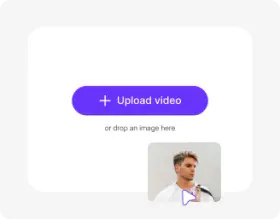
Upload your image
Drop your selfie or portrait in JPEG, JPG, WEBP, or PNG format
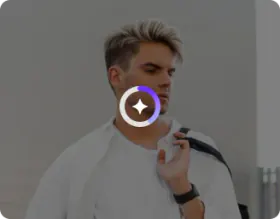
Write your prompts
Describe the hair color you want, whether it’s a full global change, highlights, or subtle tones, and instantly see it appear on your photo.
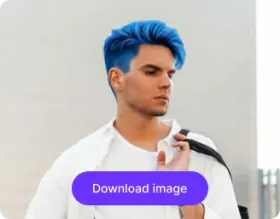
Download the image
Preview and save your image in HD quality, without any watermarks, logos, or added texts
Why use Pixelbin’s hair color try-on?

Multiple formats
Upload your images in popular formats, such as JPEG, JPG, PNG, or WEBP

Url-based transformation
Resize, crop, or enhance your images instantly just by updating the URL parameters

Instant sharing
Just copy the generated image URL and share it directly with your clients or designers

Image upscaling
Increase your image to larger sizes by up to 8X while preserving all your facial details

HD outputs
Get sharp, professional-quality outputs that look perfect on any screen or is suitable for printing

Asset management
Organize all your images in one place so that you can find them whenever you need
Try on different shades virtually before making a change
Adjust the intensity and tone of various hair colors to see both subtle and dramatic transformations
Easy to use
Transform your look in seconds on a simple interface, designed for both casual users and experienced professionals
No sign-up
Access the free hair color changer instantly without creating an account or sharing your personal details
Complete privacy
Your photos are processed on secure servers and are never shared or reused
Browser-based
Try the photo editor on any modern browser that you use, such as Safari, Edge, Chrome, or Firefox; no app installations needed
/pixelbin_blogs/PB_2.0/Apps_New_design_graphics/Hair_color_changer/shades-01-easy-to-use.webp)
AI tools by Pixelbin
/pixelbin_blogs/PB_2.0/Apps_Graphics/bald_filter/Thumbnail_41.png)
/pixelbin_blogs/PB_2.0/Apps_Graphics/curly_hair_filter/Thumbnail_36.png)
/pixelbin_blogs/PB_2.0/Apps_Graphics/Buzz_Cut_Filter/buzz_cut/Thumbnail.png)
/pixelbin_blogs/PB_2.0/Apps_Graphics/blonde_hair_filter/Thumbnail_40.png)
Key highlights of Pixelbin’s hair color changer online
Benefits of the AI hair color changer
- Risk-free experimentation: You can experiment with bold or unconventional hair colors. Try pastel pink and platinum blonde shades without experiencing hair damage or running up expensive salon costs.
- Decision confidence: Visualize results through facial appearance simulations, which show how different shades match your skin undertones and eye color.
- Time and cost savings: Save both time and money with the AI hair color changer by skipping long consultations while avoiding the need to buy multiple box dyes until you find your ideal hair color.
- Side-by-side comparisons: You can compare your existing appearance with different hair color choices, so you can easily figure out differences in similar shades.
- Gray coverage preview: The virtual hair color try-on allows you to see which dyes will cover your gray or white hair while preserving its original shine.
- Enhanced consultations: Show your clients realistic previews of proposed treatments to ensure you are both aligned before the dye hits the hair.
- Reduced returns: Proper shade selection enables you to achieve your desired results from your first purchase, which helps your e-commerce business reduce return rates.
Use cases
- Fix a bad dye job (before re-dyeing): If you’ve had a color mishap and your hair looks brassy or orange, use the AI to "overlay" corrective tones (like ash or purple). This helps you visualize the color correction path so you don't keep layering the wrong chemicals on your hair.
- Events and celebrations: The AI hair color changer allows you to test which hair color matches your dress color. It functions as a virtual dress rehearsal for your complete personal style.
- Get your perfect chemical mix: Stop guessing which bottles to buy. You can easily find the ideal texture and current shade to generate a custom color formula with our AI color changer. This ensures the dye you mix in the bowl actually delivers the result you saw on your screen.
- Visualize your hair restoration: If you're considering a transplant, you can easily map out your future hairline and density. It helps you walk into a consultation with a clear vision, so you and your surgeon are on the same page before the procedure.
- Refresh your professional portfolio: Update your "look" in professional headshots or ad campaigns without stepping back into a studio. You can instantly swap hair colors to match a new brand aesthetic or seasonal trend using our virtual hair color changer without the cost of a new photoshoot.
How to get the best hair color with Pixelbin’s AI virtual try-on?
In order to get the most natural and realistic hair colors, here are a few things you must try:
- Be specific in your prompts about the color you want, like “dark brown with blonde highlights” or “bright red with soft pink tips,” so the AI shows exactly what you’re imagining.
- Use a clear, well-lit photo of yourself so the AI can see your hair and face properly. Avoid blurry or dark images.
- Try uploading a few photos from slightly different angles to see how the color looks on all sides of your hair.
- Keep your hair natural and simple, like loose or lightly tied, so the AI can accurately apply the color.
- Experiment with highlights or subtle tones to test small changes before committing to a full color.
FAQs


Edit images in seconds, not hours
Get pixel-perfect results just with your words
Start editing with AI