


Support webp/jpg/jpeg/png, up to 10MB
/pixelbin_blogs/PB_2.0/Apps_New_design_graphics/Add_Suit_on_Photo/Banner_Images/Sample_1)
/pixelbin_blogs/PB_2.0/Apps_New_design_graphics/Add_Suit_on_Photo/Banner_Images/Sample_2)
/pixelbin_blogs/PB_2.0/Apps_New_design_graphics/Add_Suit_on_Photo/Banner_Images/Sample_3)
/pixelbin_blogs/PB_2.0/Apps_New_design_graphics/Change_eye_color/blue_eyes.webp)
/pixelbin_blogs/PB_2.0/Apps_New_design_graphics/Change_eye_color/greeneyes.webp)
/pixelbin_blogs/PB_2.0/Apps_New_design_graphics/Change_eye_color/turquoise.webp)
/pixelbin_blogs/PB_2.0/Apps_New_design_graphics/Change_eye_color/iceblue.webp)
/pixelbin_blogs/PB_2.0/Apps_New_design_graphics/Change_eye_color/honeygold.webp)
/pixelbin_blogs/PB_2.0/Apps_New_design_graphics/Change_eye_color/redeyes.webp)
/pixelbin_blogs/PB_2.0/Apps_New_design_graphics/Change_eye_color/sapphireeyes.webp)
/pixelbin_blogs/PB_2.0/Apps_New_design_graphics/Change_eye_color/greyeyes.webp)
/pixelbin_blogs/PB_2.0/Apps_New_design_graphics/Change_eye_color/hazeleyes.webp)
Change eye color online
Free AI eye color changer online
Change your eye colors to vibrant shades like sapphire blue, emerald green, or golden brown instantly.
/pixelbin_blogs/PB_2.0/Apps_New_design_graphics/Change_eye_color/blue_we.webp)
/pixelbin_blogs/PB_2.0/Apps_New_design_graphics/Change_eye_color/original_we.webp)


How to change eye color in a photo using Pixelbin?
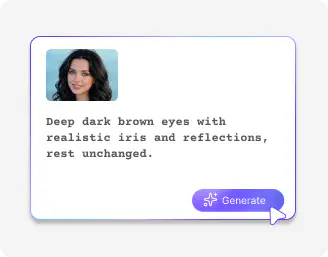
Add your image
Upload your selfie/portrait where you want to change the eye color.

Write your prompt
Describe in simple words the eye color you’d like (brown, blue, green, hazel, etc.) and let the tool apply it.

Download the image
Save your photo with your new eye color in HD quality, free from watermarks, labels, or text overlays.
Why choose Pixelbin’s AI eye color changer?

Popular image formats
Upload your selfies or any image in any format, such as JPEG, JPG, WEBP, or PNG.

Browser-based
Change eye color online on any browser you use, be it Safari, Chrome, Edge, or Firefox

Watermark-free exports
Export clean, professional results without any distracting elements, so you can easily share or publish online.
.webp)
Localized editing
Make targeted edits to specific parts of an image while keeping the rest of the photo untouched.

Global CDN
Load and access your images instantly on any device through a robust global network.

Asset management
Organize, store, and manage all your edited images in one secure place so you can find them whenever needed.
Help your clients visualize lenses with realistic eye color changes
Preview multiple eye shades in seconds and compare results side by side for faster decision-making.
Realistic results
Change your eye color while keeping your facial features, skin tone, and details natural.
No editing skills
Try the AI eye color changer in a simple UI that’s perfect for both beginners and professionals alike
Complete privacy
Your images are processed on secure servers and are never shared or reused without consent.
HD outputs
Download crisp, high-quality images that showcase eye color changes with professional clarity.
/pixelbin_blogs/PB_2.0/Apps_New_design_graphics/Change_eye_color/Cuutsom_prompt.webp)
AI tools by Pixelbin
/pixelbin_blogs/PB_2.0/Apps_Graphics/eyebrow_filter/Thumbnail.png)
/pixelbin_blogs/PB_2.0/Apps_Graphics/Redeye/redeye_remover/Thumbnail.png)
/pixelbin_blogs/PB_2.0/Apps_Graphics/smile_filter/Thumbnail.png)
/pixelbin_blogs/PB_2.0/Apps_Graphics/fairy_ai/Thumbnail_34.png)
Key highlights of Pixelbin’s AI eye color changer
Benefits of the eye color changer
- Risk-free experimenting: Eye color surgeries are irreversible and dangerous, but with an AI eye color changer, you can see yourself with an entirely different appearance with no possibility of blindness and discomfort.
- Virtual try-on: The AI eye color changer is like a test drive. You can even see a person’s skin color and lighting in combination with a certain shade of colored contact lens before you suggest any solution to your clients.
- Creative/artistic freedom: Create cosplays of any level, fantasy characters, or vampire eyes to share your picture on social media, and do it much better than using physical lenses.
- Professional photo retouching: Remove red-eye in a flash or brighten your dull-colored tones to make your eyes shine in headshots or portraits.
- Quickness & affordability: You do not have to be a Photoshop expert. The AI eye color changers do the heavy lifting within seconds, and it is easy to maintain the same appearance across all your images.
- Privacy protection: The ability to modify your eye color can provide an additional anonymity to your publicly shared photographs, which makes it a little more difficult to be identified through facial recognition or by strangers.
Use cases
- Mastering your portrait photography: Eye color changes are commonly employed by professional photographers to make your eyes brighter or sharper so that they can reflect the light and fit the artistic image they have in mind for the shoot.
- Upgrading your social and selfies: You can immediately change the colour of your eyes to make a selfie pop or experiment with some dramatic, other-worldly styles, such as cat eyes, to make your creative posts stand out.
- Bringing characters to life as cosplay: You can instantly swap your natural eyes for something otherworldly, like glowing violet, cat-eye slits, or even multi-colored "heterochromia" effects. It’s an easy way to bring a character to life for a video or digital art piece without the discomfort of physical costume lenses.
- Testing on virtual makeup and glasses: Try various colors of contact lenses or makeup styles just to see how they appear on you, without spending money on real items.
- Removing red eyes: It is a lifesaver if you want to remove red-eye flash, or just in softening dark eyes to ensure that your expression indeed comes through.
- Commercial images: If you are into ecommerce, you can try specific eye colors to set a mood or connect with a certain audience to create a more memorable and emotive advertisement.
How to get the best results using Pixelbin’s AI eye color changer online?
AI eye color changes are most effective when the prompt and image are clear. Pixelbin's AI eye color changer can produce realistic and natural eye color changes in a matter of seconds with the correct configuration.
- Take a clear picture that makes it easy to see the eyes. The AI can accurately identify eyes and apply color.
- Ensure that the face is well-lit. The AI is better able to comprehend the eye area when there is bright and uniform light.
- Write brief, straightforward prompts, such as "light green eyes" or "natural blue eyes." Generally, simple prompts give better outcomes.
- Modify the prompt and regenerate if the initial outcome is not ideal. The final image can be improved with minor prompt adjustments.
FAQs
Here are some of the most commonly asked questions about our AI eye color changer online. If you still can’t find what you’re looking for, you can reach out to us at support@pixelbin.io or read our documentation for more details.


Edit images in seconds, not hours
Get pixel-perfect results just with your words
Start editing with AI