


Support webp/jpg/jpeg/png, up to 10MB
/pixelbin_blogs/PB_2.0/Apps_New_design_graphics/Red-eye_remover/Sample_3.webp)
/pixelbin_blogs/PB_2.0/Apps_New_design_graphics/Red-eye_remover/Sample_2.webp)
/pixelbin_blogs/PB_2.0/Apps_New_design_graphics/Red-eye_remover/Sample_4.webp)
Remove red-eye instantly in one click
Free AI red-eye remover
Remove glare and reflections to restore a natural look in your photos.
/pixelbin_blogs/PB_2.0/Apps_New_design_graphics/Red-eye_remover/Remove_red_eye_After_1.webp)
/pixelbin_blogs/PB_2.0/Apps_New_design_graphics/Red-eye_remover/Remove_red_eye_Before_1.webp)


How to remove red eyes from photos using Pixelbin?
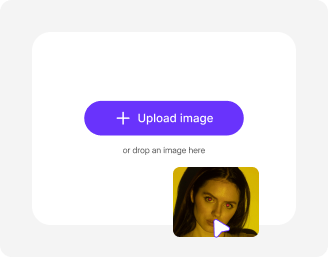
Add your image
Upload your picture in any of these formats: JPG, JPEG, PNG, or WEBP.
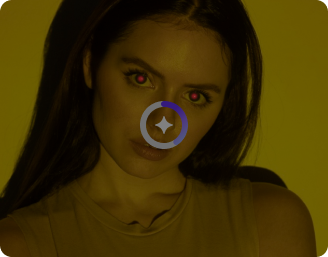
Select the image model
Choose Nano Banana or upgrade to Nano Banana Pro for premium results, then select the image ratio that fits your needs.
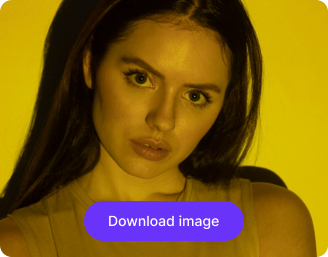
Generate your image
Click on generate. Pixelbin automatically fixes your eye color from the image without any manual editing required. Download in HD quality.
Why use Pixelbin’s red eye remover photo editor?

Targeted eye correction
Correct redness in the pupil area while preserving surrounding eye details and overall image quality.
.png)
Image models
Get better-looking images with powerful models that bring out finer details and cleaner results

Batch editing
Process multiple images at once with API support to save time and improve workflow efficiency.
.png)
Red tint removal
Replace the harsh red glare with natural dark tones for a clean, realistic look.
.png)
Image enhancement
Increase your image resolution by up to 8X while preserving your original looks

Frame size & ratio
Choose a format that fits your content perfectly with options like 1:1, 16:9, 9:16, 4:3, and 3:4.
Remove red-eye glare from photos in just a single click
Pixelbin helps you fix unwanted red-eye flash instantly, restoring your photo’s original look without editing skills or software downloads.
Automatic detection
Detects and corrects red eyes automatically in photos – no manual selection needed, even for group shots.
Natural color correction
Restores realistic eye color while maintaining a natural look without over-editing.
Monthly free trials
Fix up to three images for free each month, and upgrade anytime for more credits or API access.
Browser-based editor
Access the red-eye remover directly from your browser on any device — no downloads or installations required.
/pixelbin_blogs/PB_2.0/Apps_Graphics/Redeye/redeye_remover/One-click_result.png)
AI tools by Pixelbin
/pixelbin_blogs/PB_2.0/Related_apps_tumbnail/erasebg-transformed_-_2026-04-01T130755.340.webp)
/pixelbin_blogs/PB_2.0/Apps_Graphics/Blemish_remover/Graphics/blemish_remover-02_(1).webp)
/pixelbin_blogs/PB_2.0/Apps_Graphics/teeth_whitening/teeth_white/Thumbnail.png)
/pixelbin_blogs/PB_2.0/Apps_Graphics/Image_Editor/Graphics/thumbnail.png)
Key highlights of Pixelbin’s best red eye remover app
Benefits of using our red eye remover online tool
With Pixelbin, you can restore your favorite images by removing red-eye effects without any hassle. Here are some benefits of using the tool:
- Get natural pupil color: Restores a realistic, dark pupil instead of just a flat black dot.
- Fix multiple faces: Automatically corrects red eyes for every person in your group photos.
- No quality loss: Your photo's original resolution and sharpness are perfectly preserved.
- Save time: Skip the hassle of manual brushing in complex photo-editing software.
- Mobile-friendly: Our AI editor works perfectly on your phone's browser.
- No watermarks: Download your generated image in HD without distracting watermarks.
Use cases of our free red eye remover online tool
With Pixelbin, you can fix any photo ruined by a camera flash. Here are some ways this tool can help:
1. Fix party or event photos
Flash photography at night often causes red eyes. With Pixelbin, you can repair those memories instantly and share them with friends.
2. Restore old scanned photos
Fix distracting red-eye effects in your digitized family albums and precious memories. With Pixelbin, you can make old scanned portraits look clean and natural again.
3. Clean up wedding photography
Using Pixelbin, you can quickly process photos from weddings, concerts, or club events where flash is common. Deliver flawless images to your clients or friends without spending hours on manual editing.
4. Quick-fix social media posts
Uploading a great photo that has the red-eye glow? Using our free red eye remover app, you can remove such unwanted glares for a perfect post on Instagram or Facebook.
5. Prepare photos for printing
Thinking of printing a great portrait image? Ensure your printed photo looks professional and flawless by using our tool to fix any red eyes before sending it to be printed or put in a photobook.
How to get the best results from free online red eye remover tools?
To get the most natural correction when you remove red eyes online, follow these simple tip:
- Use a clear photo where the eyes are visible and not heavily shadowed.
- Avoid extremely blurry photos, as this can make it hard for the AI to find the pupils.
- Make sure the photo resolution is reasonably high for the best-quality download.
- If the photo is very dark, try adjusting the brightness slightly before uploading.
- Check the preview to ensure you're happy before downloading the final image.
How to remove red eye from photos
Fix red-eye effects in portraits and flash photography instantly using Pixelbin’s AI red eye remover tool.
1. Upload your photo
Upload the image with red-eye effects in JPG, JPEG, PNG, or WEBP format. Pixelbin supports high-quality image uploads up to 10 MB.
2. Let the AI detect red eyes automatically
Pixelbin’s AI scans the photo, detects unnatural red-eye reflections caused by camera flash, and removes them while preserving natural eye color and facial details.
3. Preview the corrected image
Compare the original and edited versions side by side to ensure the eyes look natural and realistic after correction.
4. Download the final image
Download the corrected photo in high quality without red-eye effects, ready for sharing, printing, or social media use.
FAQs
Here are some of the most commonly asked questions about our AI Red Eye Remover Tool. If you still can’t find what you’re looking for, you can reach out to us at support@pixelbin.io or refer to our documentation for more details.


Edit images in seconds, not hours
Get pixel-perfect results just with your words
Start editing with AI