PixelBin logo
Image generator is here -   Create Now   and Claim 30% off on Pro Plans. Use code SALE30 at checkout.   Claim Discount

AI painting generator

Instantly modify your paintings using simple text prompts. Add or remove elements, filters, and effects without any manual edits.

2500 chars left
Loading

Creating your anime artwork...
Turning your text prompt into a beautiful AI-generated painting.

Ready

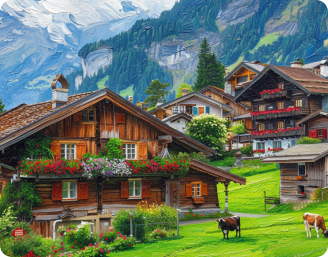
Your AI-painted artwork is ready!

Edit image with AI
Get 🔥 free credits for image editing, upscaling, generation and more
Create another painting
Generation Failed

There was some issue on our end. Please try again.

Try Again
Show case

How to use Pixelbin's AI painting generator?

1
Add your image
Upload your painting photo in any of the following formats: JPG, JPEG, PNG, or WEBP.
2
Modify it with AI
Describe the changes you want to make, using simple words & sentences.
3
Generate your image
Preview & download the modified AI painting in HD, at no extra cost or watermarks.

Why use Pixelbin’s free AI painter website?

Multiple image formats
Works with images in popular formats such as JPG, JPEG, WEBP, or PNG.
Smart AI editor
Make edits with simple prompts like “add some people” or “remove the pole behind”.
Multiple styles
Edit paintings in styles like watercolor, oil, impressionist, anime, abstract, and more.
Free HD download
Download your generated paintings in HD without watermarks or extra costs.
No sign-up required
Use the tool instantly without registering or entering any details.
Complete privacy
Your images are processed on secure servers & never shared with anyone.

Give final touches to your paintings with our AI editor

Pixelbin helps you make last-minute modifications to your paintings using AI, without the need for software downloads or manual editing.

High-quality edits

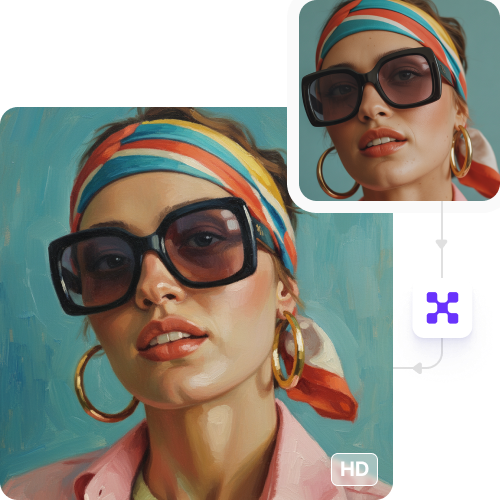
Preserve the original resolution of your image even after making changes to it, with Pixelbin’s online AI painter.

Feature 1
No app installations

Access our AI photo editor directly from your browser (like Edge, Chrome, Safari) on any device - no downloads required.
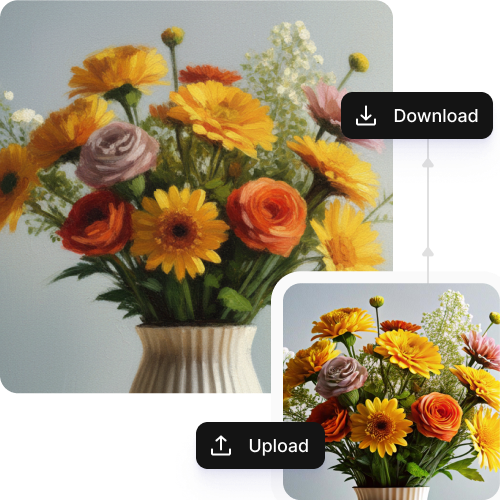
Feature 2
Simple text-based prompts

Make changes to your paintings quickly, just by uploading them, describing what you want in simple texts/phrases & get instant results.
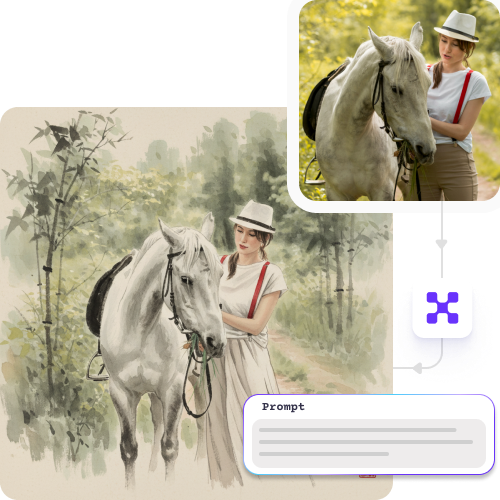
Feature 3
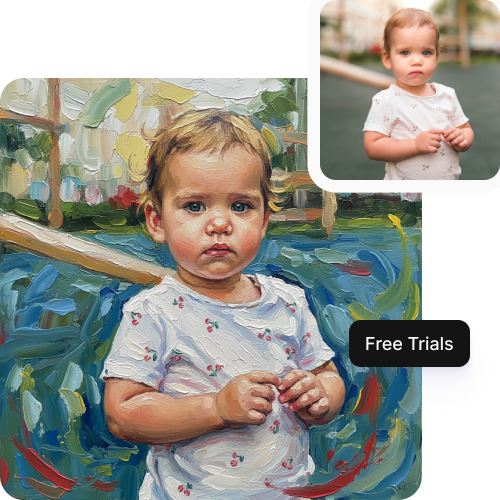
Monthly free trials

Edit up to three paintings per month for free, and upgrade anytime for more credits or API access.
Feature 4

AI tools by Pixelbin

Key highlights of Pixelbin’s AI painter free tool

Benefits of using an AI painter online

With Pixelbin, you can make fast & simple edits to your paintings without any need for manual editing. Here are some of its benefits:

  • Realistic results: Our AI editor understands light, texture, and perspective to make paintings look exactly like how you want.
  • Cost-effective solution: You get access to professional-grade editing without paying for expensive software.
  • Zero distortion: Edited paintings have the same clarity as the original photo, free from any type of blur or distortion.
  • Regular style updates: The platform frequently updates its AI models to include trending art styles and improved rendering capabilities.
  • No watermarks: Download your filtered image in high quality, without any distracting watermarks.

Use cases of AI painter text to art tools

Pixelbin’s free AI editor can be used for creative projects, marketing, and personal gifts. Here are some common use cases:

1. Create social media content

Turn your selfies and travel photos into digital paintings using Pixelbin. Share unique "oil portraits" or "watercolor landscapes" on your Instagram or Pinterest to make your feed stand out from the crowd.

2. Enhance blog & website visuals

Give your website's "About Us" photos or blog post headers an artistic touch. A consistent painted style can make your brand look more creative and memorable.

3. Visualize home interiors

Use the AI house painter feature to see what a room would look like with different art. Upload a photo of your room and use a prompt to add a "painting of a ship" to the wall. You can even visualize artistic renditions of your home's exterior in different styles before making real changes.

4. Generate marketing & ad creative

With Pixelbin, you can create unique visuals for your ad campaigns. Turn a simple product shot into a customized piece of art that grabs customer attention and avoids stock-photo fatigue.

5. Personalize gifts & cards

Transform a favorite family photo or pet picture into a beautiful painting. You can then print it on a canvas, mug, or greeting card for a personal and thoughtful gift.

How to get the best results from AI painter generator tools?

Here are some suggestions to get the most accurate results from Pixelbin’s free photo editor:

  • Start with a high-resolution photo where the subject is clear and well-lit.
  • Be specific with adjectives in your text prompts for more accurate results.
  • Mention specific art styles (e.g., "cyberpunk," "impressionist") directly in your prompt.
  • Clearly specify the subject you want painted if the photo is busy.
  • Experiment with lighting keywords like "golden hour" or "cinematic lighting".

FAQs

Here are some of the most common questions about our AI Virtual Painter. If you can’t find the information you need, contact us at support@pixelbin.io or refer to our documentation for more details.

An AI art painter is a digital tool that converts text prompts or photos into artwork using artificial intelligence. It understands your instructions to create paintings that look like they were made by a human artist.
You can use our AI painter from words tool for up to three image conversions per month. For more usage, you can always sign up to get ten free credits, which you can use across all our AI tools.
Yes. You can use prompts like "in the style of Van Gogh" or "like a Picasso painting" to guide the AI art painter to mimic the specific style, colors, and techniques of famous artists.
No. Our AI painter online tool is designed to maintain the original resolution of your image. Your final downloaded painting will be in high definition, just like your uploaded photo.
Absolutely. You can upload a reference photo of a person and select a style to turn it into an oil painting, sketch, or cartoon while keeping the facial expressions recognizable.
Yes, it functions effectively as a landscape painter AI tool. You can describe a scenery, like "a futuristic city at sunset" or "a calm, misty forest", and the AI will generate a painting matching that environment.
Yes, you can upload big files to Pixelbin’s online AI painter. Images up to 10 MB should work as long as they’re in the mentioned file formats (JPG, JPEG, PNG, WEBP).
Edit images in seconds, not hours
Get pixel-perfect results just with your words
Start editing with AI