PixelBin logo
Image generator is here -   Create Now   and Claim 30% off on Pro Plans. Use code SALE30 at checkout.   Claim Discount

AI book cover generator

Create professional book covers for fiction, non-fiction, magazines, and self-published ebooks.

2500 chars left
Loading

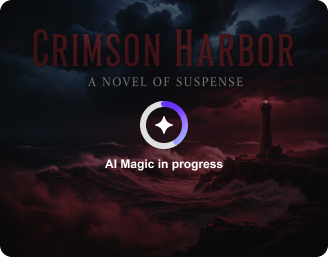
Creating your AI book cover...
Turning your text prompt into a stunning AI-generated book cover.

Ready

Your AI-generated book cover is ready!

Edit image with AI
Get 🔥 free credits for image editing, upscaling, generation and more
Create another book cover
Generation Failed

There was some issue on our end. Please try again.

Try Again
Show case

How to create a book cover with Pixelbin’s AI tool?

1
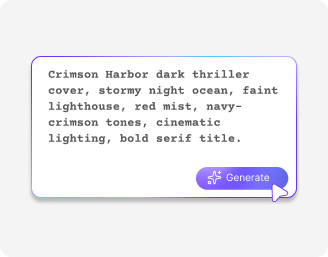
Add a prompt
Describe what kind of book cover you want to generate. Include book title, genre, and style to be specific.
2
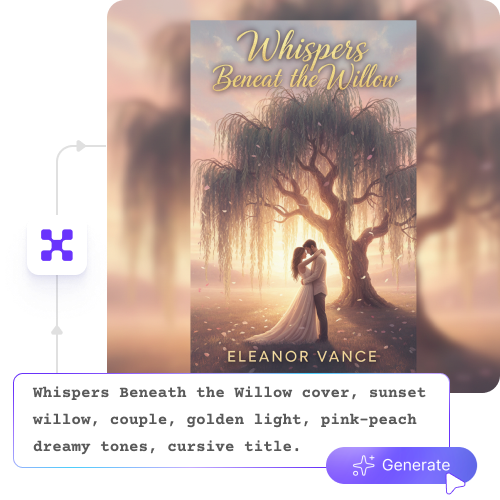
Click on “Generate”
Pixelbin automatically creates multiple design options based on your description and chosen style.
3
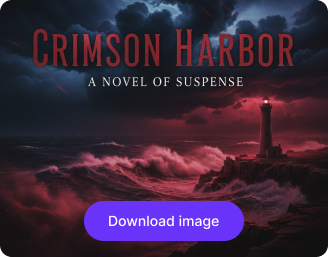
Download in HD
Save your final design in high resolution, free from watermarks or labels, ready for ebooks, print, or digital publishing.

Why use Pixelbin’s AI book cover generator?

HD outputs
Download high-resolution designs suitable for ebooks, print, and digital publishing.
No sign-up
Start quickly without creating an account or sharing your personal details.
Watermark-free designs
Save your designs without any logos, marks, or added texts; ready for professional use.
Digital asset management
Store, organize, and manage all your book covers in one place for easy access.
Easy sharing
Copy the generated image URL and simply share it with your editors, designers, or publishing teams.
Global CDN network
Load and download your designs quickly from anywhere with a powerful global delivery network.

Generate cover designs that match your vision

Try realistic, minimal, or illustrated book covers that clearly convey your story and genre.

No editing skills

Design polished, genre-ready covers using our AI tool, designed for beginners and professionals alike.

Feature 1
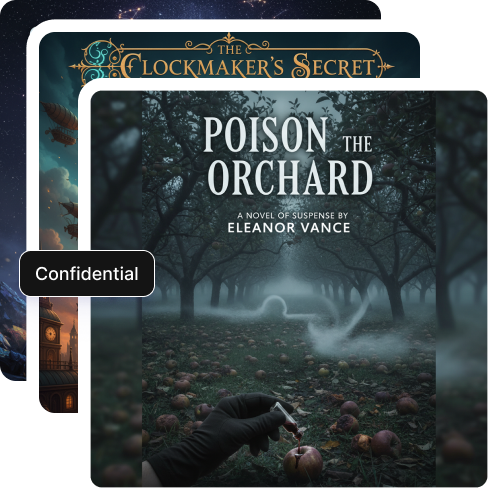
Complete confidentiality

Your stories, ideas, and cover designs remain private and are never shared or reused.
Feature 2
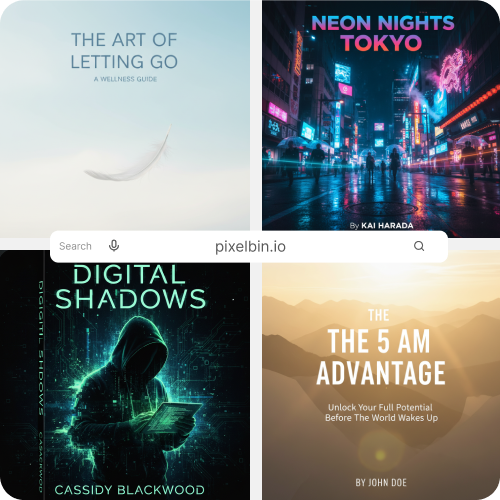
Browser-based

Access the online book cover maker directly in your browser, such as Safari, Edge, Chrome, or Firefox; no software downloads required.
Feature 3
Image upscaler

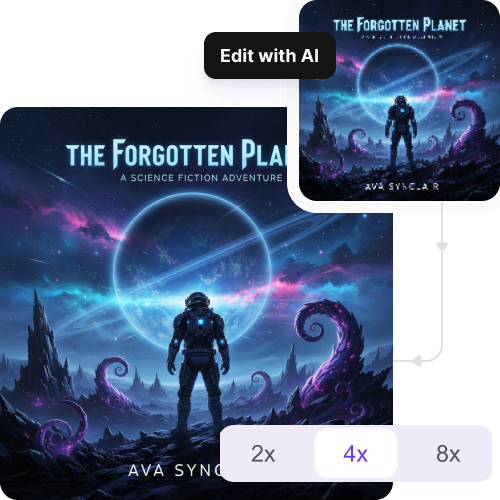
Enhance your cover design by up to 2X, 4X, or 8X while keeping all details true to its original form.
Feature 4

AI tools by Pixelbin

Key highlights of Pixelbin’s AI book cover generator

Benefits of using the AI cover maker

  • You get to "see" your ideas instantly: In the past, you’d have to wait days or weeks for a designer to send back a single sketch. With the AI book cover generator, you can describe a scene, no matter how niche or bizarre, and see it visualized in seconds.
  • Overcoming the "stock photo" look: We have all observed book covers that feature the same model who appears on ten different publications across identical genres. The AI cover maker will help you create an original design that solves this problem. You can design original visual components to create an exclusive character who will not appear in any competing author's popular work. Your book gains an exclusive custom design that operates at lower costs than hiring an illustrator for custom artwork.
  • Total creative control: Sometimes it’s hard to put into words exactly what you want. If you want the lighting a bit darker, the dragon a bit larger, or the forest to look more "enchanted," you can tweak your prompts until it’s perfect. You aren't limited by a designer's schedule or their specific artistic style.
  • It’s a massive budget saver: Professional cover art can easily eat up your entire marketing budget. With our book cover maker, you can save hundreds or thousands of dollars, which you can rather spend on professional editing or targeted advertising to increase your book sales after your cover attracts reader interest.
  • Perfect for "rapid release" authors: If you’re writing a series and need five covers that look consistent in a short amount of time, our AI book cover generator is a lifesaver. You can maintain the same "visual DNA" across a series effortlessly. So whenever your readers look at a book, they immediately recognize it as yours.

Use cases of AI book cover generator

1. The "Does This Work?" test

Try new cover designs because it shows whether your concept will succeed before you hire an expert designer. You might think a neon-pink dragon on a dark city street is a cool idea, but once the AI book cover generates it, you might realize it’s too "busy." You can generate multiple ideas without risk because you can quickly discard unworkable concepts until you discover which one works.

2. Matching the "Vibe" of a series

A trilogy writer faces their biggest challenge when the first two books achieve perfect design, and the third book needs matching artwork. AI maintains its output through consistent results. You can guide the AI to apply identical lighting and artistic techniques and color patterns, which will make their series appear as a cohesive collection.

3. Making "Impossible" art

Let’s say your main character is a half-robot detective in a steampunk Version of Tokyo. Finding a stock photo for that is a nightmare. With AI, you aren't limited by what a photographer has already shot. You just type it in, and the AI builds that specific world for you. It’s like having a world-class illustrator who works for free.

4. Sprucing up old books

Do you have a book that you published five years ago that has failed to achieve sales success? The cover appears to have an "old" appearance. Our online AI book cover maker lets you rebrand your older images without hiring design services. It’s a cheap way to give an old story a second life to attract new audiences who previously ignored the outdated design.

5. Creating your whole brand

Your book cover is your initial representation. The AI generates backgrounds that match your Facebook header and website images and character portraits used on your "About the Author" page. The system maintains visual consistency throughout all content, which makes your brand appear more professional to readers.

How to get the best results using Pixelbin’s AI book cover generator?

To generate the most realistic book covers, here are a few suggestions you must try:

  • Place your key subject first. Begin your prompt with the most important thing, like “A lone astronaut” or “A mysterious woman.”
  • Use mood and texture words like “dark,” “magical,” “bright,” or “gritty.” These help the AI understand the feeling and atmosphere you want for your cover.
  • Say exactly what style you want, such as “oil painting,” “digital art,” or “3D render.”
  • Add phrases like “golden hour light,” “soft background blur,” or “dramatic shadows.” These small details can make your cover look more professional.
  • Be specific, but do not write long, confusing sentences. Use short phrases or 6–10 strong keywords that cover the subject, setting, style, and mood. Also mention “high-resolution book cover” or “300 DPI” for sharp quality.

FAQs

Here are some of the most common questions about our AI Virtual Painter. If you can’t find the information you need, contact us at support@pixelbin.io or refer to our documentation for more details.

Yes. You get 3 free actions per month to try the tool. After that, you need to sign up and buy additional credits. It works on a simple pay-as-you-go basis, so you only pay for what you use.
You do. The generated cover belongs to you because it is created from your prompt and your ideas. Pixelbin does not reuse, resell, or claim ownership of your design. You are free to use it for publishing, selling, or promoting your book.
Yes. You can reuse the same prompt. Just adjust small details like lighting, pose, background, or colors. This way, you can create multiple similar versions while maintaining a consistent look.
Yes. You can use your generated cover for Amazon KDP, ebooks, print books, and other publishing platforms, as the exports are available in high-resolution and are free from any watermarks or branding elements.
Yes, Pixelbin works on mobile browsers. The AI book cover generator is browser-based, so you can use it on mobile phones, tablets, or desktops. Just open it in Chrome, Safari, Edge, or any other browser, and start creating.
Edit images in seconds, not hours
Get pixel-perfect results just with your words
Start editing with AI