


Support webp/jpg/jpeg/png, up to 10MB
/pixelbin_blogs/PB_2.0/Apps_New_design_graphics/AI_Headshot_generator/sample_for_headshot.webp)
/pixelbin_blogs/PB_2.0/Apps_New_design_graphics/AI_Headshot_generator/erasebg-transformed-4BDkkzQGq.webp)
/pixelbin_blogs/PB_2.0/Apps_New_design_graphics/AI_Headshot_generator/erasebg-transformed_(1)-ivywhhmQW.webp)
/pixelbin_blogs/PB_2.0/Apps_New_design_graphics/AI_Headshot_generator/sample2_for_headshot.webp)
/pixelbin_blogs/PB_2.0/Apps_New_design_graphics/AI_Headshot_generator/Man_headshot/Navy-urban.webp)
/pixelbin_blogs/PB_2.0/Apps_New_design_graphics/AI_Headshot_generator/Man_headshot/Light-blue-suit.webp)
/pixelbin_blogs/PB_2.0/Apps_New_design_graphics/AI_Headshot_generator/Man_headshot/Charcoal-office.webp)
/pixelbin_blogs/PB_2.0/Apps_New_design_graphics/AI_Headshot_generator/Man_headshot/Brown-city-view.webp)
/pixelbin_blogs/PB_2.0/Apps_New_design_graphics/AI_Headshot_generator/Man_headshot/Plaid-smart-casual.webp)
/pixelbin_blogs/PB_2.0/Apps_New_design_graphics/AI_Headshot_generator/Man_headshot/Grey-sky-blue.webp)
/pixelbin_blogs/PB_2.0/Apps_New_design_graphics/AI_Headshot_generator/Man_headshot/Beige-outdoor.webp)
/pixelbin_blogs/PB_2.0/Apps_New_design_graphics/AI_Headshot_generator/Man_headshot/Light-gray-portrait.webp)
/pixelbin_blogs/PB_2.0/Apps_New_design_graphics/AI_Headshot_generator/Man_headshot/Dusty-blue.webp)
/pixelbin_blogs/PB_2.0/Apps_New_design_graphics/AI_Headshot_generator/Man_headshot/Charcoal-outdoor.webp)
/pixelbin_blogs/PB_2.0/Apps_New_design_graphics/AI_Headshot_generator/Man_headshot/Brown-office-suite.webp)
AI Headshot Generator
Free AI headshot generator online
Turn ordinary photos into professional AI headshots with clean backgrounds, natural lighting, and corporate-ready styling.
/pixelbin_blogs/PB_2.0/Apps_New_design_graphics/AI_Headshot_generator/PixelBin-AI-Image-Generator-6nQgBd0IX.webp)
/pixelbin_blogs/PB_2.0/Apps_New_design_graphics/AI_Headshot_generator/download_(29).webp)


How to use Pixelbin’s AI headshot generator?
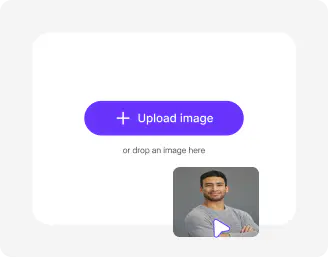
Upload your image
Start with a clear selfie or portrait in JPEG, JPG, WEBP, or PNG where your face is easy to see.
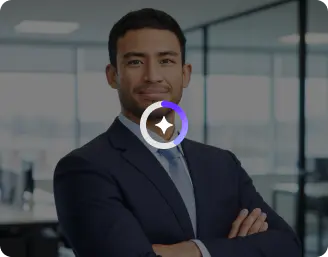
Pick a style or add a prompt
Choose from readymade headshot styles, or write a short custom prompt if you want a more specific look.
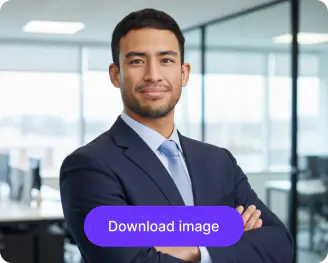
Choose image model and ratio
Select the image model that fits your quality needs, then pick the ratio. Click generate & save in HD, watermark-free.
Why use Pixelbin’s AI headshot generator?

Face mapping
Let the AI analyze your face shape and other details so the final headshot still looks like you while improving the overall finish.

Corporate backgrounds
Choose clean, work-friendly backgrounds that make the image feel more polished and business-ready.
.webp)
Smart attire fitting
Swap your outfits with professionally styled attire that matches your industry, personality, and headshot requirements instantly.

Lighting optimization
Improve facial lighting by adjusting brightness and contrast while keeping the image natural.

Image upscaling
Increase the quality of the final image by up to 8X so it stays sharp on profiles and websites.

Corporate cue alignment
Fine-tune posture and face positioning to create balanced professional headshots that feel confident and workplace-ready.
AI Headshot generator designed for every industry
Generate studio-quality headshots tailored for corporate teams, freelancers, students, creators, and entrepreneurs.
Simple style choices
Go with a ready-made look or add a short prompt to move from casual to professional without any extra editing steps.
Suitable for all work profiles
Use the professional headshots on LinkedIn, resumes, company pages, speaker bios, or personal branding pages.
Browser-based
Access the free AI headshot generator right on Chrome, Edge, Safari, or Firefox; no app installations needed.
Watermark-free exports
Use your professional headshots directly for any purpose, as all outputs are generated without any marks, logos, or added labels
/pixelbin_blogs/PB_2.0/Apps_New_design_graphics/AI_Headshot_generator/style.webp)
AI tools by Pixelbin
/pixelbin_blogs/PB_2.0/Apps_New_design_graphics/AI_Tools_by_Pixelbin/Professional_headshot.webp)
/pixelbin_blogs/PB_2.0/Apps_Graphics/Corporate_headshot/Graphics/Thumbnail.png)
/App_blogs/AI_Image_generator/graphics/Thumbnail.png)
/pixelbin_blogs/PB_2.0/Apps_Graphics/linkedin_profile_picture_maker/Thumbnail_55.png)
Key highlights of Pixelbin’s AI professional headshot generator
Benefits of the headshot generator
- Fast turnaround: Get a polished professional headshot in minutes rather than booking a photoshoot.
- Easy for anyone: The AI headshot generator is simple to use. Just upload one image, choose a style, and generate; there's no need for design skills or editing know-how at all.
- Work-ready output: Use the final image on LinkedIn, resumes, company pages, speaker bios, and business websites.
- Flexible styling too: Experiment with different looks depending on whether you want something more corporate, more approachable, or slightly creative. That subtle vibe matters.
- High-quality downloads: You’ll get sharp, clean headshots that stay crisp across digital platforms and also look crisp for print use.
- Cost-friendly option: By skipping the studio visit, you save time, plus you keep more money that you would otherwise have spent on professional photoshoots.
Types of headshot styles to explore
No matter which industry you are in, Pixelbin has preset templates that you can use instantly.
- Corporate: Try this AI headshot style; it'll give you an instant professional appearance. These headshots come with backgrounds, formal clothing, and that neat, tidy look. They are good for LinkedIn profiles, resumes, and company websites, seriously.
- Doctor: Make medical style portraits with professional attire, and healthcare-inspired settings that feel trustworthy, but still approachable.
- Office: Turn casual snapshots into workplace-ready headshots, using smart office attire, clean lighting, and modern professional looks that do not feel forced or overly staged.
- Lawyer: Create portraits that feel inspired by legal profession standards, with confident styling, premium wear, and a bold executive-style presence that communicates authority even before you speak.
- Graduation: Create graduation portraits with academic outfits, celebratory styling, and polished visuals, perfect for yearbooks or those milestone posts that people actually like.
- Chef: Transform selfies into chef-inspired portraits with culinary uniforms, kitchen-themed settings, and professional hospitality vibes.
- Fitness Trainer: Create energetic fitness-style headshots with sporty outfits, gym-inspired backgrounds, and a confident, wellness-focused appearance. You get the “train with me” energy vibes with this style.
- Cops: Generate law enforcement-inspired portraits with uniform-style looks and authoritative visual styling.
- Firefighter: Create firefighter-themed AI portraits with protective gear-inspired outfits, plus dramatic professional rescue-service aesthetics. It looks intense, but still professional.
Premium image models for AI professional headshots
- Nano Banana: A solid starting model when you want fast results without getting too wrapped up in settings. It works well for simple headshots, casual transformations, and everyday AI portraits.
- Nano Banana 2: Made for users who want cleaner details and more polished results. Faces look sharper, lighting feels more balanced, and the final images appear more professional overall.
- Nano Banana Pro: The most advanced option for high-quality transformations. It focuses more on realism, textures, lighting depth, and finer details to create portraits that feel more premium and cinematic.
Use cases for AI professional headshots
- LinkedIn and job profiles: A clean headshot can make for a pretty strong first impression on LinkedIn, on your resume pages, and other professional profiles. It makes people think you’re approachable.
- Company team pages: Build one consistent look across employee profiles so the team page feels more professional and unified.
- Personal branding: Use an AI professional headshot generator to craft a photo that matches your own brand, no matter if you’re a consultant, a creator, or a freelancer. A good headshot can help your whole online presence feel more believable and a bit more trustworthy, too.
- Speaker bios and event pages: If you speak at events or you show up on panel pages, a polished headshot gives your profile a more finished, well put-together look. It also helps event organizers keep the visuals consistent across their materials, which is really helpful.
- Website and portfolio photos: Put a strong image on your website or portfolio, so visitors immediately get to know who you are. This is an easy way to make a profile feel more complete, and honestly, more credible as well.
How to get the best results with the AI headshot generator
- Start with a clear selfie where your face is easy to see, like easily readable.
- Use front-facing photos or ones that are slightly angled, so the result looks more natural.
- Pick a background and overall style that match the platform where the image will show up.
- Avoid heavily edited or filtered images.
- If you need a particular corporate vibe or a creative mood, mention that in the prompt. Keep it short and specific.
- If the first version is close but not perfect, tweak just one detail at a time and try again.
FAQs
Edit images in seconds, not hours
Get pixel-perfect results just with your words
Start editing with AI