PixelBin logo
Image generator is here -   Create Now   and Claim 30% off on Pro Plans. Use code SALE30 at checkout.   Claim Discount

AI saree editor

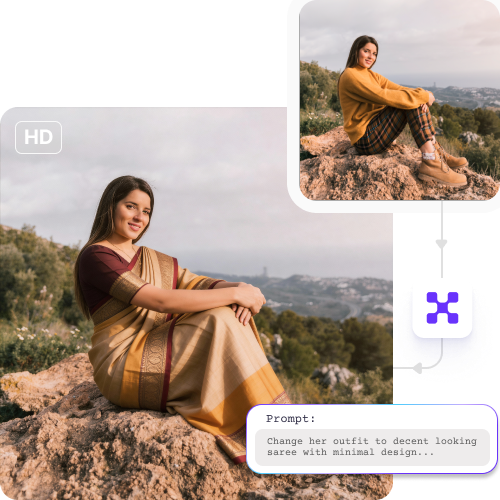
Try different saree styles, drapes, and colours to experiment with different looks.

Uploaded image
2500 chars left
Max file size 10 MB.
Loading

AI Magic in progress
Enhancing saree colors, refining fabric details, improving lighting, and cleaning the background

Ready

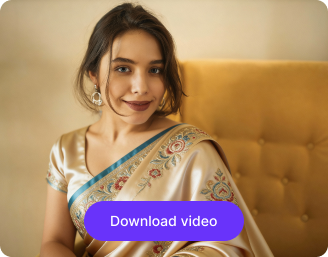
Your saree photo is ready!

Edit image with AI
Get 🔥 free credits for image editing, upscaling, generation and more
Create another image Outfit
Generation Failed

There was some issue on our end. Please try again.

Try Again
Show case

How to edit saree photos online using Pixelbin?

1
Upload your image
Add your photo in any of these formats: JPG, JPEG, PNG, or WEBP to start editing.
2
Specify the edits
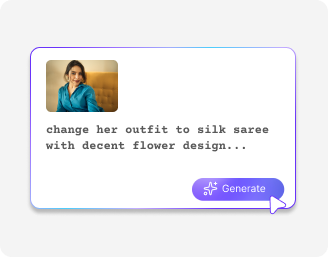
Describe the changes you want to make in simple words. Try prompts like “add a red georgette saree” or “change to a silk drape.
3
Generate & download
Click on “Generate,” preview the edited image, and download it in HD, free from any watermark or additional costs.

Why use Pixelbin's saree photo editor?

Multiple formats
Upload images in popular formats such as JPG, JPEG, PNG, or WEBP.
Instant access
Access the tool instantly without logging in or entering payment details.
Free trials
Edit up to three images each month for free, and upgrade anytime for more credits or API access.
Complete privacy
Your images are processed securely and never shared without your consent.
Easy to use
Follow simple editing steps without any design or technical skills.
Browser-based
Use the editor across browsers including Chrome, Firefox, Edge or Safari.

Effortless saree styling in just one click

Replace expensive photoshoots to generate professional saree visuals in seconds.

Bulk editing

Edit multiple saree images at once using API support to reduce manual effort.

Feature 1
High-resolution export

Download edited images in high definition at no cost.
Feature 2
Watermark-free output

Get clean saree images without any brand logos or text overlays.
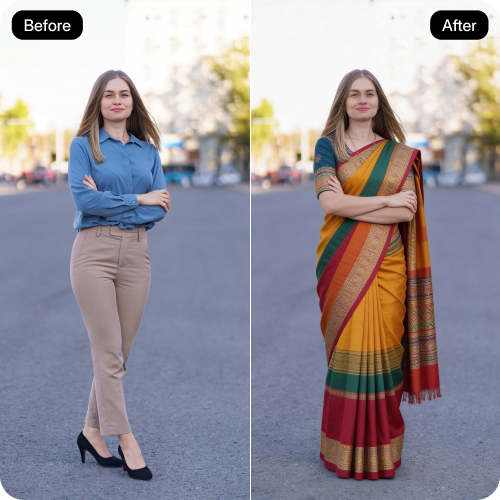
Feature 3
Unchanged picture quality

Enhance or refine saree images while preserving the original image quality.
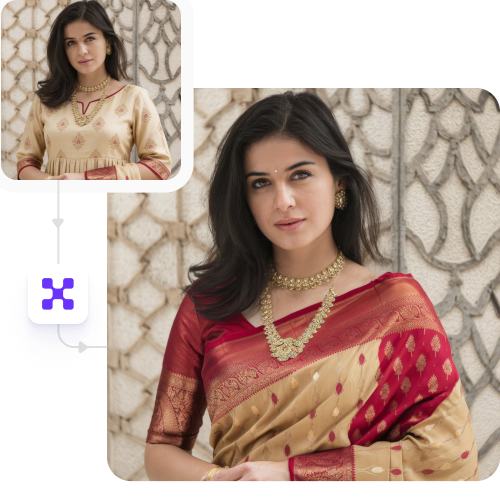
Feature 4

AI tools by Pixelbin

Key highlights of Pixelbin’s saree editor tool

Benefits of Pixelbin’s AI saree editor

  • Create color variants instantly: Try our AI photo editor to create color variations quickly. Generate multiple color options from one saree photo quickly.
  • Reduce photoshoot dependency: No need for multiple photoshoots or expensive software to make changes in drape, color, or style.
  • Keep catalogs consistent: Use improved lighting and declutter the background on all saree images to standardize all your saree images.
  • Highlight craftsmanship: Enhance your images that maintain realism and clearly show prints and textures with ease.
  • Speed up go-to-market: Save hours on manual edits and agency wait times as our AI saree editing tool can prepare visuals quickly.
  • Build buyer confidence: Create realistic images that help customers to have trust in what they see, which in turn results in lower returns.

Use cases of best online AI saree editor tools

1. Product catalogs

Create clean, consistent saree images with accurate colors and fabric details.

2. Color variants

Generate multiple color options from a single saree image without reshoots.

3. Marketplace listings

Improve image quality to meet platform standards and attract more buyers.

4. Websites & social media

Reuse one saree photo to create visuals for websites, ads, and campaigns.

5. New collection launches

Get festive or seasonal collections online quickly without editing delays.

6. Before & after visuals

Show improvements in styling, drape, or background for better presentation.

7. Lookbooks & campaigns

Build polished lookbooks with uniform lighting and styling.

8. Vendor onboarding

Standardize images from different vendors into one consistent catalog style.

9. Export & wholesale catalogs

Prepare professional visuals for buyers, resellers, and exhibitions.

How to get the best results from an AI saree editor?

For the best outcomes, here are a few tips you can try:

  • Use clear photos taken in bright, even lighting.
  • Avoid images with dark shadows to help the colors and textures look as realistic as possible.
  • Keep the model's pose simple so the saree is fully visible.
  • Avoid using filtered photos or images with noisy backgrounds.
  • Be very specific when adding the prompts so the tool clearly understands the edits you want.

FAQs

Here are some of the most common questions about our Recolor Image Online free tool. If you can’t find the information you need, contact us at support@pixelbin.io or refer to our documentation for more details.

Yes, the tool offers you 3 free credits every month. If you want to edit more or try premium features, you need to purchase credits on a pay-as-you-go basis.
Yes. You can use photos clicked on your phone. As long as the saree is clear and visible and is within the maximum upload size (10MB), the tool can edit the image and give you clean, realistic results.
No, Pixelbin is a browser-based platform, so you can work directly on the editor without installing any apps.
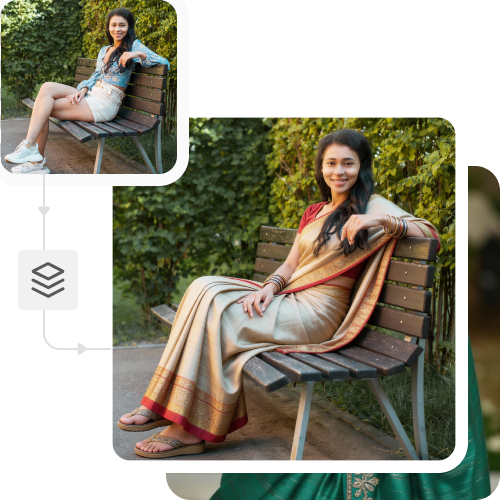
Yes, you don’t need to change the model or the background. The tool edits only the saree based on your instructions, while everything else stays the same.
Yes, Pixelbin is trained to recognize different textures. The tool maintains the original flow and folds of the fabric, so your digital edits look similar to a physical photoshoot.
Edit images in seconds, not hours
Get pixel-perfect results just with your words
Start editing with AI