How to use Pixelbin’s Seedance image-to-video generator?
Add input
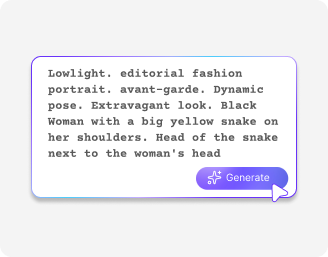
Upload a start image, end image, or directly enter a text prompt describing your video.
Choose settings
Select aspect ratio, set duration between 5–12 seconds, choose 480p–1080p quality, and turn sound on or off.
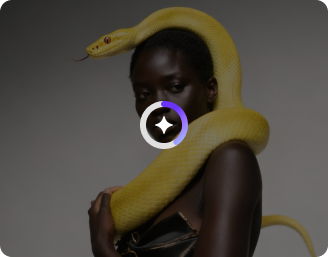
Generate the video
Click generate to create your AI video with motion, transitions, and optional synced audio and download in HD.
Why use Pixelbin’s Seedance AI video generator?
Cinematic visuals
Get movie-like visuals with rich detail, smooth lighting, and a polished look every time.
Character consistency
Maintain the same character identity across scenes with consistent face, style, and appearance.
Reference-based control
Guide outputs using reference images to achieve accurate, intent-matched visual results.
Reliable first generation
In Seedance, you can get the perfect shot in the first output, saving credit cost per generation.
Best action sequences
Seedance can produce fight choreography with contact physics, slow motion, and bullet-time effects.
Motion alignment
Ensure smooth, natural movement with properly synchronized actions across every scene.
Turn still ideas into dynamic storytelling with Seedance video
Create videos with professional-level cinematography, rich atmosphere, and detailed composition that look straight out of a film production.
Immersive sound effects
Add rich, layered audio that makes every scene feel more real and engaging.
Strong emotional expressions
Create videos that naturally express emotions across characters and scenes for more engaging storytelling.
Professional-grade quality
Generate all your seedance videos in 1080p for production-ready output.
Enhanced semantic understanding
See your ideas interpreted correctly as the model turns complex prompts into accurate video outputs.
AI tools by Pixelbin
Key highlights of the Seedance AI video generator
Benefits of using Seedance AI video maker
- Eliminate the challenges of manual synchronization: With AI generating video and audio simultaneously, lip-sync and environmental sounds are aligned precisely with the action, and this reduces the time spent on post-production significantly.
- Advanced cinematographic control: You can achieve professional camera movements without the need for a costly film crew. Using terms like dolly zoom or whip pan, the seedance 1.5 AI video generator can execute precise cinematic shots according to your direction.
- Systemic character consistency: Avoid inconsistent character appearances across clips. This model maintains your subject’s look, including clothing and features that support brand recognition or series development.
- Automated spatial Foley: The AI interprets the physical context of your scene. For example, if a character walks on gravel, synchronized footsteps are generated automatically to add realism without the need to source external sound effects.
Use Cases
- Global marketing campaigns: Launch products across multiple countries simultaneously. Multilingual lip-sync allows your digital spokesperson to communicate in local dialects. This will enhance brand authenticity for international customers.
- Cinematic content creation: Create complex, high-quality film sequences without a Hollywood-level budget. Try professional camera commands to maintain consistent character storytelling for social media series or independent shorts.
- Efficient digital education: Develop tutorials or corporate training materials with ease. Provide the script, and the Seedance AI video generator produces well-timed voiceovers and facial expressions while reducing manual editing and recording work.
- E-commerce product showcases: Turn static images into engaging video advertisements with realistic physics. Demonstrate fabric movement or product sounds to elevate the shopping experience for customers.
- Rapid prototyping and storyboarding: Present your ideas to clients using synchronized audio-visual drafts. Instead of static illustrations, show them scenes with cinematic motion to help visualize the final product more effectively.
How to get the best results using Seedance AI video generator?
To get the best results using this video generation model, here are a few things you need to try:
- Start prompts with clear action and subject so the model understands exactly what is happening, like “a firefighter running through smoke carrying a hose” instead of vague scene descriptions.
- Specify camera movement directly in the prompt, such as slow zoom, dolly in, pan left, or handheld motion.
- Repeat key character details like age, outfit, hairstyle, and defining features in every scene for consistency.
- Break complex ideas into simple sequential actions instead of mixing multiple events in one line.
- Use reference images whenever possible to lock style, composition, and subject accuracy for better results.
FAQs
Edit images in seconds, not hours
Get pixel-perfect results just with your words
Start editing with AI