PixelBin logo
🚀 Pixelbin Video Generator is live - Top models and video editing features   Click for Free Trial
Image to Video
Motion Control
Text to Video
Turn your images into videos
Generation Model
Select Model
Prompt

Add prompt and image to continue

Hailuo AI Video Generator

Generate HD videos from texts and static images with realistic motions and details

A surreal, cinematic sky scene where a young woman sits calmly atop a transparent glass bottle filled with floating lemon slices, suspended high among soft, voluminous clouds. The bottle drifts forward slowly through the sky, rotating just enough to catch shifting sunlight. As it moves, the lemon slices inside gently swirl and bump against the glass, creating subtle ripples of motion. Loose lemons float past the camera at varying depths, some drifting close to the lens while others pass behind her, enhancing parallax. The woman reacts naturally: her dress flows and flutters in the wind, she adjusts her balance slightly with one hand, and her legs swing gently as if enjoying the weightless ride. Sunlight breaks through the clouds, producing soft lens flares and warm highlights that slide across the glass surface. The camera begins with a wide, dreamy establishing angle, then slowly arcs around her in a graceful orbit, lowering slightly to emphasize depth and scale before easing back into a serene, looping composition. Add cinematic motion and move the camera.

An extreme close-up of the model’s eyes. They blink once, then the camera rapidly pulls back to reveal a full fashion look, strong stance, and architectural setting. Fabric settles dramatically as the shot widens.

A wide cinematic shot of a single penguin walking alone across an endless Antarctic ice field at dawn. The penguin takes slow, determined steps, its body gently swaying with each movement as its feet crunch into textured snow, leaving clear footprints behind. Fine snow particles drift sideways in the cold wind, catching soft blue and pale gold light from the low horizon.Distant blue glaciers fade into atmospheric haze, and thin clouds move slowly across the sky. The camera begins far behind the penguin, tracking forward at ground level, then gradually lifts into a slightly higher angle, revealing the vast empty landscape ahead. Subtle motion blur emphasizes movement while the scene maintains a calm, contemplative rhythm. Cinematic color grading, deep depth of field, quiet and emotional tone, film-quality realism. Add cinematic motion and move the camera.

The young woman sits on the bench, staring forward. Behind her, the tall surreal creature slowly leans in, its long tentacle-like arms gently reaching around her shoulders. One tentacle carefully lifts and adjusts the bow at her collar, reacting to her presence. The woman responds with a subtle shift—her fingers tighten briefly, then relax, and she turns her head slightly as if sensing the creature behind her. Around them, mushrooms bend and straighten in response to the creature’s movement, and small golden particles swirl faster for a moment before settling. Soft light pulses once as their interaction completes, then the motion eases back into a calm loop. Add cinematic motion and move the camera.

A futuristic humanoid robot stands on a high-rise terrace overlooking a dense modern city skyline. The robot grips a sleek energy rifle across its body. As the scene begins, the robot slowly shifts its stance, armor plates subtly adjusting with mechanical precision. The red visor line glows brighter as it scans the horizon, emitting a faint pulse.The robot raises the weapon slightly and rotates its upper body, tracking movement somewhere off-screen. Small mechanical components in the arms and torso flex and lock into place with deliberate motion. Wind moves lightly across the terrace, reflections sliding across the robot's smooth white armor.The camera starts at a low-angle hero shot, emphasizing scale and authority, then performs a slow cinematic push-in toward the robot's upper body. Midway, the camera arcs slightly to the side, revealing more of the sprawling city below and enhancing depth through parallax. The scene holds on the robot as it steadies its aim, city lights flickering subtly in the background. Add cinematic motion and move the camera.

A forward-facing FPV drone flying smoothly through the scene, fast forward motion, stable horizon, realistic parallax, no drone visible, no distortion. quick cinematic motion till the end add cinematic motion to 2 dragons and move them out of the frame

A matte-black smartwatch floating in a dark studio environment. The camera performs a slow, controlled orbit as soft rim lights sweep across the surface, revealing fine textures, buttons, and glass reflections. The screen gently powers on with a subtle glow. Minimal, high-end, commercial-grade lighting.

ultra-realistic top-down cinematic shot of a massive multi-layer urban highway intersection inside a dense futuristic city. Four elevated highways intersect in a flawless X-shaped formation, passing over circular tunnel openings and mirrored glass buildings below. The geometry is mathematically precise, symmetrical, and architecturally clean, creating the feeling of a city designed by algorithms rather than chaos. All vehicles move with absolute precision: Cars maintain exact lane alignment and consistent spacing Speeds are uniform and synchronized across all roads Lane changes are minimal, intentional, and smooth No braking, no acceleration spikes, no collisions Motion feels deterministic, like a perfectly executed simulation Headlights and taillights form clean, razor-sharp light streaks that follow the road geometry exactly. Light trails are subtle, physically accurate, and never smeared or artificial. Camera behavior: Locked-off, perfectly static top-down perspective No rotation, no drift, no vibration Camera feels architectural and omniscient Lighting & realism: Soft overcast daylight with cool tones Physically accurate global illumination Precise reflections in glass façades and tunnel interiors Natural shadow falloff beneath elevated roads Material fidelity: Asphalt with visible texture and lane markings Concrete barriers with realistic wear Vehicles with accurate proportions, paint, glass reflections, and lighting Buildings reflect traffic and sky with clean mirror accuracy Environmental rules: Only vehicles move Buildings, tunnels, and infrastructure remain perfectly still No people visible No atmospheric distortion, no fog, no noise Mood & concept: A megacity functioning as a perfectly synchronized machine — calm, intelligent, optimized beyond human error. Style & Quality Tags Ultra-realistic, cinematic simulation, 4K–8K, perfect symmetry, algorithmic motion, smooth traffic flow, crisp focus, zero jitter, zero artifacts, physically accurate lighting, premium sci-fi realism

A colossal wolf creature sprints across a snowy ridge, camera orbiting it in a wide circular drift while snow blasts off its fur in ultra-detailed slow motion, icy mist rising with each breath, mountains trembling as it leaps over a chasm.

The camera slowly zooms out from a medium shot to a wide aerial view of a man sitting inside the open door of a moving propeller airplane.The plane flies steadily above vast snowy mountains and frozen river valleys, clouds drifting below. His hair and jacket whip aggressively in the wind, fabric fluttering realistically.The airplane propeller spins in the left foreground, partially out of focus, adding depth and motion. Warm sunrise light contrasts against the cold blue landscape. The aircraft subtly vibrates from flight turbulence. Hard cut to a frontal close-up of the man's face, eyes focused, calm and determined. Golden sunrise light illuminates his features, hair blowing wildly across his face. He slowly raises binoculars into frame and looks through them, lens catching the sunlight. Background softly blurred, wind noise implied through motion, cinematic depth of field, realistic skin texture, natural movement.

A high-speed off-road vehicle slams into a sharp drift across open desert terrain. Tires tear through sand, launching massive dust plumes and debris into the air. Sand particles streak past the lens while the vehicle fights for control. Intense sunlight, aggressive motion blur, raw kinetic energy. Add cinematic motion and move the camera.

A forward-facing FPV drone flying smoothly through the scene, fast forward motion, stable horizon, realistic parallax, no drone visible in the frame, no distortion. quick cinematic motion

A cinematic portrait scene set in a dark studio environment with deep amber and golden lighting. A confident subject leans against a vintage car, one headlight glowing brightly beside them, casting warm light and long shadows across their face and jacket. Subtle motion brings the frame to life: light haze drifts slowly through the scene, the headlight glow flickers very slightly, and soft highlights move across the leather jacket as if the light source is shifting. The subject remains mostly still, with minimal natural movement in posture and expression, creating a powerful, composed presence. The background stays dark and atmospheric, emphasizing contrast and depth. Add cinematic motion and move the camera.

The woman wearing over-ear headphones slowly turns her head toward the camera. As she moves, she raises one hand and gently taps the outer earcup, triggering a subtle response: a soft pulse of light travels across the headphone surface, reacting as if touch-sensitive. She tilts her head slightly, as if listening closely, and nods once in rhythm to unheard music. A faint smile forms at the corner of her lips. Her hair shifts naturally with the movement, and reflections glide across her sunglasses and headphones. The background remains minimal and calm, keeping full focus on her interaction with the headphones. Add cinematic motion and move the camera.

A surreal cinematic scene set in a misty meadow surrounded by dense greenery. A human figure stands still, wearing a beige tailored coat, with their head entirely formed from moss, grass, and small blooming flowers. Subtle environmental motion brings the scene to life: fog drifts slowly across the background, wildflowers and tall grass gently sway in the breeze, and tiny pollen particles float in the air. The flowers growing from the figure's head move slightly, responding to the wind, with delicate natural motion. Soft overcast daylight creates a calm, muted color palette and shallow depth of field, enhancing the dreamlike realism. The atmosphere feels quiet, contemplative, and otherworldly. Add cinematic motion and move the camera.

give it some cinematic motion, and move the camera

A hyper-detailed close-up of a cybernetic raven against a deep crimson background. The bird slowly tilts its head toward the camera, mechanical joints in its neck shifting with subtle precision. Its glowing red eye powers up—concentric rings inside the eye rotate and tighten, emitting a faint pulse of light. Feathers along its neck and shoulders ripple slightly as if responding to an unseen electrical current. The raven suddenly snaps its beak open just a fraction, releasing a soft metallic click, then closes it again. Tiny dust particles drift through the red-lit air as the camera pushes in closer, transitioning from a profile angle to a more frontal, confrontational view. Reflections slide across the metallic beak and eye casing, emphasizing texture and menace. The motion eases into a tense loop, holding eye contact with the viewer. Add cinematic motion and move the camera.

The sports car accelerates smoothly along the coastal bridge, headlights cutting through the soft dusk light. As the car picks up speed, the camera starts from a high trailing angle and then dynamically swings lower and closer, shifting into a side-follow tracking shot that emphasizes speed and curvature of the road. The road markings and guardrails streak past with natural motion blur while reflections of the sky and ocean slide across the car's glossy surface. The ocean below shows subtle wave movement, and the distant lighthouse light slowly rotates. As the car approaches the curve, it leans slightly into the turn, tires gripping the asphalt, before the camera pulls back into a wider cinematic angle, revealing the full bridge and coastline. Add cinematic motion and move the camera.

How to use Pixelbin’s Hailuo AI image-to-video generator?

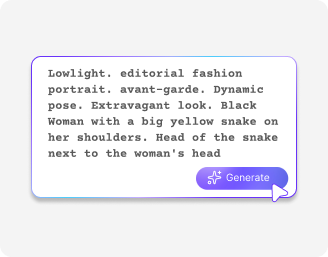
Add your input
1

Add your input

Add a reference image to start, or simply describe your video in detail inside the prompt box
Click on Generate
2

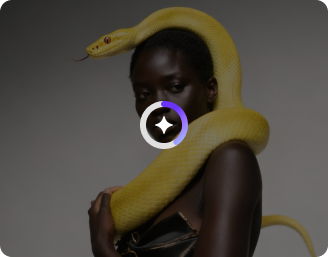
Click on Generate

Start the AI video creation process and wait for a few seconds to turn your input into a dynamic visual

Preview & Save
3

Preview & Save

Review the generated output and download the final video in 1080p without any marks or overlays

Why use Pixelbin’s Hailuo AI text-to-video generator?

Background transformation

Background transformation

Change or enhance backgrounds in your visuals to match the story or mood of your video.

Object cleanup

Object cleanup

Remove unwanted elements from images so your final video looks clean and focused.

Color and lighting control

Color and lighting control

Adjust brightness, contrast, and tones to maintain a consistent look across video frames.

Cinematic quality

Cinematic quality

Create high-quality visuals with realistic lighting, depth, and a polished, film-like look.

Realistic motion and details

Realistic motion and details

Capture natural movements like flowing water, fabric motion, and subtle facial expressions.

Consistent characters

Consistent characters

Keep the same character look across different scenes using a single reference image.

Generate memes, GIFs & ASMR videos in seconds

Convert your text or images into entertaining, bite-sized videos that capture attention instantly

Browser-friendly

Access the Hailuo AI video generator on Chrome, Edge, and Safari without any additional software setup

Easy to use

Generate high-quality videos with a simple interface designed for beginners and creators

Instant sharing

Copy the generated link and share it directly on Facebook, WhatsApp, Instagram, or Twitter instantly

Glitch-free videos

Enjoy smooth, stable video outputs with consistent motion and no visual distortions

Browser-friendly
Easy to use
Instant sharing
Glitch-free videos

AI tools by Pixelbin

Key highlights of Pixelbin’s Hailuo video AI generator

Benefits of using Hailuo video generator

  • You get your time back

Conventional editing is a time-consuming task that may require days. Using Hailuo AI image to video generator, you can transform a written text or just a simple photo into a refined clip within a few seconds. So, you can now enjoy your coffee break to create content instead of spending a full weekend glued to learning complex editing software.


  • Realistic movements

People look unreal: this has always been one of the greatest frustrations with AI video. Hailuo is rated very high with realistic human expressions. It has micro movements, such as the slight smile or blink on your characters, that make them feel like humans and not like robots.


  • Creative freedom 

Feel like shooting a Martian battle or a warm Victorian library? That would be expensive in sets and CGI normally. But now you can create it with our Hailuo AI text-to-video generator. It eliminates the visual ceiling of small creators, and you can compete with major brands on the same movie screen.


  • Film your own shots

You no longer have to cross your fingers and hope that you will get a good outcome. Control the camera angles with simple language. You can choose your preferred angles by tweaking your commands, as you would have done on a film set.


  • Consistent visuals 

A major headache for creators is when a character's face changes from one clip to the next. With our AI video generator, you can add your subject reference, where you can upload a photo of a person and keep that exact same face consistent across every scene you generate.

Use cases

  • E-commerce virtual studio

Small online shops often can't afford professional product shoots for every new item. Business owners use Hailuo's Image-to-Video tool to take a single, high-quality photo of a product (like a skincare bottle or a watch) and turn it into a "luxury" ad.


  • Social media ad A B testing 

Creative fatigue is a big challenge in marketing teams. Rather than making a single costly hero video, Hailuo enables you to create multiple versions of an idea or an image. To determine what exactly people actually buy into, you can switch the background of a city to a beach or a cozy morning environment to a moody night backdrop, which would be a great way to increase the return on investment (ROI).


  • Scaling faceless YouTube Channels 

Faceless channels (history, fun facts, or storytelling) are massive at the moment, and unique B-roll is a nightmare. Producers can create their own clips with Hailuo, which are nowhere to be found on stock sites, such as a futuristic city in the year 3000 or the first humans to discover fire. This way, you can stay consistent with your posting schedule and increase your audience without necessarily picking up a camera. 


  • Interactive educational content

If you are into business training or education, our Hailuo video AI generator can turn those monotonous slides into micro learning clips. For example, you can create a high-fidelity clip showing "complex fluid dynamics" or a "3D view of an engine" to help students visualize abstract concepts that are normally impossible to see in real life.


  • Concept pitching and storyboarding

Try Hailuo to create "moving mood boards". You can demonstrate a 5-second film sample of how a shot must appear before requesting a client to give a 50,000 budget. It is far more effective as a means of communication than a series of dead sketches or gestures.


  • Dynamic real estate previews

Make your dull property listings appear professional with exceptional short clips. Click a professional image of a living room and make it alive by adding small details, such as curtains blowing in a breeze or the sun setting outside the window. It gives a place a lived-in ambiance that is simply difficult to replicate using static photography.


  • Personalized brand mascots

Since Hailuo is good at character consistency, brands are developing AI influencers or consistent mascots. They are able to use one reference image of an actor and place them in dozens of other settings, such as on a mountain, in a cafe, or even in a tutorial, and they can be sure that the face of the brand will always stay exactly the same, no matter which video it is.

How to get the best results from the AI Hailuo video generator?

To get natural results using the AI Hailuo video generator, here are a few things you need to try:


  • Write clear prompts by being specific about the scene, subject, action, and mood so the AI understands your idea better.
  • Keep your instructions short and focused. Simple and direct prompts usually give better results than long or confusing ones.
  • Add style details like lighting, camera angle, or vibe, such as cinematic, realistic, soft, or dramatic, to improve the overall look.
  • Use high-quality images if you are uploading one. A clear and sharp image will always give better video output.
  • Experiment and refine your prompts. Don’t expect perfect results in one go; make small changes and try again.
  • Describe motion clearly, like slow motion, zoom, or pan, so the video looks smooth and more engaging.

FAQs

Hailuo video generator is a creative tool that transforms your written descriptions or still photos into high-definition, moving videos. It uses advanced AI to animate realistic motions without you needing to film a single frame.
For the best results, use a high-resolution, sharp image, and it should not exceed 10 MB. Make sure the image is in supported formats, such as JPEG, JPG, PNG, or WEBP.
The key is to use specific action words in your prompt, like slowly nodding or a gentle breeze. Add a clear reference image, as this will help Hailuo video AI generator to understand exactly which parts of the scene should move and which should stay still.
Yes, you can upload one photo of a person to act as a permanent guide. This ensures the AI keeps that exact same face and appearance consistent, even if you change the background or the action.
Absolutely. You can include simple directing commands in your text prompt, such as pan right, cinematic zoom, or low-angle shot.
No, the generator is completely browser-friendly and works on Chrome, Edge, and Safari. You can create, preview, and download your 1080p videos directly from the web interface without needing to install anything on your computer.

Edit images in seconds, not hours

Get pixel-perfect results just with your words

Start editing with AI