PixelBin logo
Image generator is here -   Create Now   and Claim 30% off on Pro Plans. Use code SALE30 at checkout.   Claim Discount

AI sad face filter

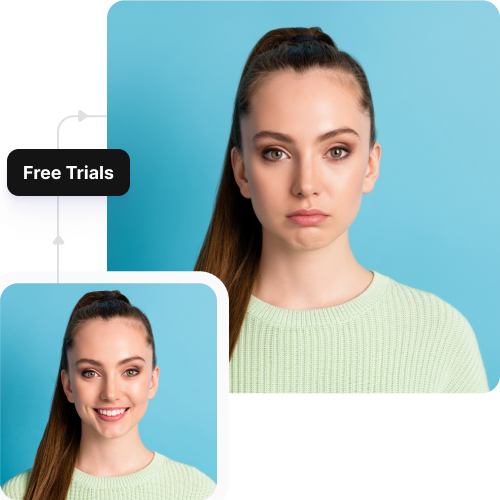
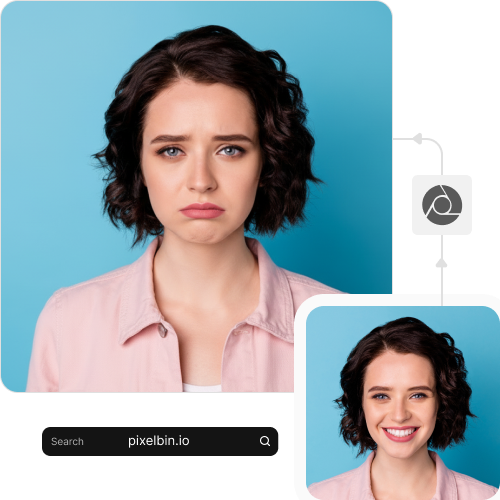
Add teary eyes, softened expressions, and natural sad-face details to any portrait in seconds.

AI sad face filter tool

File should be less than 10MB

or paste URL

Before
Loading

AI Magic in progress
Adjusting facial expressions, softening eyes, modifying mouth shape, and adding a natural sad emotion

After

Your sad face photo is ready!

Edit image with AI
Get 🔥 free credits for image editing, upscaling, generation and more
Create another sad face
Generation Failed

There was some issue on our end. Please try again.

Try Again
Show case

How to add a sad face filter using Pixelbin?

1
Add your image
Paste a URL or upload your image, in any of the following formats: JPG, JPEG, WEBP, or PNG.
2
Wait for AI processing
Pixelbin automatically applies a sad face to your photo without any manual editing required.
3
Download your image
Preview the filtered image & download it in HD, free from any watermark or additional costs.

Why use Pixelbin’s online sad face filter?

Multiple image formats
Upload images in popular formats such as JPG, JPEG, WEBP, or PNG.
Easy accessibility
Use the tool from any device with a browser and an internet connection.
Batch editing
Process multiple images at once with API support to save time and improve workflow efficiency.
Free HD downloads
Download your edited images in high definition without watermarks or extra costs.
No sign-up required
Access the tool instantly without logging in or entering payment details.
Complete privacy
Your images are encrypted, processed securely, and never shared with anyone.

Create hilarious sad face filter edits in seconds

Apply realistic sad-face effects in seconds without needing an app or manual editing.

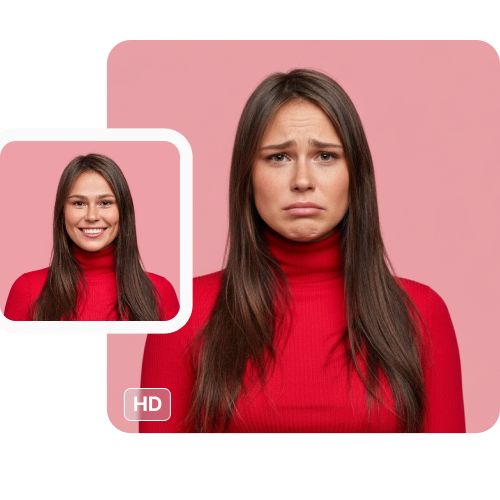
Photo-realistic results

Create natural-looking sad expressions that blend accurately with the features in your uploaded photo.

Sailling ship of sketche to image
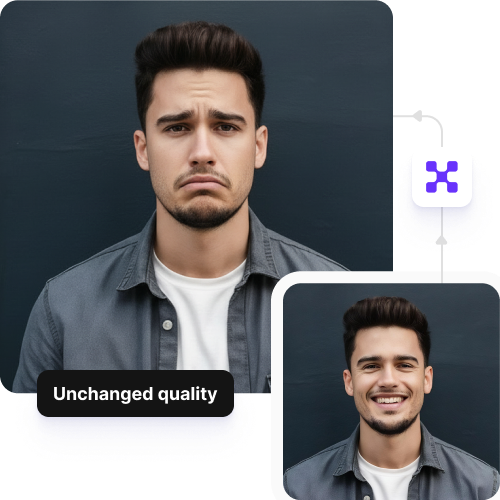
Unchanged picture quality

Preserve your photo’s original resolution, detail, and sharpness even after applying the sad crying face filter.
Mountain sketch to image
Completely free to try

Apply the filter to up to three images each month for free, and upgrade anytime for more credits or API access.
Sketch hot air baloon to image generator
No app installations

Use the sad-face generator directly from your browser on any device without downloading software or mobile apps.

sketch to image in HD-resolution pictures

AI tools by Pixelbin

Key highlights of Pixelbin’s sad face filter on photo tool

Benefits of using our sad face filter online

Using Pixelbin, you can make a crying face using our filter and download it without watermarks or software installs. Here are some of the benefits:

  • Natural expression: Pixelbin auto-adjusts facial features to look genuinely upset without distorting the rest of the image.
  • Cost-effective: Eliminate the need for expensive photo editors using our AI editor.
  • Unchanged picture quality: Ensure your final image remains sharp, as our AI only modifies the facial features.
  • User-friendly interface: Easily navigate the tool with a simple layout designed for beginners.
  • No watermarks: Download your filtered image in HD without any distracting watermarks.
  • Cross-device access: Use our AI filter online from your phone, tablet, or computer, anytime you want.
  • Batch editing: Using our API, you can apply a sad face to multiple images in one go.

Use cases of our best sad face filter

Pixelbin’s AI editor is perfect for creating memes, pranking friends, or enhancing digital art, without any manual effort. Let’s look at some popular ways to use it:

1. Create viral social media memes

Try the "crying face" trend that is pretty popular on Instagram and TikTok. Use Pixelbin to turn any random moment into a funny, sad face, and share them on your social media platforms.

2. Prank your friends & family

Snap a photo of your friend and use our online AI editor to create a comically tragic expression. Send the “worried" version to friends for a harmless and hilarious way to start a conversation or a group chat joke.

3. Design reaction images for chats

Sometimes, standard emojis can get boring. Using Pixelbin’s online sad face filter, you can create your own personalized library of "sad" reaction stickers by processing your selfies through the tool.

4. Spice up your dating profile

Show off your sense of humor by including a photo with a sad face as a conversation starter. Signal new matches that you don't take yourself too seriously, which can be a fun way to break the ice.

5. Create dramatic YouTube thumbnails

YouTubers can use our AI face filter to create exaggerated expressions for video thumbnails that magnetize attention. Significantly increase click-through rates for apology videos, storytimes, or dramatic reaction content.

How to get the best results from sad face filter apps?

Follow these simple tips to ensure the AI applies the most realistic crying effect to your photos:

  • Use a well-lit photo: Clear lighting helps the sad face filter capture your facial details accurately.
  • Face the camera directly: Front-facing portraits produce the most realistic crying effects.
  • Avoid busy backgrounds: Simple backgrounds ensure that the AI filter easily focuses only on your expression.
  • Upload high-resolution images: Use a high-resolution image so the added textures, like tears, don't look pixelated or fake.
  • Keep your face unobstructed: Ensure the face is not blocked by hair, glasses, or hands for the most accurate AI detection.
  • Try neutral or slight smiles: Upload a neutral face rather than a wide-open-mouthed laugh for a smoother transformation.

FAQs

Here are some of the most common questions about our AI Sad Face Filter. If you can’t find the information you need, contact us at support@pixelbin.io or refer to our documentation for more details.

Pixelbin’s free plan lets you generate up to three sad-face images per month at no cost. To continue using the filter, you will need to sign up to redeem ten free credits, which you can use to access any of Pixelbin's other AI apps.
Yes, but you won’t need to install an app. Pixelbin is a browser-based tool that works on all smartphones and tablets, which means you can use it on any device with an internet connection.
No. Pixelbin’s free sad face filter is designed to preserve the quality of your original upload. You will be able to download the processed image in HD, making it suitable for printing or high-quality social media posts.
Yes, you can use the generated images for commercial projects like YouTube thumbnails or marketing ads.
Yes. Images up to 10 MB should work as long as they’re in the mentioned file formats (JPG, JPEG, PNG, WEBP).
Edit images in seconds, not hours
Get pixel-perfect results just with your words
Start editing with AI