


Support webp/jpg/jpeg/png, up to 10MB
/pixelbin_blogs/PB_2.0/Apps_New_design_graphics/Ai_room_design/Scandinavian.webp)
/pixelbin_blogs/PB_2.0/Apps_New_design_graphics/Ai_room_design/industrial.webp)
/pixelbin_blogs/PB_2.0/Apps_New_design_graphics/Ai_room_design/Farmhouse.webp)
/pixelbin_blogs/PB_2.0/Apps_New_design_graphics/Ai_room_design/bohemian.webp)
/pixelbin_blogs/PB_2.0/Apps_New_design_graphics/Ai_room_design/Vintage.webp)
AI room designer
Free AI room design & planner
Redesign your rooms with new layouts, color themes, and furniture styles just by describing them.
/pixelbin_blogs/PB_2.0/Apps_New_design_graphics/Ai_room_design/Scandavanian_output.webp)
/pixelbin_blogs/PB_2.0/Apps_New_design_graphics/Ai_room_design/Showcase_empty_room.webp)

How to use Pixelbin’s free AI room design generator?
.webp)
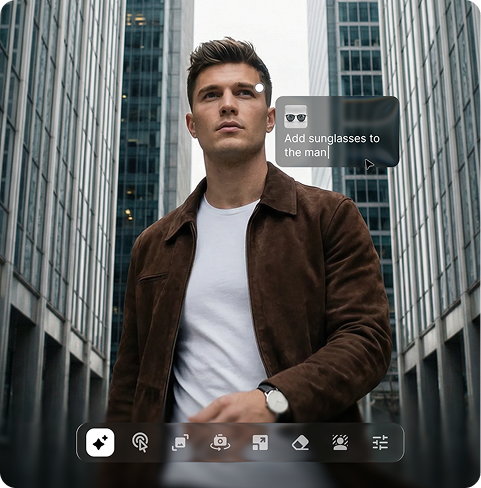
Add your image
Upload your raw image to the editor in any of the formats, such as JPEG, JPG, PNG, or WEBP.
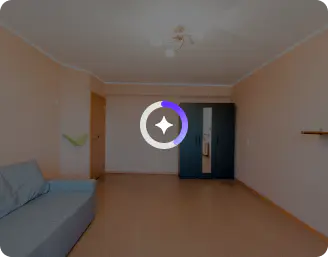
Describe your room design
Explain in simple 2000 characters the kind of style, colors, furniture, and décor you want to see in your redesigned space
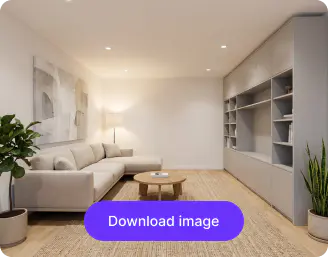
Save the image
Download your image in HD with no watermarks or added texts, ready to use as inspiration for real-life redesigns
Why use Pixelbin’s free AI room design tool?

Multiple formats
Upload your room images in all popular formats, such as JPEG, JPG, PNG, or WEBP.

Quick sharing
Copy the generated image URL and share it directly with your clients or interior designers.

Global CDN
Load your images with high speed, irrespective of your location, with a strong global delivery network.

Asset management
Store all your AI room designs in one place, making them easy to access and reuse.

Browser-based
Use the AI living room design directly in your browser without downloading any software or plugins.

Complete privacy
Keep all your images and designs secure with full privacy and control over your assets.
Your personal AI room designer with all the features you need
Customize colors, textures, and styles effortlessly to suit your personal taste and preferences
Background removal
Replace or isolate objects to create clean, professional visuals quickly
Add reference image
Upload a reference image to match styles, colors, or layouts exactly like your inspiration.
Localized prompts
Select a specific area of your image and apply customized styles, furniture, or lighting changes as desired.
Image to video
Turn static room images into short, realistic video walkthroughs of 4,6 or 8 seconds.
/pixelbin_blogs/PB_2.0/Apps_New_design_graphics/Ai_room_design/bg_(2).webp)
AI tools by Pixelbin
/pixelbin_blogs/PB_2.0/Apps_Graphics/Transparent_Background/Graphics/Thumbnail_(12).png)
/pixelbin_blogs/PB_2.0/Related_apps_tumbnail/erasebg-transformed_-_2026-04-01T130755.340.webp)
/pixelbin_blogs/PB_2.0/Apps_New_design_graphics/black_and_white_to_color/erasebg-transformed.webp)
/pixelbin_blogs/PB_2.0/Apps_New_design_graphics/black_and_white_to_color/Thumbnail_(1).webp)
Key highlights of Pixelbin’s AI room design generator
Benefits of using the AI room design tool
- See your ideas come to life instantly: It’s one thing to imagine a new paint color or furniture layout, and another to actually see it in your own space. With Pixelbin’s free AI room design generator, you can upload a quick photo and preview different styles within minutes. Maybe it’s a clean, modern look. Maybe something warmer and more layered. Either way, you’re not relying purely on guesswork anymore.
- No more "will this fit?" stress: We’ve all had that moment of uncertainty, wondering whether a sofa will overpower the room or if a table will quietly take over the walkway. The free AI room design tool helps map things out in a practical way. It considers spacing and layout so you can make adjustments before committing.
- Save your time (and your wallet): With our tool, you can handle all the technical stuff for you, that too without needing any particular software or hiring designers. You can create professional-looking concepts either on your desktop or on the go.
- A style that actually "gets" you: Instead of random trends, you can experiment with different colors, décor, and layouts that you’ve seen on Pinterest. Make room designs that match your personality and lifestyle.
- Stop overthinking every choice: Decision fatigue is real. When you’re staring at 50 shades of gray, AI narrows down the best options based on design principles like lighting and color harmony. It does the heavy lifting so you can focus on what you love.
Use cases
- Professional client projects: If you are a Designer who needs to show ideas to clients can try our AI room design tool because it helps you create better presentations. The 3D render provides your client with an accurate view of their future space, saving time compared to creating a mood board. AI room design free helps you connect your creative ideas with client requirements before any contract agreements take place.
- Renting & non-permanent makeovers: When renovation possibilities are limited, you can visualize temporary modifications like peel-and-stick backsplashes, large area rugs, or removable wallpaper.
- Residential interior designing: With Pixelbin’s AI room design generator, you can test major design changes in new or existing homes without risking your current setup. It allows you to delete essential elements and explore multiple possibilities safely. The tool acts as your advanced “what if” tool, helping you experiment with layouts and décor effortlessly.
- Commercial space planning: Evaluate floor plans, confirm desk arrangements, and ensure customers can navigate displays easily. With this tool, you can help maximize your space efficiently while maintaining a stylish and functional business environment.
- Real-estate staging: If you’re trying to sell a house, an empty room can feel cold and small. AI allows for virtual staging, where you can digitally "furnish" a photo of an empty space to show potential buyers its true potential. It’s significantly cheaper than renting physical furniture and helps people imagine themselves living there.
How to get the best results using the AI room design maker?
For the best results using our tool, here are a few tips you need to try:
- Upload a clear, well-lit image so the AI can identify walls, furniture, and the layout of your space.
- Make sure your photo shows the complete space instead of showing only the cropped corners, because this will assist in creating realistic transformations.
- Write prompts that provide complete details about your desired style, color, and material, and lighting and furniture requirements.
- Mention specific design themes like modern, minimalist, luxury, and Scandinavian to guide the AI with the elements you want.
- Test out different prompts with the same image so you can examine the results and identify the design that matches your vision.
FAQs
Here are some of the most commonly asked questions about our AI room design. If you still can’t find what you’re looking for, you can reach out to us at support@pixelbin.io or read our documentation for more details.
Edit images in seconds, not hours
Get pixel-perfect results just with your words
Start editing with AI