PixelBin logo
🚀 50% More Credits in Monthly and 30% discount on all plans  Click to Claim Discount
Turn your images into videos
Generation Model
Select Model
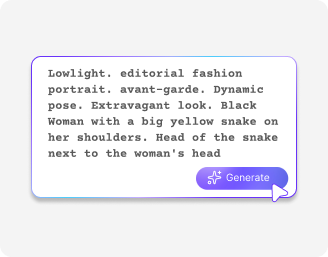
Prompt

Free promo video maker online

Transform text descriptions and product images into professional HD-quality video promos in seconds

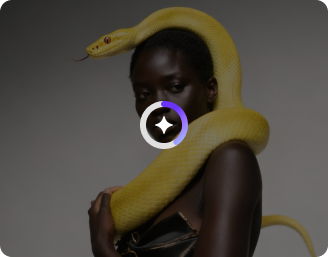
Your generated video will appear here.

How to use the free AI promo video maker?

Input your text or image assets
1

Input your text or image assets

Upload a product photograph from your device or write a detailed text prompt describing the visual action, setting, and movement you want to create.
Adjust the video ratio & duration
2

Adjust the video ratio & duration

Select your target screen layout, such as vertical for mobile reels or widescreen for websites, then set the playback length for your video promo.

3

Toggle audio and export your file

Choose whether to turn the sound setting on or off for your clip, click the generate button, and save your finished promo video in high definition.

Why use Pixelbin's AI promo video maker?

Engaging backdrops

Engaging backdrops

Add realistic backgrounds to make your featured products/subjects pop on your promotional ad.

Cinematic controls

Cinematic controls

Adjust camera motion like side pans, slow zooms, and rotations to give your videos a professional cinematic look.

Graphics & music integration

Graphics & music integration

Enhance videos with animated text, visual overlays, branded graphics, and audio elements within a single editing workflow.

Start & end frame guidance

Start & end frame guidance

Upload a specific opening image and a closing shot to dictate the visual direction of your promo and build a clean transition between them.

Watermark-free outputs

Watermark-free outputs

Download your video promo without any labels or added overlays, ensuring your branding looks fully polished.

Multi-angle shots

Multi-angle shots

Show your subject from multiple angles and perspectives in your promo video so shoppers can clearly see every detail before buying.

Turn simple ideas into stunning marketing assets instantly

Experiment with diverse visual styles, camera pans, and motion effects to scale your digital promotional advertising effortlessly

Flexible multimodal video creation

Generate a free promo by either uploading an initial image reference with instructions or typing out direct text descriptions from scratch.

Tailored aspect ratio variations

Format your files instantly for specific social networks, web pages, or ad managers using square, vertical, or widescreen bounding boxes.

Precise playback control

Manage the final length of your AI promo ad by adjusting the timing configurations to match the requirements of your publishing platform

Browser-friendly

Access the AI promo video maker right on your modern browser, such as Edge, Chrome, Safari, and Firefox; no app installations needed

AI tools by Pixelbin

AI video generator
AI video generator
AI video generator
Motion control video generator
AI video editor
AI video editor
AI video editor
Hailuo AI video generator

Key highlights of Pixelbin's AI promo video maker

Benefits of using an AI promo video maker

  • Cost reduction: Pixelbin removes the need for hiring external camera crews, booking rental studios, and purchasing expensive video editing software subscriptions.


  • Rapid deliveries: Create a functional video promo in minutes rather than spending weeks in post-production. This way, you can accomplish time-sensitive sales faster.


  • A/B testing: Generate unique creative angles for a single marketing campaign to discover which visual hook drives the most clicks.


  • Consistent brand identity: Maintain strict visual uniformity across your entire product catalog by applying the same motion style to every item asset.


  • Optimized audience click rates: Engage passive social media scrollers using eye-catching movement styles that explain your product value propositions better than flat images.

Use cases of the online promo video maker

  • E-commerce product launch trailers: Turn flat studio pictures of clothing, electronics, or home goods into lively, real-life style scenes for digital marketplace showcases, using our AI promo video maker.


  • Social media advertisement spots: Build video clips for Instagram Reels, TikTok feeds, or YouTube Shorts to capture mobile viewers effectively.


  • Holiday discount event promotions: Generate targeted seasonal marketing materials for upcoming flash sales, clearance events, or seasonal brand launches with fresh text prompts.


  • SaaS and software visual walkthroughs: Convert interface mockups and descriptive feature text into engaging teaser clips that show how a digital platform operates.


  • Crowdfunding campaign pitch clips: Produce professional conceptual videos from early prototype images, so you can win support on funding platforms with very minimal upfront spend.


  • Real estate digital property tours: Transform static architectural photos into fluid cinematic walk-through sequences that give buyers an authentic sense of spatial depth.

How to get the best results from the free promo video maker?

  • Use clean, high-resolution product photographs with minimal background clutter.
  • Specify the directions clearly, like cinematic zoom, slow panning shot, or soft studio lighting inside the prompt text box.
  • Match your selected video duration to the natural pacing of the action lines to prevent the movement from looking hurried.
  • Keep the main subject centered in the frame when using reference photos so that your product looks better in every ad.

FAQs

Pixelbin is a great choice because it is fast and very easy to use. This simple online tool helps business owners make eye-catching marketing videos for social media without needing any design skills.
Yes, you can try Pixelbin for free online to see how it works. You can create your first few video clips using your own ideas and pictures without logging in. Once you exhaust the free limit, you need to purchase additional credits on a pay-as-you-go basis.
No, you do not have to upload a picture. You can choose to upload a product photo alongside your text, or you can simply type out a description of what you want to see and let the tool build the video from your words.
Yes, the tool has an easy sound switch. You can click it to turn the sound on or off before you make your video so that the final file has background music or stays completely quiet.
As soon as your video is done, you will see a download button or share option on your screen. You can simply copy the generated video link or share it directly through LinkedIn, WhatsApp, Twitter, and other social media platforms.
Yes, you own 100% right to all the video promos that you make on this platform. There are no copyright issues, and the exports you get are all without any watermarks or distracting branding elements. You can simply download and use it directly.

Edit images in seconds, not hours

Get pixel-perfect results just with your words

Start editing with AI