


Support webp/jpg/jpeg/png, up to 10MB
/pixelbin_blogs/PB_2.0/Apps_New_design_graphics/muscle_generator/10004.png)
/pixelbin_blogs/PB_2.0/Apps_New_design_graphics/muscle_generator/front-view-man-posing-studio.jpg)
/pixelbin_blogs/PB_2.0/Apps_New_design_graphics/muscle_generator/overweight-man-glasses-wearing-black-t-shirt-with-seriosu-confident-expression-with-arms-crossed-chest-standing-light-wall.jpg)
/pixelbin_blogs/PB_2.0/Apps_New_design_graphics/muscle_generator/Graphics/PixelBin-AI-Image-Generator-1777715086190.webp)
/pixelbin_blogs/PB_2.0/Apps_New_design_graphics/muscle_generator/Graphics/PixelBin-AI-Image-Generator-1777715270423.webp)
/pixelbin_blogs/PB_2.0/Apps_New_design_graphics/muscle_generator/Graphics/PixelBin-AI-Image-Generator-1777715410028.webp)
/pixelbin_blogs/PB_2.0/Apps_New_design_graphics/muscle_generator/Graphics/output-image_(1).webp)
/pixelbin_blogs/PB_2.0/Apps_New_design_graphics/muscle_generator/Graphics/output-image_(2).webp)
/pixelbin_blogs/PB_2.0/Apps_New_design_graphics/muscle_generator/Graphics/PixelBin-AI-Image-Generator-1777716244753.webp)
Transform your body instantly with AI
AI muscle generator
Add realistic abs, biceps, arms, and a defined chest to your photos in seconds
/pixelbin_blogs/PB_2.0/Apps_New_design_graphics/muscle_generator/body.webp)
/pixelbin_blogs/PB_2.0/Apps_New_design_graphics/muscle_generator/GYM.webp)


How to use Pixelbin’s muscle AI generator?
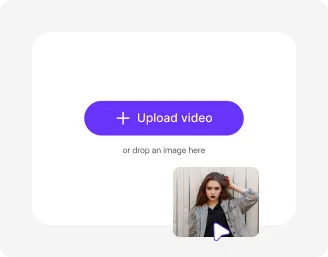
Upload your photo
Add your selfie or portrait in JPEG, JPG, WEBP, or PNG to create a muscular and fit appearance.
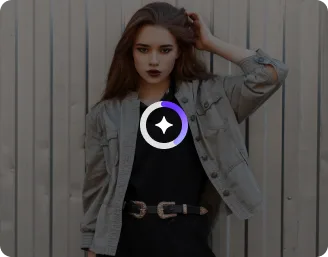
Pick from readymade templates or customize
Choose a style or tweak it your way. Templates are included for both male and female users, with the option to create custom looks with prompts.
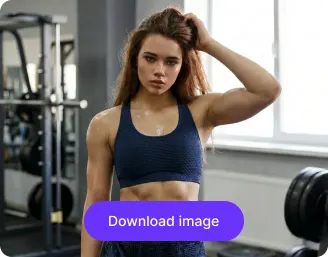
Download the image
Preview your transformation and download it in high quality, ready to use across social media or personal projects.
Why use Pixelbi’s AI body generator?

Multiple image formats
Upload your images in all popular formats, such as JPEG, JPG, PNG, or WEBP.

Before-after previews
Use the easy swipe slider to compare your original and transformed image side by side.

Asset management
Keep all your uploaded and edited AI muscle images organized in one place for quick access anytime.

HD outputs
Download your final images in high resolution with clear details and sharp quality.
Global CDN
Load and access your images quickly from anywhere with fast, reliable delivery across regions

Instant sharing
Copy and paste directly into chats or use the generated link to share your images across social media instantly.
Build your dream body without hitting the gym
Explore different body types like lean, bulky, athletic, or shredded to see what suits your look and personality best.
Realistic transformations
Your results look natural and lifelike, not fake, over-edited, or overly filtered.
Browser based
Try the AI muscle generator directly on Chrome, Edge, Safari, or Firefox with no installation needed.
Multiple image ratios
Easily switch between formats like square, portrait, or landscape, depending on your use.
Watermark-free exports
Export high-quality visuals without any unwanted labels, logos, overlays, or added texts.
/pixelbin_blogs/PB_2.0/Apps_New_design_graphics/muscle_generator/page_graphics/putrrnyfdg3v0bej3mqk.webp)
AI tools by Pixelbin
/pixelbin_blogs/PB_2.0/Apps_New_design_graphics/muscle_generator/Related_apps/Thumbnail_43.webp)
/pixelbin_blogs/PB_2.0/Apps_New_design_graphics/muscle_generator/Related_apps/Thumbnail_13.webp)
/pixelbin_blogs/PB_2.0/Apps_New_design_graphics/muscle_generator/Related_apps/text_to_image_Artboard_1-02_(1).webp)
/pixelbin_blogs/PB_2.0/Apps_New_design_graphics/muscle_generator/Related_apps/Thumbnail_(1).webp)
Key highlights of Pixelbin’s AI muscle generator from image
Benefits of using the AI muscle generator
- Instant fitness or bodybuilding motivation: Pixelbin’s AI muscle generator is an effective tool that can give you a psychological push, where you have a view of a real portrait of what you might like to appear like after one year of training. It gives your fitness ambitions a lot more reality and pursueability.
- Saving time and money: In case you are a creator or a brand, you do not have to spend money on the costly photo shoots. It only takes a few seconds to type a prompt or post a photo and get professional-grade physique shots.
- Complete design authority: You are not fixated on one appearance when using the AI body building maker. You can customize all the definitions you desire, between a thin-bodied swimmer and a huge bodybuilder, and can even customize particular parts, such as abs or biceps.
- Pro-level editing for dummies: You don't need to be a Photoshop expert. You can fix lighting, add muscle definition, or change a body type with simple clicks rather than hours of manual retouching.
Use cases
- Fitness vision board: You can add a photo of yourself to create a version of a target physique with our tool. It is a fantastic method of placing a visual point of reference to your weight loss or muscle-building process, which makes your long-term goals seem much more real than a number on a scale.
- Upgrade your social media feed: The muscle AI generator can be used by creators to create high-quality fitness images in either thumbnails, posters, or transformation teasers.
- Character design: As an artist or a gamer, character design is the quickest method of brainstorming various types of bodies. With our tool, you can create superheroes or fantasy characters instantly in seconds without sketching out each body type separately.
- Virtual try-on for apparel: In case you own a clothing company, you can use the tool to demonstrate how your gym clothes or compression shirts fit the different muscular shapes. It allows you to create a rich model catalog for your site without the logistics of such a huge photoshoot.
- Supplement & apparel setups: In case you are selling gym equipment or supplements, you can use our muscle generator to produce premium lifestyle shots of your products. Put your branding next to a realistic and athletic figure, and you can make your ads appear professional even on a slim budget.
- Fitness influencers & YouTubers: Create "click-worthy" thumbnails by slightly enhancing your pump or definition in a photo. It helps your content stand out in a crowded feed without you having to spend hours in specialized photo-editing software.
How to get the best results using Pixelbin’s AI muscle generator?
To generate natural results using the muscle AI generator, here are a few tips you need to keep in mind:
- Start with a clean photo. Not necessarily professional, but clear enough. Good lighting helps a lot, and if your body outline is visible, the tool has a much easier time building a realistic physique.
- Don’t overcomplicate the prompt. Saying “lean athletic body with visible abs” works better than stuffing five different styles into one line. When you try to mix bulky, shredded, and aesthetic all together, the output usually looks off.
- Pick a pose that makes sense. If your original image is too twisted or cropped weirdly, the muscle mapping can look unnatural.
- Use the templates as a starting point, not the final answer. Try one, then tweak. Small adjustments in intensity or style can completely change how real the result feels.
- A simple, uncluttered background keeps the focus on the body and avoids weird blending issues. Too many elements in the frame can confuse the output
FAQs
Here are some of the most commonly asked questions about our AI muscle generator. If you still can’t find what you’re looking for, you can reach out to us at support@pixelbin.io or read our documentation for more details.
Edit images in seconds, not hours
Get pixel-perfect results just with your words
Start editing with AI