


Support webp/jpg/jpeg/png, up to 10MB
/pixelbin_blogs/PB_2.0/Apps_Graphics/Hairstyle_changer_New_template/13580.jpg)
/pixelbin_blogs/PB_2.0/Apps_Graphics/Hairstyle_changer_New_template/26532_(1).jpg)
/pixelbin_blogs/PB_2.0/Apps_New_design_graphics/Add_Suit_on_Photo/Banner_Images/Sample_3)
/pixelbin_blogs/PB_2.0/Apps_New_design_graphics/Long_hair_filter/straight.webp)
/pixelbin_blogs/PB_2.0/Apps_New_design_graphics/Long_hair_filter/long_burl.webp)
/pixelbin_blogs/PB_2.0/Apps_New_design_graphics/Long_hair_filter/longbob.webp)
/pixelbin_blogs/PB_2.0/Apps_New_design_graphics/Long_hair_filter/braid.webp)
/pixelbin_blogs/PB_2.0/Apps_New_design_graphics/Long_hair_filter/wolflong.webp)
/pixelbin_blogs/PB_2.0/Apps_New_design_graphics/Long_hair_filter/ponytail.webp)
Long hair filter
Free AI long hair filter
Turn short or medium hair into natural-looking long styles just by describing it
/pixelbin_blogs/PB_2.0/Apps_New_design_graphics/Long_hair_filter/women_hair_befoire.webp)
/pixelbin_blogs/PB_2.0/Apps_New_design_graphics/Long_hair_filter/women_hair_after.webp)


How to use Pixelbin’s long hair AI filter?
Upload your image
Add your selfie or your portrait to the editor in JPEG, JPG, PNG, or WEBP format
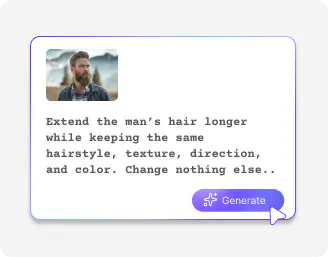
Describe your hairstyle
Mention the hairstyle you want in the prompt, such as waist-length straight hair, soft waves, layered long hair, or loose curls

Save the image
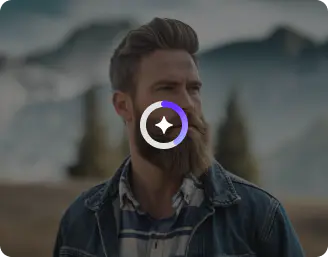
Generate the image and download it in HD quality, without any watermarks, labels, or text overlays.
Why choose Pixelbin’s AI long hair filter online?

Multiple formats
Work with JPEG, JPG, PNG, or WEBP images; flexible options for any project or client need.

Browser based
Access the AI long hair filter on Chrome, Firefox, Edge, or Safari; no downloads or installs required

Image upscaling
Enhance your edited images by up to 2x, 4x, or 8x, perfect for presentations or marketing.

Instant sharing
Copy the generated image link and use it to easily collaborate, showcase, or send to your clients.

Asset management
Keep all your images organized in one place for easy access, editing, and reuse.

No branding elements
Get clean, professional outputs without watermarks or logos, ready for instant professional use.
Try the most trend-setting hairstyles with the AI long hair filter
Achieve salon-perfect long hair looks with realistic textures, subtle layers, and natural waves for effortless style.
No hairdresser needed
Get professional long hair transformations instantly, without relying on salons or stylists.
Instant previews
Make faster decisions and impress clients by showing realistic hairstyle transformations in seconds.
Complete privacy
Protect your brand and client data while experimenting with new long hair looks safely.
HD outputs
Enhance your presentations, marketing, and portfolios with sharp, salon-quality images every time.
/pixelbin_blogs/PB_2.0/Apps_New_design_graphics/Long_hair_filter/hair_eyedresser.webp)
AI tools by Pixelbin
/pixelbin_blogs/PB_2.0/Apps_Graphics/hair_color_changer/Thumbnail.png)
/pixelbin_blogs/PB_2.0/Apps_Graphics/Hair_style_changer/Graphics/Free_online_AI_hairstyle_changer-02.png)
/pixelbin_blogs/PB_2.0/Apps_Graphics/blonde_hair_filter/Thumbnail_40.png)
/pixelbin_blogs/PB_2.0/Apps_Graphics/bald_filter/Thumbnail_41.png)
Key highlights of Pixelbin’s long hair filter
Benefits of the long hair AI filter
- Risk-free experimentation: You can experiment with various lengths and textures, such as straight hair that is sleek and straight, curly hair with bangs, or layers, and so on, to see which actually fits your face shape before making any decision.
- Monetary and time-saving: Skip the need for buying hair extensions or even spending hours at a salon just to get a consultation, but you can create a picture of the new you in real time and with no cost.
- Style versatility: The AI long hair filter has more to do than length. You can also use stylish 90s bangs, beach waves, or even fantasy colors, such as purple or blue, and test whether you can make yourself rip off a more cool aesthetic.
- Building confidence: By simply glimpsing a successful glow-up, you will get the confidence to finally make a big change in real life.
- Enhanced content creation: The long hair filter is perfect for social media. You can create "before and after" reveals to boost engagement and also be a part of any viral transformation content.
- Professional consultations: You may actually present the outcomes to your stylist to show the style you’re aiming for with long hair. It is the best way to live up to your expectations and ensure you get a cut that perfectly matches your facial features.
Use cases
- Increase your e-commerce conversion: If you sell wigs or extensions, then you can use this AI long hair tool to see the difference between "browsing" and "buying”. When you allow your customers to virtually try on the various lengths and volumes on their pictures, you will have done away with the indecisiveness that causes abandoned carts.
- Reorganize your salon bookings: The filter can also be used as an online lookbook when consulting with clients. You can give your client a realistic preview in just a matter of seconds instead of attempting to explain to them what four inches of added length or curtain bangs will look like. This is what will keep you on the same page and lead to increased client satisfaction and higher tips.
- Individual medical and hair revitalization: For professionals working in hair restoration or medical wig styling, this tool offers a sensitive, private way to help clients. You can help patients dealing with hair loss visualize their recovery journey or choose a replacement piece that restores their confidence.
- Lead generation & booking: Give your visitors a Virtual Hair Makeover in exchange for their email or phone number. When they view their dream look through the long hair filter, you can send an automatic message: “book this look now”, and a consumer who was browsing turns into a confirmed appointment.
- Interactive on-store experiences: Try this AI long hair filter as an interactive Hair Station. It makes your customers interested in your brand, stays longer, and acts as a conversational ice-breaker for your staff to recommend specific products or services based on the styles the customer is playing with.
How to get the best results using the AI long hair filter?
- Use a clear, front-facing photo where your face is easy to see.
- Describe the hairstyle in simple words, like “waist-length straight hair,” “soft wavy layers,” or “long curly hair with bangs.”
- Try different lengths such as shoulder-length, chest-length, or waist-length to see what looks best.
- Add style details like “shiny,” “voluminous,” or “layered” to make the hair look natural.
- Mention hair colors like “dark brown,” “blonde highlights,” or “black shiny hair” for a realistic look.
- If the first result isn’t perfect, change your description slightly and try again until you get the look you want.
FAQs
Here are some of the most commonly asked questions about our AI long hair filter. If you still can’t find what you’re looking for, you can reach out to us at support@pixelbin.io or read our documentation for more details.


Edit images in seconds, not hours
Get pixel-perfect results just with your words
Start editing with AI