PixelBin logo
Image generator is here -   Create Now   and Claim 30% off on Pro Plans. Use code SALE30 at checkout.   Claim Discount

Invert image colors online

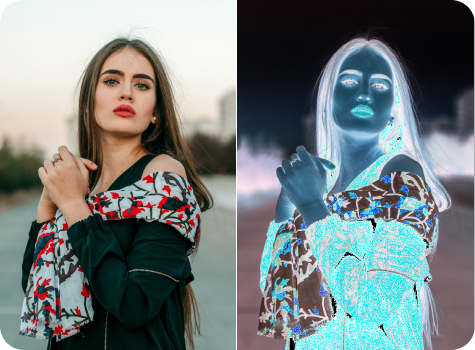
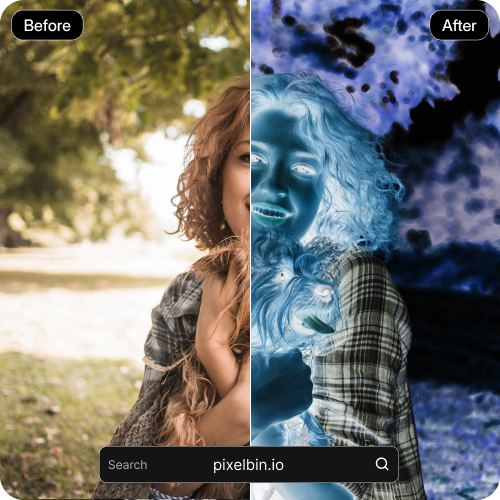
Invert image colors with a single click to create bold negative effects instantly.

Color splash preview

File should be less than 10MB

or paste URL

Before
Loading

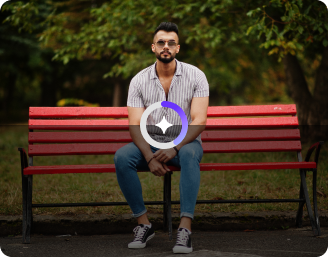
AI Magic in progress
AI is reversing colors and tones to create a color inverted image

After

Your color inverted image is ready!

Edit image with AI
Get 🔥 free credits for image editing, upscaling, generation and more
Invert another image colors
Generation Failed

There was some issue on our end. Please try again.

Try Again
Show case

How to invert colors with Pixelbin?

1
Add your image
Paste an image URL or upload your file in JPEG, JPG, PNG, or WebP format to get started.
2
Invert the colors
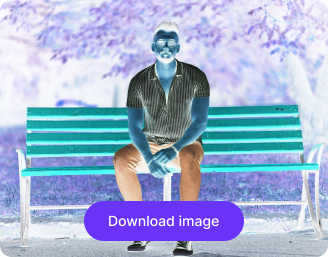
Pixelbin automatically reverses every color in your image, flipping each hue to its opposite for a bold negative effect.
3
Download the image
Preview and save your color-inverted image in HD, free from watermarks, labels, or added texts.

Why use Pixelbin for generating color-inverted images?

Multiple image formats
Upload your image in popular formats, such as JPEG, JPG, PNG, or WEBP.
HD downloads
Save all your edited images in high resolution to use them instantly for websites or presentations.
Instant sharing
Share your images instantly with your peers and friends by copying the URL from the image itself or from the folder.
Digital asset management
Organize, manage, and access all your images from one place without losing track of your files.
Watermark-free exports
Download clean, professional images with no marks, logos, labels, or other branding elements.
Image upscaling
Increase image size by up to 2X, 4X, or 8X, while preserving sharpness and the actual details.

Create high-contrast backgrounds for websites & posters

Get clean, readable results in seconds without tweaking colors or layers by hand.

Browser-based

Access the AI color inverter on Safari, Chrome, Edge, and Firefox; no downloads or installations needed.

Sailling ship of sketche to image
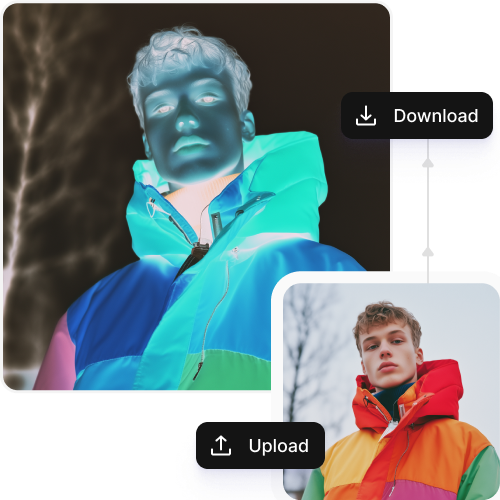
URL-based transformation

Change the image instantly by editing the URL, no re-uploads needed.
Mountain sketch to image
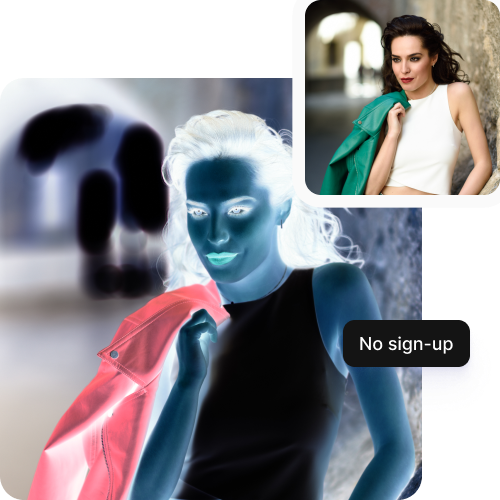
No sign-up required

Use the tool instantly on your browser without creating an account or sharing your personal details.
Sketch hot air baloon to image generator
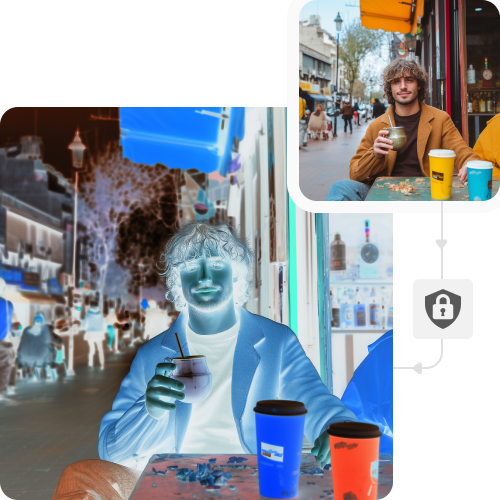
Complete privacy

Your images are processed securely and are not stored or reused without your consent.
sketch to image in HD-resolution pictures

AI tools by Pixelbin

Key highlights of Pixelbin’s AI color invert image generator

Benefits of using the AI inversion tool

  • Bring old memories to life instantly: Got old film negatives stashed away? Forget the darkroom. Just take a pic with your phone and use our AI tool to see the actual photo right away. It’s the quickest way to save family memories without spending a ton on equipment.
  • Gain a new artistic lens: Turn a regular photo into a neon, psychedelic, or dreamlike piece with just one click. You can freely try out looks in minutes that would have otherwise taken hours to create manually in Photoshop.
  • Find details you missed: Details can get lost in the shadows or highlights of a photo. Inverting colors enables you to see the image differently. This helps you spot hidden textures or patterns you might have missed.
  • Make your content more inclusive: When creating content, invert images to check how accessible they are to everyone. You can create designs that are readable and high-contrast for people with vision issues or color blindness.
  • Save expenses: The AI color inverter handles the heavy lifting for you, so you don’t need to hire professional photographers or buy expensive software.

Use cases of Pixelbin’s AI color invert image generator

1. Film restoration

Turn film negatives into viewable photos using this color inverter tool. The AI understands image structure, interpreting the light and chemistry to make a quality image that keeps your memories safe.

2. Interface prototyping

Simulate a dark version of any image you have. Instead of redoing every icon and text block, you can just use your light mode screenshot. The AI turns your layout and branding in a dark setting instantly.

3. Technical inspection

Spot hidden details in images like blueprints or scans. By flipping the color map, your eyes see the image differently, helping find flaws or markings missed before.

4. Readability auditing

Check if your content works for everyone. Change your images to see how they appear to those with light sensitivity. This makes sure your words in the images are easy to read, even with changed colors.

5. Texture & pattern transformation

Give your old designs a new life with the AI tool. If a texture fits your design but not the colors, inverting it gives you a correct color option. This way, you can get a new design without starting over.

How to get the best color inverted images using Pixelbin?

Here are a few suggestions that can help you get professional color-inverted pictures easily:

  • Always start with the highest-resolution version of your image to avoid pixelation or blurriness.
  • Choose images with strong contrast between highlights and shadows for a clear inversion.
  • Avoid using images with heavy filters as it can ruin the final quality.
  • Make sure your photo has clean lighting and minimal noise so the AI focuses on the actual details.
  • Set a neutral white balance to ensure accurate and natural color mapping when inverted.
  • Use matching aspect ratios and uncompressed formats to preserve a clean result.

FAQs

Here are some of the most common questions about our No Beard Filter Tool. If you can’t find the information you need, contact us at support@pixelbin.io or refer to our documentation for more details.

Yes, you can upload files up to 10MB as long as they are in the supported formats.
Yes! The AI maps tones, ensuring transitions look smooth. While standard inversion flips everything, our tool maintains structural integrity so the results feel professional and balanced.
No app is needed! You can generate color-inverted images on your smartphone or tablet browser at the same speed as a desktop.
Your first 3 edits are free with 3 complimentary credits. Beyond that, you need to create an account and buy additional credits on a flexible pay-as-you-go system that gives you total control over your usage.
Images in your Pixelbin storage are available for a lifetime. They stay secure in your folders forever, unless you intentionally choose to delete them yourself.
Edit images in seconds, not hours
Get pixel-perfect results just with your words
Start editing with AI