


Support webp/jpg/jpeg/png, up to 10MB
/pixelbin_blogs/PB_2.0/Apps_New_design_graphics/AI_Headshot_generator/erasebg-transformed-4BDkkzQGq.webp)
/pixelbin_blogs/PB_2.0/Apps_New_design_graphics/AI_Headshot_generator/sample_for_headshot.webp)
/pixelbin_blogs/PB_2.0/Apps_New_design_graphics/AI_Headshot_generator/erasebg-transformed_(1)-ivywhhmQW.webp)
/pixelbin_blogs/PB_2.0/Apps_New_design_graphics/AI_time_machine/egypt-transformed.webp)
/pixelbin_blogs/PB_2.0/Apps_New_design_graphics/AI_time_machine/vikings-transformed.webp)
/pixelbin_blogs/PB_2.0/Apps_New_design_graphics/AI_time_machine/viking-transformed.webp)
/pixelbin_blogs/PB_2.0/Apps_New_design_graphics/AI_time_machine/japan-transformed.webp)
/pixelbin_blogs/PB_2.0/Apps_New_design_graphics/AI_time_machine/victorian-transformed.webp)
/pixelbin_blogs/PB_2.0/Apps_New_design_graphics/AI_time_machine/industria_-transformed.webp)
/pixelbin_blogs/PB_2.0/Apps_New_design_graphics/AI_time_machine/erasebg-transformed_-_2026-06-03T114251.039-transformed.webp)
/pixelbin_blogs/PB_2.0/Apps_New_design_graphics/AI_time_machine/street-transformed.webp)
/pixelbin_blogs/PB_2.0/Apps_New_design_graphics/AI_time_machine/future-transformed.webp)
Time machine AI
Free AI Time Machine Online
See how you look aged or step into medieval, Victorian, 1920s, 1980s, or other eras in seconds
/pixelbin_blogs/PB_2.0/Apps_New_design_graphics/AI_time_machine/thumbnailoutput-transformed.webp)
/pixelbin_blogs/PB_2.0/Apps_New_design_graphics/AI_time_machine/erasebg-transformed_-_2026-06-03T113512.598.webp)


How to use Pixelbin’s AI time machine?
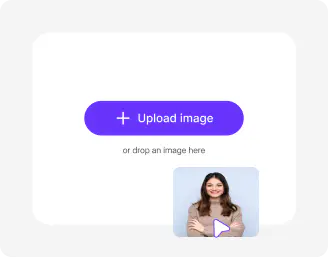
Upload your image & pick style
Add a clear selfie or portrait in JPEG, JPG, WEBP, or WEBP. Choose from preset eras or add custom prompts.
Select image model & ratio
Pick your AI model like Nano Banano or Pro and set the aspect ratio for social posts, prints, or full‑screen viewing.
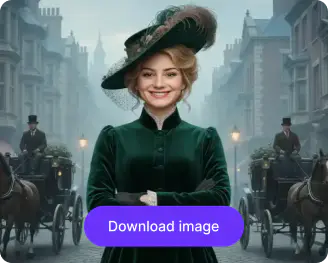
Generate & download
Click generate, preview your AI time machine result, and save HD images watermark‑free.
Why use Pixelbin’s AI time machine?

Realistic face aging
Create natural-looking age transformations with believable facial details, textures, and authentic expressions.

Historical era styles
Explore medieval, Victorian, retro, and futuristic looks from a single photo with realistic transformations.

Authentic fashion details
Match hairstyles, outfits, and accessories to different time periods for more immersive results.

Cinematic lighting effects
Adjust lighting and mood automatically to make images feel like genuine photographs from another era.

Smart background changes
Generate era-matching backgrounds that blend naturally with your portrait for a complete time-travel effect.

Side-by-side previews
Compare your original and transformed images instantly to pick the version that looks best to you.
Transform faces, outfits & scenes across time and eras
Reimagine people, fashion, hairstyles, backgrounds, colors, and overall atmosphere through different decades and historical styles in realistic ways.
Ready‑made era styles
Pick from preset historical portraits so you can instantly explore different time periods.
Custom prompts for extra detail
Add AI historical image generator prompts to control clothing, background, or era details.
Export‑ready images
Download clean, high‑quality images that you can print or share without extra editing.
Browser-friendly
Access the time machine AI right on your browser, be it Chrome, Firefox, Edge, or Safari; no downloads needed
/pixelbin_blogs/PB_2.0/Apps_New_design_graphics/AI_time_machine/ready_made.webp)
AI tools by Pixelbin
/pixelbin_blogs/PB_2.0/Related_apps_tumbnail/Thumbnail_(8)-transformed.webp)
/pixelbin_blogs/PB_2.0/Apps_New_design_graphics/age_progression/thumbnail/Thumbnail.webp)
/pixelbin_blogs/PB_2.0/Apps_New_design_graphics/Thumbnails_new_apps/erasebg-transformed_(1).webp)
/pixelbin_blogs/PB_2.0/Apps_Graphics/ai_iamge_editor_for_content_creator/Thumbnail.png)
Key highlights of Pixelbin’s AI time machine
Benefits of using the time machine AI
- Easy age‑progression experiments: AI time machine lets you see how aging might affect your look over time without guesswork.
- Explore historical eras in one click: Historical portraits presets, and options to add prompts open up options to try different centuries from a single upload.
- Build personal timelines: Create age‑progression or historical portrait timelines for family, school, or life milestones.
- Content ideas that stand out: Use the AI time machine free online to test eras, effects, and age stages for social media, gifts, or storytelling.
- Ready‑to‑use visuals: Download watermark‑free, HD images that you can share or print right away.
- Work from anywhere: Use the AI time machine online from phone, tablet, or laptop directly in your browser.
Use cases of the AI time machine
Pixelbin’s time machine AI helps people travel through time visually. Here’s how you can use it:
- Age‑progression experiments: Try the AI time machine to create future-look visual concepts for marketing campaigns, entertainment content, and creative brand storytelling.
- Historical portrait fun: Generate AI historical portraits for yourself, friends, or pets in different centuries for social posts.
- Graduation and milestone visuals: Create “then and now” style timelines for school, college, or career moments.
- Personalized keepsakes: Turn recent photos into vintage or retro‑style historical portraits for albums or gifts.
- Creative storytelling: Use AI historical image generator to create multiple versions for character backstories or mood visuals for projects.
- Social media content: Make AI time machine meme‑style transformations showing age or era changes for Reels and Stories.
How to get the best results from Pixelbin’s AI time machine?
Use these tips to create believable age and era transformations:
- Use clear front‑facing or slightly angled photos with good lighting.
- Keep your face and hair visible; avoid heavy hats, glasses, or filters.
- Start with one style, then add custom AI historical image generator prompts if you want specific details.
- Pick image ratios that match where you plan to use the image: square, portrait, or landscape.
- Try both age‑up and style‑only presets to see what feels most natural to you.
FAQs


Edit images in seconds, not hours
Get pixel-perfect results just with your words
Start editing with AI