


Support webp/jpg/jpeg/png, up to 10MB
/pixelbin_blogs/PB_2.0/Apps_New_design_graphics/age_progression/erasebg-transformed_(82).webp)
/pixelbin_blogs/PB_2.0/Apps_New_design_graphics/age_progression/erasebg-transformed_(83).webp)
/pixelbin_blogs/PB_2.0/Apps_New_design_graphics/age_progression/erasebg-transformed_(84).webp)
/pixelbin_blogs/PB_2.0/Apps_New_design_graphics/age_progression/erasebg-transformed_(88).webp)
/pixelbin_blogs/PB_2.0/Apps_New_design_graphics/age_progression/erasebg-transformed_(89).webp)
/pixelbin_blogs/PB_2.0/Apps_New_design_graphics/age_progression/erasebg-transformed_(90).webp)
/pixelbin_blogs/PB_2.0/Apps_New_design_graphics/age_progression/erasebg-transformed_(91).webp)
AI age progression
Free AI age progression photo generator
See your younger, teen, or older self with realistic, AI-generated age transformations
/pixelbin_blogs/PB_2.0/Apps_New_design_graphics/age_progression/erasebg-transformed_(97).webp)
/pixelbin_blogs/PB_2.0/Apps_New_design_graphics/age_progression/erasebg-transformed_(96).webp)


How to generate age progression photos with Pixelbin?
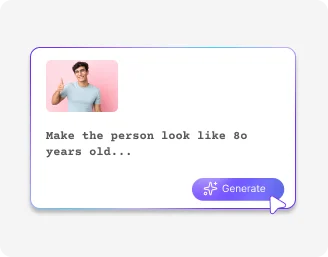
Add your image
Upload your photo in any of the supported formats: JPG, JPEG, PNG, or WEBP.
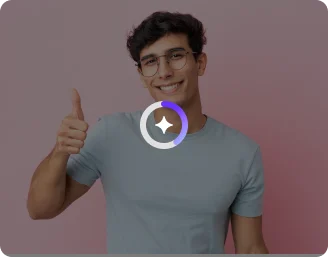
Pick an age or customize
Select the age you’d like to see: young adult, teen, or mid-age. Try custom prompts for new looks.

Pick an image model & generate
Select from Nano Banana or Pro, set the image ratio, and click on generate. Preview the result & download in HD.
Why use Pixelbin’s AI age progression app?

Premium image models
Start with Nano Banana for fast results, or go Pro for sharper detail and enhanced output quality.

Instant age filters
Switch instantly between Teen, Young Adult, and Middle Age looks in one click and get the look you want.

Quick sharing
Just copy the generated image URL and share it directly across all social media platforms.
.png)
HD downloads, always free
Get high-definition results every time; no watermarks, paywalls, or hidden fees.
.png)
No sign-up required
Access the tool instantly without logging in or entering payment details.

Built for every platform
Export in square, wide, or vertical formats so your image fits anywhere: Instagram, YouTube, Pinterest, and beyond.
See realistic age transformations in seconds
Visualize older or younger versions of your face instantly with AI. Add years, reverse time, or preview future looks without any manual editing.
Realistic results
Create natural-looking age progression images with accurate facial feature mapping for smooth, believable transitions.
Selective editing
Choose specific parts of the image and refine your age features with guided prompts for precise, natural-looking changes.
No app installations
Use the age progression tool from any browser on any device, with no downloads or installations required.
Monthly free trials
Transform up to three images each month for free and upgrade anytime for more credits or API access.
/pixelbin_blogs/PB_2.0/Apps_New_design_graphics/age_progression/Prompt-free_conversion.webp)
AI tools by Pixelbin
/pixelbin_blogs/PB_2.0/Apps_Graphics/colorize_photo/Graphics/Thumbnail_(9).png)
/pixelbin_blogs/PB_2.0/Apps_Graphics/denoise_image/Graphics/thumbnail_(4).webp)
/pixelbin_blogs/PB_2.0/Apps_Graphics/black_and_white_photos_to_color/Graphics/Free_online_AI_black_and_white_photo_to_color_converter-02.webp)
/pixelbin_blogs/PB_2.0/Related_apps_tumbnail/erasebg-transformed_-_2026-04-01T130755.340.webp)
Key highlights of Pixelbin’s AI age progression photo tool
Benefits of using an AI generated age progression tool
- No learning curve: Our tool has a simple UI that anyone can use right away.
- Realistic results: The AI realistically simulates aging signs like wrinkles and hair color changes.
- Cost-effective solution: Get access to a fully automatic AI editor without paying for expensive software.
- Natural detail retention: Maintains original skin tone, clarity, and expression while aging or de-aging.
- Works on all photos: Our tool is optimized for all kinds of images, including portraits and selfies.
- No watermarks: You can download your generated image in high quality, without any distracting watermarks.
- Safe & secure: Your photos are processed privately and never shared with anyone, ensuring your data is safe.
Use cases of best AI age progression apps
Pixelbin’s free AI editor is perfect for social media fun, personal curiosity, and creative projects. Here are some common use cases:
1. Create "Then vs. Now" social media content
Share a fun post on Instagram or TikTok showing your current photo next to your AI-generated older self. It's a great way to engage your friends and followers with a "future me" challenge.
2. See your younger self again
Feeling nostalgic about the good old childhood days? Use Pixelbin’s AI tool to reverse the clock. Just upload a current photo, give age progression instructions to the AI, and see a younger version of yourself, instantly.
3. Make unique birthday cards
With Pixelbin’s AI age progression photo app, you can create a funny and memorable birthday card for a friend by showing them their future or past self. It's a personal touch that's a lot more creative than a standard store-bought card.
4. Enhance creative writing
Authors or role-players can use the tool to visualize their characters at different life stages. Generate a portrait to help bring your character's backstory or future to life. For example, you can write “generate a 20-year-old image of this little boy” and get a new face for your character.
How to get the best results from free AI age progression tools?
- Use a clear, front-facing photo with good lighting.
- Avoid group photos or cluttered backgrounds.
- Specify your target age clearly (e.g., “Show me at 60 years old”).
- Keep your prompts short and direct for accurate outputs.
- Try multiple images for variety and better comparisons.
- For baby or child age progression, upload a clear, smiling photo.
FAQs
Here are some of the most common questions about our AI Age Progression tool. If you can’t find the information you need, contact us at support@pixelbin.io or refer to our documentation for more details.


Edit images in seconds, not hours
Get pixel-perfect results just with your words
Start editing with AI