


Support png/jpg/jpeg/webp, up to 10MB
/pixelbin_blogs/PB_2.0/Apps_New_design_graphics/ai_interior_design/sample.webp)
/pixelbin_blogs/PB_2.0/Apps_New_design_graphics/ai_interior_design/sample_2.webp)
Free AI interior designer
Free AI interior design
Describe your dream bathroom, kitchen, or living space and create polished interior images in seconds.
/pixelbin_blogs/PB_2.0/Apps_New_design_graphics/ai_interior_design/output_2.webp)
/pixelbin_blogs/PB_2.0/Apps_New_design_graphics/ai_interior_design/sample_2.webp)


How to use Pixelbin’s AI virtual interior design tool?
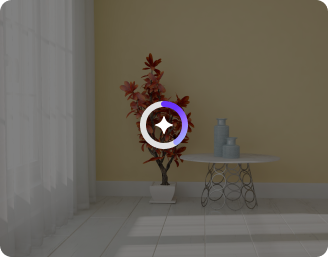
Upload your image
Click on the “+” icon to add your image in any of the formats, such as JPEG, JPG, PNG, or WEBP.
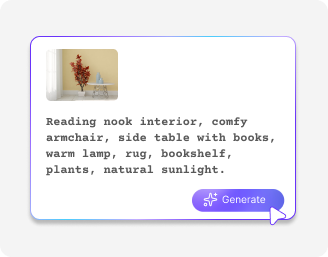
Describe your interior style
Specify the enhancements you need in simple words, such as a luxury kitchen, warm lighting, wooden textures, or a minimalist living room.
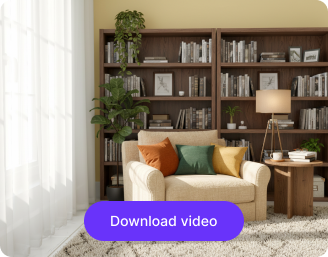
Download the image
Preview the edited photo and save it in HD quality, free from any watermarks, added texts, or labels.
Why use Pixelbin’s AI interior design generator?

Multiple formats
Upload your raw images in all popular formats, such as JPEG, JPG, WEBP, or PNG.

Digital asset management
Store all your edited images in a centralized location so you can find them whenever you need to use them.

Watermark-free exports
Save your visuals without any branding elements, ready to use for client presentations or personal projects.

Complete privacy
Your images stay secure and private, so you don’t have to worry about your designs being shared without permission.

Instant sharing
Just copy the generated image URL and share it directly with your clients, friends, or collaborators without extra steps.

Free trials
Start with free monthly trials and move to a paid plan whenever you need more credits or API features.
The All-in-one tool for real estate, homeowners & designers
Experiment with different layouts, colors, and furniture styles to find the design that fits your style and space.
No learning curve
Create professional interior designs of your room, kitchen, or living spaces without learning CAD, SketchUp, or 3D modeling.
Browser-based
Design your interiors right in your browser, such as Safari, Chrome, Edge, or Firefox; no app installations needed.
HD outputs
Get realistic, high-resolution interior images that are polished, ready to share, and perfect for presentations or listings.
Mobile friendly
Access the AI space planning tool on your smartphones or tablets and make professional interiors on the go.
/pixelbin_blogs/PB_2.0/Apps_Graphics/interior_design/No_learning_curve%C3%82.png)
AI tools by Pixelbin
/pixelbin_blogs/PB_2.0/Apps_Graphics/Transparent_Background/Graphics/Thumbnail_(12).png)
/pixelbin_blogs/PB_2.0/Related_apps_tumbnail/erasebg-transformed_-_2026-04-01T130755.340.webp)
/pixelbin_blogs/PB_2.0/Apps_New_design_graphics/black_and_white_to_color/erasebg-transformed.webp)
/pixelbin_blogs/PB_2.0/Apps_New_design_graphics/black_and_white_to_color/Thumbnail_(1).webp)
Key highlights of Pixelbin’s AI decor generator
Benefits of the AI home interior design tool
- Instant visualization: Generate quick 3D renders from your photos or sketches so you can modify or get a walkthrough of your space before buying new furniture or a renovation.
- Try personalized designs: Based on the current trends and Pinterest-inspired images, you can view your spaces just the way you’ve always wanted. Decide furniture layout and their placement, brighten colors, and change backgrounds instantly with our AI house design generator..
- Zero-risk previews: Stop guessing if a sofa fits. You can drop digital furniture into a photo of your actual room to see if it works before spending a dime.
- Budget-friendly designs: You get the "designer look" through 3D renders and floor plans for a few dollars (or for free) instead of paying thousands in professional fees.
- Rapid Prototyping: The prompt system lets you "cycle" through styles in seconds. You can type "minimalist," then "maximalist," then "industrial" to see three different versions of your exact room without moving a single chair.
Use cases of AI home interior design tool
1. Full-scale room renovations
Imagination gap is one of the biggest enemies, especially when you are stripping down a space. With our AI home design tool, you can upload a photo of a gutted room and instantly see it finished with hardwood, recessed lighting, and crown molding. This way, you can easily decide on a renovation plan with total confidence before the first contractor arrives.”
2. Hotel & boutique hospitality flips
The cost of a mockup room is quite expensive. So, if you’re a property manager, you can try different themes, such as coastal chic or urban industrial, using the AI interior design generator. Present a finished vision to investors or stakeholders without the overhead of physical staging.
3. Commercial office re-programming
Moving from cubicles to an open-plan, collaborative workspace is a spatial puzzle. Pixelbin’s AI space planning tool helps you visualize how many desks, lounge areas, and meeting pods can actually fit into your current square footage easily.
4. High-conversion real estate staging
Empty houses don't sell as fast as homes. You can use AI home staging to digitally furnish a vacant listing. By uploading a shot of an empty living room, you can add high-end furniture that fits the architecture perfectly, helping potential buyers see the property’s true potential on Zillow or your own site.
5. Kitchen and bathroom overhauls
These are the two most expensive rooms to get wrong. Using AI kitchen design features lets you swap cabinetry finishes, backsplash tiles, and countertop materials in seconds.
6. Short-term rental (Airbnb) makeovers
To command a higher nightly rate, your listing needs a hook. Experiment with bold accent walls or unique lighting fixtures to see which design stands out and attracts more bookings in a crowded market.
7. Retail and restaurant theming
Vibe is everything in food and beverage. You can use the tool to see how different textures or change the atmosphere of a dining space. It helps you finalize the branding and overall feel before investing in custom furniture.
How to get the best results using the AI interior design?
To generate the most realistic interior designs, here are a few things you can try:
- Make sure the image of your room is clear and should be well-lit.
- The full space in your image must be visible in the photo. If the room looks dark, blurry, or cropped, the final design may not look accurate.
- If the image has too much clutter, the results may look crowded. So, try to use an image with a less noisy background.
- When you enter your prompts, be specific about what you want to see in the same room. For example, you can request a modern look with warm lighting or wooden textures.
FAQs
Here are some commonly asked questions about our AI Interior Design tool. If you need more assistance, reach out to us at support@pixelbin.io or visit our documentation.


Edit images in seconds, not hours
Get pixel-perfect results just with your words
Start editing with AI