


Support webp/jpg/jpeg/png, up to 10MB
/pixelbin_blogs/PB_2.0/Apps_Graphics/Actor_headshot/Sample_image_2_for_actor_headshots.webp)
/pixelbin_blogs/PB_2.0/Apps_New_design_graphics/Emoji_generator/plate_of_noodles_.webp)
/pixelbin_blogs/PB_2.0/Apps_New_design_graphics/Emoji_generator/erasebg-transformed_(18).webp)
AI emoji generator
Free AI text to emoji generator
Turn your ideas and messages into shareable emojis to strengthen your brand identity online.
/pixelbin_blogs/PB_2.0/Apps_New_design_graphics/Emoji_generator/women_emoji.webp)
/pixelbin_blogs/PB_2.0/Apps_New_design_graphics/Emoji_generator/women_posing.webp)
How to use Pixelbin’s AI emoji generator online?
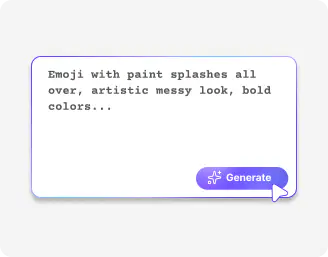
Describe your emoji
Write in simple words or phrases you want to turn into emojis; any message, idea, or tagline works
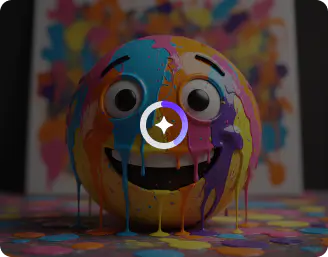
Wait for AI processing
Click “Generate” and watch AI instantly create unique, expressive emojis from your text
Download the emoji
Preview and save in HD quality, and share your emojis across emails, chats, or social media campaigns.
Why choose Pixelbin’s AI image generator from text?

Watermark-free exports
Export your images without any labels, marks, or text overlays, ready to use anywhere.

Asset management
Organize, store, and access all your images in one place so you can find them whenever required.

HD quality outputs
Generate high-definition emojis that retain every detail and look sharp across all platforms.
.webp)
Localized editing
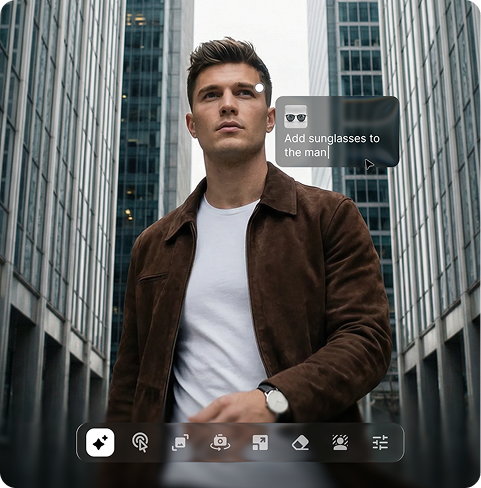
Select any part of your image and make targeted changes through prompts while keeping the rest exactly as it is.

Global CDN
Load your images instantly from anywhere in the world with a powerful global delivery network.

Browser-based
Access the AI emoji generator on Chrome, Edge, Firefox, or Safari; no downloads or installations required.
Personalize every chat, email & online interactions with custom emojis
Add personality and flair by adjusting expressions, colors, and design elements to make every emoji appear truly yours.
No editing skills
Generate high‑quality AI emoticons without learning any complex tools.
Complete privacy
Your emojis are processed on secure servers and are never shared without your consent.
Image upscaling
Increase the resolution of your emojis by up to 2x, 4x, or 8x for presentations, websites, or campaigns.
Instant sharing
Share with ease, whether by link, social media, or directly copy the image and paste it into chats and emails.
/pixelbin_blogs/PB_2.0/Apps_New_design_graphics/Emoji_generator/no_drawing.webp)
AI tools by Pixelbin
/pixelbin_blogs/PB_2.0/Apps_New_design_graphics/AI_Tools_by_Pixelbin/Age_Progression)
/pixelbin_blogs/PB_2.0/Apps_Graphics/Vignette_Effect/Graphics/Main-thumbnail.jpeg)
/pixelbin_blogs/PB_2.0/Apps_Graphics/denoise_image/Graphics/main_(2).png)
/pixelbin_blogs/PB_2.0/Apps_Graphics/Pixar_filter/Graphics/Main.png)
Key highlights of Pixelbin’s AI emoji generator
Benefits of using the AI emoji generator from text
- Creative freedom: Have you ever desired a weeping croissant or a happy banana? It is now possible to create emojis that do not yet exist with the AI emoji generator.
- Stick to your vibes: If you're running a business or a personal page, these icons can match specific colors and personality, helping the feed stand out.
- Greater interaction: Custom images are great scroll-stoppers. It is typically more likely to attract likes and replies since it feels intentional and has a purpose.
- Real personalization: With AI emoji generators, you can create stickers or overlays that are reflective of certain looks, cultures, or styles, sealing off the loopholes where regular emoji collections might feel a bit limited.
- Low cost: Our AI generator comes with free trials, so there is a lot of creative power that you can attain without necessarily paying a professional.
Use cases
- Distinctive brand identity: Yellow icons are quite generic. Custom emojis made with our AI emoji generator allow you to stick to the colors and vibe of your brand, giving a signature look. This way, your business becomes immediately recognizable in an overcrowded feed.
- Social media: Custom icons are scroll-stoppers. With a distinct emoji in a poll or a caption is a lot more purposeful and high quality, which tends to draw people in to get additional likes and responses.
- Email marketing: Adding a unique emoji to a subject line makes your email stand out. It is a low-effort method of making your marketing seem fresh and personal, not just another robotized message.
- Boosting team culture: It’s fun to have "inside joke" reactions for Slack or Teams. Whether it’s a custom icon for a successful launch or a mini-version of an office pet, funny emojis make remote chats feel a lot more human and connected.
- Making customer service more human: If you are a customer service representative, you should use personalized AI-generated emojis in responses to strip off the robotic factor. It offers warmth and personality to your customers, even when they are simply seeking assistance with a routine problem.
How to get the best results using Pixelbin’s AI emoji maker?
To get the best results with Pixelbin’s AI emoji maker, the trick is to write prompts that clearly tell the AI what you want. Here are a few things you can try:
- Start by saying what emotion your emoji should show, like happy, sad, or surprised.
- Mention the style you want, like iOS, cartoon, or realistic.
- Add simple details, like a hat, glasses, or a tiny accessory, to make it special.
- Keep your prompt short and clear so the AI can understand easily.
- Don’t worry if it’s not perfect the first time, just change a few words and try again.
FAQs
Here are some of the most commonly asked questions about our AI emoji generator. If you still can’t find what you’re looking for, you can reach out to us at support@pixelbin.io or read our documentation for more details.


Edit images in seconds, not hours
Get pixel-perfect results just with your words
Start Editing with AI