


Support webp/jpg/jpeg/png, up to 10MB
/pixelbin_blogs/PB_2.0/Apps_New_design_graphics/Professional_headshot/Sample_3_(1).webp)
/pixelbin_blogs/PB_2.0/Apps_New_design_graphics/Professional_headshot/Sample_2_(1).webp)
/pixelbin_blogs/PB_2.0/Apps_New_design_graphics/Professional_headshot/Sample_1_(2).webp)
/pixelbin_blogs/PB_2.0/Apps_New_design_graphics/Professional_headshot/Sample_images/Corporate_Women.webp)
/pixelbin_blogs/PB_2.0/Apps_New_design_graphics/Professional_headshot/Sample_images/Personal_Branding_Woman..webp)
/pixelbin_blogs/PB_2.0/Apps_New_design_graphics/Professional_headshot/Sample_images/Lifestyle_Woman.webp)
Create professional headshots in a single click
Free AI professional headshot generator free
Create a professional, business-ready headshot from any photo with balanced lighting, natural retouching, and a clean studio-style background.
/pixelbin_blogs/PB_2.0/Apps_New_design_graphics/Professional_headshot/Banner_Images/Corporate)
/pixelbin_blogs/PB_2.0/Apps_New_design_graphics/Professional_headshot/Banner_Images/Corporate_Before)


How to create professional headshots with Pixelbin?
.webp)
Add your image
Paste a URL or upload your photo in any of these formats: JPG, JPEG, PNG, or WEBP.
Wait for AI processing
Pixelbin automatically generates your headshot without requiring any manual edits.
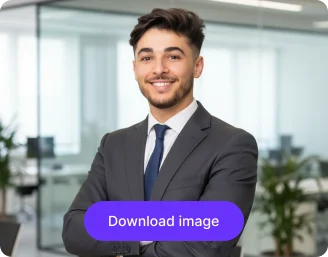
Download your image
Preview & download the headshot for free, without watermarks or any hidden costs.
Why use Pixelbin to create corporate professional headshots?

Multiple image formats
Upload images in popular formats such as JPG, JPEG, PNG, or WEBP.
.png)
Batch editing
Process multiple photos at once with API support to save time and improve workflow efficiency.

Easy accessibility
Use the headshot tool from any device with a browser and an internet connection.
.png)
Free HD download
Download your headshots in high definition without watermarks or extra costs.

No sign-up required
Access the tool instantly without logging in or entering payment details.

Complete privacy
Your images are encrypted, processed securely, and never shared with anyone.
Create studio-style headshots at home in just a few steps
Generate ready-to-share headshots for professionals by uploading any selfie or casual portrait, with Pixelbin’s AI editor.
Instant studio-quality results
Transform candid selfies and portraits into professional avatars within seconds using the AI editor.
Ideal for every platform
Design properly-sized headshots for LinkedIn, resumes, business cards, company directories, and internal profiles.
Free trials for everyone
Generate up to three headshots each month for free and upgrade anytime for more credits & API access.
Browser-based editor
Create your headshot directly from your browser on any device without installing software or mobile apps.
/pixelbin_blogs/PB_2.0/Apps_New_design_graphics/Professional_headshot/Blog_images/Instant_studio-quality_results.webp)
AI tools by Pixelbin
/pixelbin_blogs/PB_2.0/Apps_New_design_graphics/AI_Tools_by_Pixelbin/Corporate_Headshot.webp)
/pixelbin_blogs/PB_2.0/Related_apps_tumbnail/erasebg-transformed_-_2026-04-01T130755.340.webp)
/pixelbin_blogs/PB_2.0/Apps_New_design_graphics/AI_Tools_by_Pixelbin/Lawyer_Headshot.webp)
/pixelbin_blogs/PB_2.0/Apps_New_design_graphics/AI_Tools_by_Pixelbin/Celebrity_Headshot.webp)
Key highlights of Pixelbin’s AI professional headshots generator
Benefits of using an AI app for professional headshots
- Studio-grade quality: Your headshot get a professional look without losing the original image's clarity.
- No watermarks: Download your corporate-ready headshot in HD with zero distractions.
- Bulky-ready: Create team-wide professional headshot for business using Pixelbin's API (available in premium plans).
- Cost-effective: Avoid traditional studio costs or expensive software editing while still getting the best professional headshots.
- Ready for sharing: Download your generated headshot & upload instantly to LinkedIn or any professional platform.
Use cases of professional headshot generators
Turn any casual photo into a professional-looking headshot in seconds. Here are a few ways you can use it:
1. LinkedIn & career profiles
Upgrade your LinkedIn presence with clear, authoritative headshots that help you stand out to recruiters, clients, and colleagues. A polished portrait adds credibility across all professional networks.
2. Company websites & team pages
Keep your brand image consistent with professional portraits for leadership teams, remote employees, and company-wide directories. Clean, unified headshots help your site and team pages look cohesive.
3. Resumes & job applications
Make a strong first impression by attaching a clean, professional-looking headshot to your resume, CV, or online application. A well-presented image helps you appear approachable and ready for the role.
4. Speaker bios & publications
Add a high-quality headshot to conference bios, articles, or press features. A refined portrait ensures you look credible in every professional appearance and publication.
5. Internal tools & communication apps
Refresh your Slack, Teams, or intranet profiles with clear, uncluttered headshots. A sharp image helps colleagues recognize you instantly, especially in remote or hybrid teams.
How to get the best results from Pixelbin’s AI professional headshot generator?
Follow these simple tips to create a polished, studio-quality photo:
- Upload a clear, high-resolution photo with good lighting.
- Face the camera directly or maintain a slight angle for a natural look.
- Avoid heavy filters, dark shadows, or objects covering your face.
- Use a photo with a simple background for cleaner results.
- Make sure only one person is in the frame for precise processing.
FAQs
Here are some of the most commonly asked questions about our AI professional headshot generator. If you still can’t find what you’re looking for, you can reach out to us at support@pixelbin.io or refer to our documentation for more details.


Edit images in seconds, not hours
Get pixel-perfect results just with your words
Start editing with AI