


Support jpg/jpeg/png/webp, up to 10MB
/pixelbin_blogs/PB_2.0/Apps_New_design_graphics/Pregnant_filter/Sample_1)
/pixelbin_blogs/PB_2.0/Apps_New_design_graphics/Pregnant_filter/Sample_2)
See your future baby bump in one click
AI Pregnant Filter
Get a realistic pregnancy look with our AI pregnant filter.
/pixelbin_blogs/PB_2.0/Apps_New_design_graphics/Pregnant_filter/Pregnant_filter.png)
/pixelbin_blogs/PB_2.0/Apps_New_design_graphics/Pregnant_filter/pregnant_filter_before.png)


How to use the AI pregnant filter on Pixelbin?
.webp)
Add your image
Paste a URL or upload your picture in any of these formats: JPG, JPEG, PNG, or WEBP.
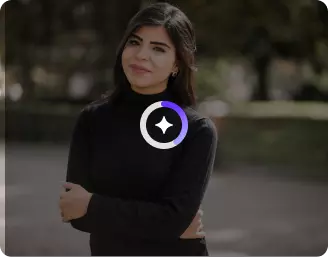
Wait for AI processing
Pixelbin automatically applies a pregnancy filter to your image without any manual editing required.

Download your image
Preview & download your filtered output for free, without watermarks or any hidden costs.
Why use Pixelbin’s pregnant AI generator?

Multiple image formats
Works with all popular formats, including JPG, JPEG, PNG, and WEBP.
.png)
Smart AI editor
Generates a realistic pregnant belly on your photo - no manual editing needed.

Batch editing
Saves your time & effort by processing images in batches with API support.
.png)
Free HD downloads
Delivers your final image in HD, free of watermarks or hidden costs.
.png)
No sign-up required
Lets you use the tool right away without asking for payment details/account.

Complete privacy
Processes images securely, and your data is never shared with third parties.
Generate a convincing pregnancy look in one click
Give your selfies & portraits a convincing pregnancy look with Pixelbin’s AI editor, without using any editing tools, from your browser.
Realistic transformations
Get a natural-looking, realistic result using Pixelbin. Our AI editor aligns the pregnancy bump with your posture, lighting, and clothing.
Unchanged picture quality
Ensure the generated result looks as sharp as the original one, as our AI pregnant image generator preserves your photo’s original resolution.
Monthly free trials
Apply the pregnancy filter to up to three images per month for free, and upgrade anytime for more credits or API access.
No app installations
Access our AI editor directly from your browser (Edge, Chrome, Safari, etc.), without requiring any software or mobile app downloads.
/pixelbin_blogs/PB_2.0/Apps_New_design_graphics/Pregnant_filter_blog_image/Realistic_transformations.webp)
AI tools by Pixelbin
/pixelbin_blogs/PB_2.0/Apps_Graphics/Hair_style_changer/Graphics/Free_online_AI_hairstyle_changer-02.webp)
/pixelbin_blogs/PB_2.0/Apps_New_design_graphics/Baby_Face_Filter/Blog_images/Artboard_1_copy_3_4x_(2)_(1).webp)
/pixelbin_blogs/PB_2.0/Apps_Graphics/Age_Progression/Thumbnail.png)
/pixelbin_blogs/PB_2.0/Apps_Graphics/Face_Expression_changer/Graphics/Untitled-4_Artboard_2.webp)
Key highlights of Pixelbin’s AI generated pregnant girl filter
Benefits of using our pregnant belly AI generator
With Pixelbin, you can satisfy your curiosity about seeing yourself in a pregnancy bump and create fun photos without any cost or software installs. Here are some of the other benefits:
- Instant results: See a realistic glimpse of your future pregnancy in just a few seconds.
- No editing skills needed: Our AI handles all the work, so you don't need to learn complex software.
- Watermark-free downloads: Download your AI generated pregnant girl image in HD without any distracting logos.
- Privacy first: Your uploaded photos are processed securely and are never shared with anyone.
- Works on any device: Use our browser-based tool on your phone, tablet, or computer.
- No quality loss: Your photo's original resolution and sharpness are preserved in the final output.
Use cases of our pregnant AI generator free tool
Pixelbin’s AI editor is perfect for pranks, satisfying your curiosity, or creating social media content. Here are some common ways to use it:
1. Satisfy your curiosity
Ever wondered what you’d look like with a baby bump? Our AI filter gives you a realistic preview for free, in just a simple click. It's an easy way to visualize a future look and share with friends and family.
2. Create fun social media posts
Surprise your friends and followers with an unexpected "announcement" post. Our AI filter is perfect for creating lighthearted jokes or "what if" scenarios to share with your friends and spark conversations.
3. Prank your friends & family
Send an AI pregnant belly selfie to your partner, family group chat, or best friend. It’s a hilarious and harmless way to prank your loved ones and see their surprised reactions.
4. Have fun with your partner
Use our AI generator on photos of you and your partner. It's a playful way to imagine your future together and share a laugh.
How to get the best results from AI pregnant filter online free tools?
To make sure your photos look as realistic as possible, follow these simple tips:
- Use a clear, front-facing, or three-quarter-view photo.
- Ensure your torso and belly area are visible in the picture.
- Good, even lighting helps the AI process your photo accurately.
- High-resolution photos will give you the most realistic final image.
- Avoid photos with very busy backgrounds or where your body is obscured.
- Make sure your clothing is relatively form-fitting for a better effect.
FAQs
Here are some of the most commonly asked questions about our Silhouette Maker AI tool. If you still can’t find what you’re looking for, contact us at support@pixelbin.io or refer to our documentation for more details.


Edit images in seconds, not hours
Get pixel-perfect results just with your words
Start editing with AI