PixelBin logo
Image generator is here -   Create Now   and Claim 30% off on Pro Plans. Use code SALE30 at checkout.   Claim Discount

AI mugshot generator

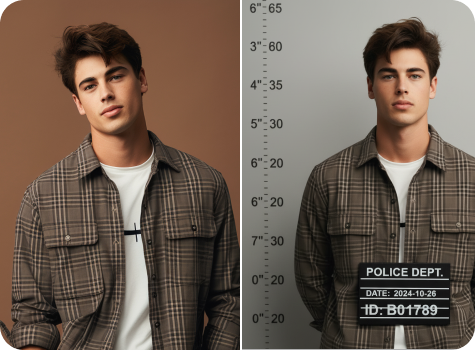
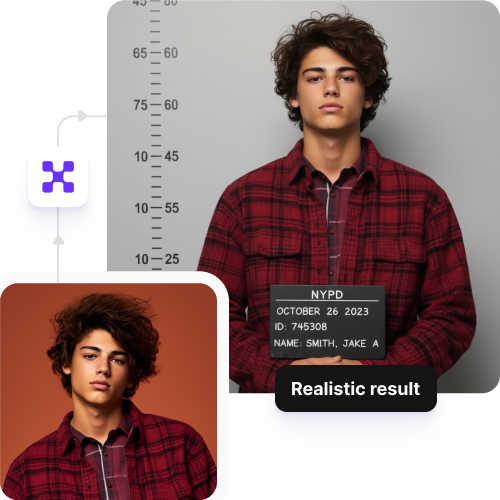
Turn any photo into a realistic mugshot with automatic height charts and custom backgrounds in seconds.

Sketch to Image AI tool preview

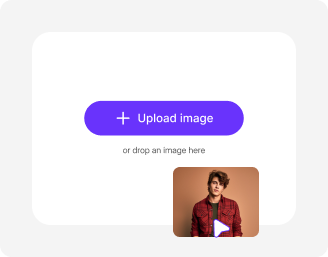
File should be less than 10MB

or paste URL

Before
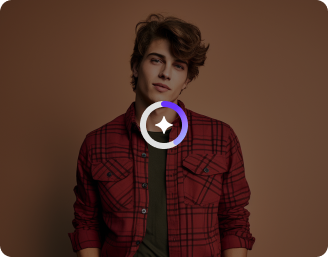
Loading

AI Magic in progress
Adding height lines and your chosen background

After

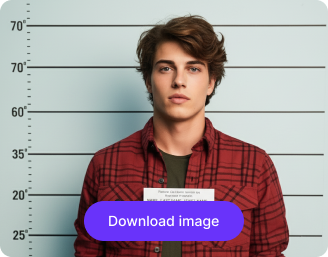
Your AI-generated mugshot is ready!

Edit image with AI
Get 🔥 free credits for image editing, upscaling, generation and more
Mugshot another image
Generation Failed

There was some issue on our end. Please try again.

Try Again
Show case

How to generate your AI mugshot with Pixelbin?

1
Add your image
Paste a URL or upload your picture in any of these formats: JPG, JPEG, PNG, or WEBP.
2
Wait for AI processing
Pixelbin automatically applies a mugshot filter to your image without any manual editing required.
3
Download your image
Preview & download your filtered output for free, without watermarks or any hidden costs.

Why use Pixelbin’s mugshot generator app?

Multiple image formats
Upload images in common formats such as JPG, JPEG, PNG, or WEBP.
Smart AI editor
Automatically adds a realistic mugshot effect to your photo without manual edits.
Batch editing
Process multiple images at once with API support to save time and improve workflow efficiency.
Free HD downloads
Download your edited images in HD without watermarks or hidden costs.
No sign-up required
Access the tool instantly without creating an account or entering payment details.
Complete privacy
Your images are processed securely on protected servers and never shared with anyone.

Generate a convincing mugshot photo in just a single click

Pixelbin’s AI editor helps you generate a realistic mugshot-style image from your photo without any manual editing or software downloads.

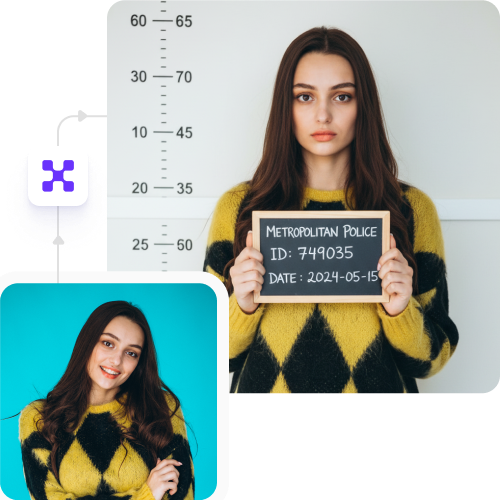
Realistic transformation

Adjusts angles, lighting, and face positioning to meet mugshot-style standards, creating a natural, realistic result.

Sailling ship of sketche to image
Unchanged picture quality

Preserves your photo’s original resolution and clarity even after applying the mugshot filter.
Mountain sketch to image
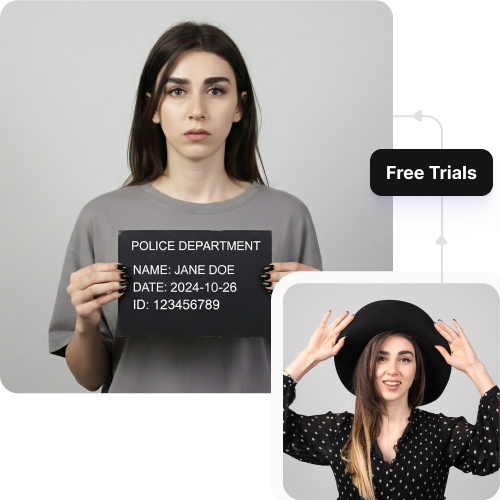
Monthly free trials

Generate up to three mugshot images each month for free, and upgrade anytime for more credits or API access.
Sketch hot air baloon to image generator
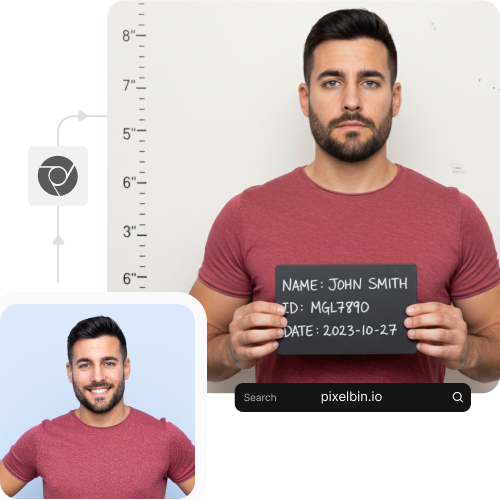
No app installations

Access the editor directly from your browser on any device – no downloads or installations required.
sketch to image in HD-resolution pictures

AI tools by Pixelbin

Key highlights of Pixelbin’s AI mugshot generator free tool

Benefits of using our mugshot photo generator

Pixelbin lets you create a fake mugshot photo in seconds, with no watermarks or software installs. Here are some benefits of the tool:

  • Authentic background: Get a classic police lineup background and height chart applied automatically.
  • No quality loss: Your photo’s original resolution and sharpness are perfectly preserved in the final image.
  • Easy for beginners: You don't need any photo editing skills as the AI handles all the work.
  • No editing skills needed: Our AI handles all the work, so you don't need to learn complex software.
  • No watermarks: Download your high-quality image without any distracting logos or watermarks.
  • Total privacy: Your uploaded photos are processed securely and are never shared or used for other purposes.
  • Works on any device: You can use our mugshot generator on your phone, tablet, or computer.

Use cases of our AI mugshot generator online free tool

Pixelbin's mugshot generator is perfect for creating gag gifts, profile pictures, or party invitations. Here are some common ways to use it.

1. Create funny social media content

Surprise your followers with a "caught in the act" post. Using our AI editor, you can generate a perfect mugshot for creating hilarious, shareable images and reels for Instagram, TikTok, or Facebook.

2. Design graphics for events or parties

Hosting a crime-themed party, escape room event, or team-building activity? Use Pixelbin to create props, printed posters, ID badges, or character introduction boards with a consistent layout.

3. Product prototyping

Writers, filmmakers, and game developers often need mugshot-style images for character sheets. Pixelbin’s online mugshot generator produces template-ready images that fit storyboards, pitch decks, or concept art workflows.

4. Organize cast photos for stage plays

School productions, theater groups, and student films can use Pixelbin’s AI editor to create consistent crew boards. Ensure each actor’s mugshot has the same proportions, backgrounds, and layout for consistent casting information.

How to get the best results from AI pregnant filter online free tools?

To make sure your photo looks as realistic as possible, follow these simple recommendations.

  • Use a clear, front-facing photo, similar to a passport picture.
  • Ensure the photo is well-lit and your face is fully visible.
  • Try to avoid images with hats, sunglasses, or heavy shadows.
  • High-resolution photos deliver the most realistic-looking results.
  • Keep the background of your original photo simple if possible.
  • Avoid blurry or low-quality images for the best AI processing.

FAQs

Here are some of the most commonly asked questions about our Mugshot Generator AI Tool. If you still can’t find what you’re looking for, you can reach out to us at support@pixelbin.io or read our documentation for more details.

Pixelbin offers a free plan, where you can convert three images every month to a mugshot-style photo, for free, without even signing up. For more usage, you can sign up anytime to redeem your ten free credits and continue using the tool. You can also use these credits to try our other range of AI apps, such as the face expression changer or photo restoration.
Yes, our free mugshot generator is trained to add a realistic height-chart background to your uploaded image. It blends your photo naturally against the backdrop for a believable and fun result.
No. Pixelbin is a browser-based tool. You don’t need to download any software or app. The AI mugshot filter works on any device with an internet connection and a web browser.
Yes. Pixelbin prioritizes your privacy. Your images are processed securely on our private servers and are never shared with third parties or used for any other purpose without your consent.
No. Pixelbin processes your photo and adds the mugshot effect without reducing the original resolution. The final downloaded image will be just as high-quality as the one you uploaded.
Yes, you can upload big files to Pixelbin’s mugshot picture generator. Images up to 10 MB should work as long as they’re in the mentioned file formats (JPG, JPEG, WEBP, or PNG).
Edit images in seconds, not hours
Get pixel-perfect results just with your words
Start editing with AI