


Support webp/jpg/jpeg/png, up to 10MB
/pixelbin_blogs/PB_2.0/Apps_New_design_graphics/Selfie_Generator/download_(42).png)
/pixelbin_blogs/PB_2.0/Apps_New_design_graphics/Selfie_Generator/download_(45).webp)
/pixelbin_blogs/PB_2.0/Apps_New_design_graphics/AI_Headshot_generator/sample2_for_headshot.webp)
/pixelbin_blogs/PB_2.0/Apps_New_design_graphics/AI_Headshot_generator/erasebg-transformed_(1)-ivywhhmQW.webp)
/pixelbin_blogs/PB_2.0/Apps_New_design_graphics/AI_movie_poster/action-transformed.webp)
/pixelbin_blogs/PB_2.0/Apps_New_design_graphics/AI_movie_poster/horror.webp)
/pixelbin_blogs/PB_2.0/Apps_New_design_graphics/AI_movie_poster/comedy.webp)
/pixelbin_blogs/PB_2.0/Apps_New_design_graphics/AI_movie_poster/adventure.webp)
/pixelbin_blogs/PB_2.0/Apps_New_design_graphics/AI_movie_poster/scifi-transformed.webp)
/pixelbin_blogs/PB_2.0/Apps_New_design_graphics/AI_movie_poster/animation.webp)
Generate movie poster with AI
Free AI movie poster generator online
Turn your movie idea into a cinematic poster with one simple description
/pixelbin_blogs/PB_2.0/Apps_New_design_graphics/AI_movie_poster/horror_movie_output.webp)
/pixelbin_blogs/PB_2.0/Apps_New_design_graphics/AI_movie_poster/female.webp)


How to use Pixelbin's AI movie poster generator?
Describe your poster
Add details like genre, setting, characters, mood, and cinematic style using the movie poster AI generator.
.webp)
Pick image model & ratio
Choose an AI model and set the film poster generator ratio (portrait, landscape, or square) for your use case.
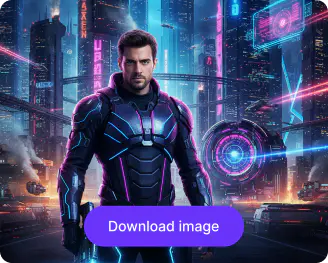
Generate and download
Click generate, preview your AI generated movie poster, and save a high‑quality image you can use online.
Why use Pixelbin’s AI movie poster generator online?

8X image upscaling
Enhance your posters so they stay crisp and clean, even when turned into large‑format posters or social banners.

AI background replacement
Switch backgrounds instantly and place characters into fantasy, sci-fi, horror, or retro-inspired movie worlds.

Smart scene editing
Change outfits, props, or scene elements without recreating the entire movie poster from scratch.

Automatic adjustments
Enhance shadows, lighting, and atmosphere automatically to match action, romance, or noir themes.

Remove unwanted elements
Add what you want and what you want to avoid, so your output stays clean and on-brand.

HD quality outputs
Download clean, high‑quality, watermark‑free files that are good for social media, websites, or print without extra retouching.
Design AI movie posters that feel like real cinema
Create designs with cinematic layouts and styles like retro, sci-fi, noir, fantasy, or action so posters feel natural and realistic.
Prompt-based control
Give the right prompt to guide lighting, color, and style, whether dark thriller, romantic drama, or fun comedy.
Adapt to different sizes
Make vertical posters for social media and landscape for websites or prints, just by swapping the formats
Browser friendly
Access the AI movie poster generator online for free on your browser, like Chrome, Edge, Safari, or Firefox.
Try multiple looks quickly
Generate several movie posters from the same prompt to try out different looks, feels, and styles.
/pixelbin_blogs/PB_2.0/Apps_New_design_graphics/AI_movie_poster/promp_control.webp)
AI tools by Pixelbin
/pixelbin_blogs/PB_2.0/Apps_Graphics/Redeye/redeye_remover/Thumbnail.png)
/pixelbin_blogs/PB_2.0/Apps_Graphics/ai_image_editor_for_media_and_entertainment/Thumbnail.png)
/DynamicApps/thumbnails/AI_Image_Upscaler.png)
/pixelbin_blogs/PB_2.0/Apps_New_design_graphics/AI_Tools_by_Pixelbin/Unpixelate_Image)
Key highlights of Pixelbin's AI movie poster maker
Benefits of using the AI movie poster generator from text
- Save on design costs: You skip hiring designers when you can just describe your movie and get a poster.
- Explore multiple styles easily: Test many styles and moods for the same project before committing to one particular style or theme.
- Professional-looking design: Your posters look polished enough for social media, personal projects, or indie film teasers.
- Design posters for any idea: The AI movie poster maker lets you “make a poster” for any idea, big or small.
Use cases of the movie poster AI generator
Pixelbin helps filmmakers, storytellers, and creators build visuals that look like real movie posters. Here’s how you can use it:
- Indie film projects: Create posters for student films, short films, or web series using our AI movie poster generator.
- Social media content: Design AI movie poster meme‑style covers for comedy edits, fan edits, or reaction videos.
- YouTube thumbnails: Use the AI to make bold, cinematic thumbnails that grab the attention of your viewers and subscribers.
- School or personal projects: Make posters for school plays, book trailers, or creative assignments quickly.
- Brand or campaign visuals: Create dramatic AI-generated movie posters for product launches or event teasers.
- Fun experiments: Try the AI movie poster maker just to see how any random concept would look as a real poster.
How to get the best results from Pixelbin’s AI movie poster generator?
Use these tips to create posters that really stand out:
- Keep your AI movie poster prompt focused: story + genre + mood + key visual.
- Mention style words like “cinematic,” “film noir,” “romantic,” or “vibrant” for a better tone.
- Think about lighting if you want “dark thriller,” “golden hour,” or “neon night” looks.
- Choose ratios that match where you’ll use the poster (portrait for stories, landscape for websites).
- Make small changes to your prompt if the first result is close but not perfect.
FAQs


Edit images in seconds, not hours
Get pixel-perfect results just with your words
Start editing with AI