


Support webp/jpg/jpeg/png, up to 10MB
/pixelbin_blogs/PB_2.0/Apps_New_design_graphics/product_photoshoot/erasebg-transformed_(98).webp)
/pixelbin_blogs/PB_2.0/Apps_New_design_graphics/product_photoshoot/erasebg-transformed_(99).webp)
/pixelbin_blogs/PB_2.0/Apps_New_design_graphics/product_photoshoot/erasebg-transformed_(100)-transformed.webp)
/pixelbin_blogs/PB_2.0/Apps_New_design_graphics/icon_generator/popart.webp)
/pixelbin_blogs/PB_2.0/Apps_New_design_graphics/icon_generator/watercolor.webp)
/pixelbin_blogs/PB_2.0/Apps_New_design_graphics/icon_generator/mosaic.webp)
/pixelbin_blogs/PB_2.0/Apps_New_design_graphics/icon_generator/sketch.webp)
/pixelbin_blogs/PB_2.0/Apps_New_design_graphics/icon_generator/doodle.webp)
/pixelbin_blogs/PB_2.0/Apps_New_design_graphics/icon_generator/cartoon.webp)
AI icon generator
Free AI icon generator online
Design crisp app icons, buttons, logos, or custom graphics from simple text descriptions in seconds
/pixelbin_blogs/PB_2.0/Apps_New_design_graphics/icon_generator/pop_art.webp)
/pixelbin_blogs/PB_2.0/Apps_New_design_graphics/icon_generator/original.webp)


How to use Pixelbin's AI icon generator?
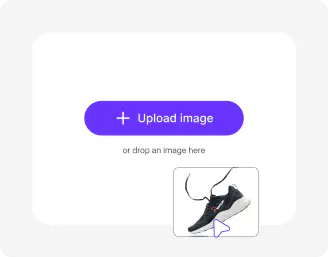
Enter your text prompt
Describe the icon you want to create. Mention its purpose, style, colors, symbols, industry, and overall vibe to generate the best results.
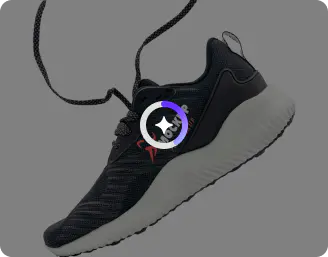
Pick image model and ratio
Choose from Nano Banana or pro models and select the image ratio based on where you want to use the logo.
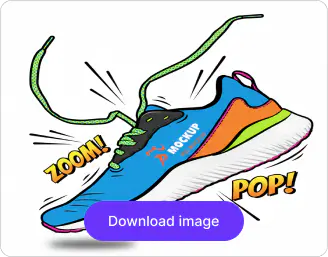
Generate and download
Click generate, preview your ai app icon generator results, and save crisp PNGs without any watermarks or labels.
Why use Pixelbin's free ai icon generator?

Color palette correction
Auto-match or fix colors for brand consistency, ensuring gradients, neons, or flats pop perfectly every time.

Edge sharpening tool
Refine fuzzy outlines or thin details like icons' borders and inner elements for ultra-crisp results.

One-click upscaling
Boost low-res icon previews up to 8X for sharp, print-ready PNGs that look crisp on any screen size.

Noise and artifact cleanup
Smooth out pixelation, grain, or AI glitches instantly so your icons stay polished and professional.

Smart shape detection
Outline perfect shapes, edges, and proportions for app icons or logos without manual tracing.

Background placement
place your AI-generated icon on transparent, solid, or custom backgrounds in one click.
Create professional-grade AI icons with clean vector quality
Generate icons with detailed color controls, sharp lines, and clean finishes for professional-quality results
Preview variations side-by-side
Generate multiple styles from one prompt with our logo icon generator ai so you choose the perfect design quickly.
Tailored for every platform
Create new icons in 1:1 app squares, 16:9 banners, or custom sizes for every platform requirement.
Ready for any platform
Generate app icons optimized for iOS, Android, websites, social media, and digital platforms without extra resizing or editing.
Browser only tool
Use the free AI icon generator from phone, tablet, or desktop; no downloads or signups required.
/pixelbin_blogs/PB_2.0/Apps_New_design_graphics/icon_generator/preview.webp)
AI tools by Pixelbin
/DynamicApps/thumbnails/AI_BG_Remover.png)
/DynamicApps/thumbnails/AI_Image_Upscaler.png)
/pixelbin_blogs/PB_2.0/Apps_Graphics/ai_ecommerce_product_photo_editor/Thumbnail.png)
/pixelbin_blogs/PB_2.0/Apps_Graphics/ai_image_editor_for_media_and_entertainment/Thumbnail.png)
Key highlights of Pixelbin's best ai icon generator
Benefits of using AI icon generator free tool
Pixelbin's logo icon generator AI speeds up design for developers and marketers. Here are some top benefits:
- Quick creation: Turn text into polished icons in seconds, skipping hours in tools like Figma or Illustrator.
- Cost savings: No need for freelance designers; generate unlimited icn styles and variations with AI icon generator through prompts.
- App store ready: Exports match exact specs for iOS, Android, and web, saving export time.
- Unique designs: AI icon generator creates 100% original icons trained on vast libraries, thus helping you avoid stock image issues.
- Easy iterations: Test styles like neon vs flat or edit colors without starting over.
- No skills barrier: The icon maker is perfect for non-designers as it is intuitive and simple to use.
Use cases of the icon generator ai
Pixelbin makes it easy to bring all kinds of icon ideas to life, whether you're building apps or branding startups. Here's how you can actually use it:
- App developers: Create eye-catching app icons for iOS/Android from category prompts like "fitness tracker watch."
- UI/UX design: Generate button icons or new icons for websites, dashboards, or mobile interfaces.
- Branding refresh: Build logo icon sets in matching styles for startups or product launches.
- Marketing assets: Design social icons, favicons, or promo graphics fast for campaigns.
- E-commerce: Custom product icons or category badges without hiring illustrators.
- Game devs: Fun retro or neon styles for game assets and store listings.
- Thumbnail previews: Quick icons for YouTube thumbnails or app store mockups.
How to get the best results from Pixelbin's AI icon generator?
- Specify the style upfront such as "flat design," "line art," "gradient," or "3D render" to guide the AI perfectly.
- Include shape context in your prompts. For example, you can write something like "circular fitness tracker icon" or "square weather app icon."
- Mention color schemes that you want in your logo icon.
- Add background preference! Whether you want transparent PNG or white square with shadow, always mention it in your prompts.
- Keep descriptions under ten words focusing on a single dominant subject and style.
FAQs


Edit images in seconds, not hours
Get pixel-perfect results just with your words
Start editing with AI