How to use Pixelbin’s Veo 3 Google AI video generator?
Add prompt & references
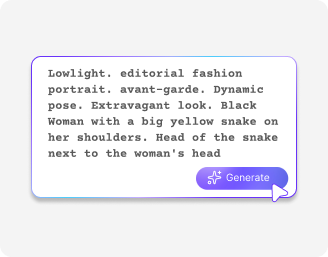
Add your references (optional) in JPG, JPEG, WEBP, or PNG, and write a clear prompt describing your video
Choose video settings
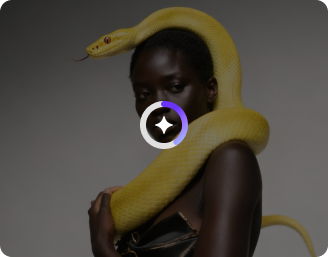
Select your preferred ratio (16:9 or 9:16), duration (4–8 sec), and quality (720p–1080p)
Generate video & download
Click generate to create your video and download the final output in HD, ready to use for ads or social media
Why use Pixelbin’s Google VEO 3 AI video generator?
Reference images
Add references like images of scenes, characters, or objects to get an output that matches exactly what you have in mind
Multiple visual styles
Generate videos that follow a specific look, whether it is artistic, realistic, or cinematic
Consistent character appearance
Maintain the same look throughout different shots to make your videos feel more connected
Object addition
Introduce objects into your video with realistic scale, lighting, and interaction for a flawless look
Frame expansion
Outpaint your videos to fit different screen sizes while keeping the visuals natural and aligned
Smooth scene transitions
Define the first and last frames to produce seamless and cinematic transitions between clips
Create cinematic scenes with light, shadow, and depth
Create visuals that follow real-world physics, with natural motion and strong prompt understanding for highly realistic results
Native audio generation
Create VEO 3 AI videos with built-in sound, so you don’t have to add audio separately or sync it later
Greater realism
Get more natural-looking visuals with lifelike details that make your videos feel real and engaging
Motion controls
Guide the Google VEO AI generator to explain how things move in your video, be it simple actions or camera transitions
Browser friendly
Use the Google VEO AI video generator veo 3 tool directly in your browser like Safari, Edge, Chrome or Firefox; no apps needed
AI tools by Pixelbin
Key highlights of Pixelbin’s VEO AI video generator
Benefits of using the Google VEO 3 AI video generator
- Native audio: In contrast to most of the rivals, Google Veo 3 produces synchronized audio, such as dialogue, ambient sounds, and background music, right along with the video. However, you can choose to turn off the audio if you want.
- Cinematic realism and quality: The model generates high-definition videos featuring realistic physics, making it a great simulator of real-world lighting, shadow, and natural human movement.
- Enhanced artistic editing: You can try out complicated camera actions, such as drone shots, and use reference photos to regulate consistency and design of characters.
- Workflow efficiency: The Veo 3 Fast model enables you to quickly produce low-resolution sketches to ideate on before making a commitment to final high-fidelity renders.
- Flexible aspect ratios: Google VEO 3 can display landscape (16:9) and portrait (9:16) aspect ratios, which is why it can be used both in cinematic and social media content.
Use cases
- High-end commercials: In case you have a tangible product or a raw image of a property, you can make several photographs of it and use them as a guide. Then you can feed prompts to the AI to put your product/real estate images in a scenario with background voiceovers. For instance, you can place a luxury watch on the wrist of a hiker in the sunset, and even play the wind and birds in the background. Similarly, you can show a luxury villa at sunset, add a voiceover describing the lifestyle, and include natural background sounds like birds, breeze, or distant city ambience.
- Social media advertising experiments: The VEO AI 3 video generator can be used to end the guessing of which ads would work for your audience. You can create multiple versions of an ad in a few minutes, rather than shooting a single, costly video. You can change the backdrop, the actor, or even the camera point of view to find out which one really catches the eye of your audience.
- B-roll for your videos: If you’re a YouTuber or a filmmaker, you know how annoying it is to find the perfect stock footage. The Veo 3 allows you to capture the shot you want, such as a "dramatic drone shot of a foggy forest".
- Storyboards into pre-viz drafts: You can visualize your scenes before going out and spending money on a real film shoot. You can see how the lighting looks and how the camera should move, and this can help you identify errors in your set-up before you even hold a real camera.
- Training and internal videos: Rather than writing a long and tedious email to your team, you will can create a professional video in a short time. You can create an AI character and use it with voice to introduce a new company policy. This way, the information will be much easier to digest by your colleagues.
- Educational materials and concepts: As a teacher or an actor in the edu-tainment space, you can recreate historical events or complicated scientific actions with the help of our Google AI Studio Veo 3 video generator. You can request a time-lapse of a Roman city under construction, which would provide your students with a visual they’d never be able to see otherwise.
How to get the best results using Google VEO AI video generator?
To get the best results using our tool, here are a few things you need to keep in mind:
- Add clear and simple prompts. Write what you want to be displayed, the scene, the object and the mood to make the AI get the idea.
- Incorporate reference pictures where feasible. This aids the tool to align with your vision, especially on style, characters or locations.
- Mention the camera movement and style. Zoom, pan, cinematic, or close-up are terms you need to use, which will make your video appear more professional.
- Continue to improve your prompt. Provided that a result is not ideal, change a few details and repeat rather than rewriting everything.
FAQs
Edit images in seconds, not hours
Get pixel-perfect results just with your words
Start editing with AI