PixelBin logo
Image generator is here -   Create Now   and Claim 30% off on Pro Plans. Use code SALE30 at checkout.   Claim Discount

AI bike photo editor

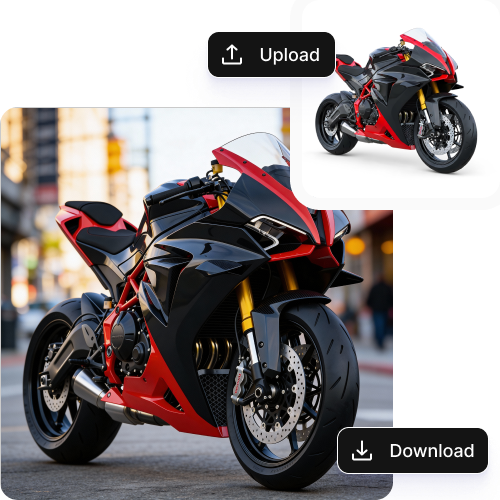
Customize wheels, seats, and accessories to preview different bike configurations.

Uploaded image
2500 chars left
Max file size 10 MB.
Loading

AI Magic in progress
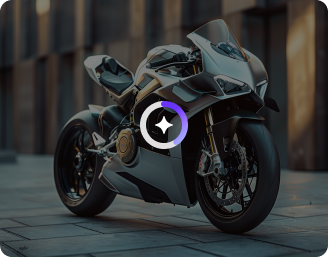
Improving clarity, boosting metallic shine, refining colors, and preparing a premium bike visual.

Ready

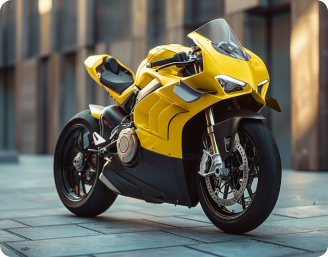
Your enhanced bike image is ready!

Edit image with AI
Get 🔥 free credits for image editing, upscaling, generation and more
Create another image
Generation Failed

There was some issue on our end. Please try again.

Try Again
Show case

How to use Pixelbin’s AI bike photo editor for free?

1
Add your image
Upload your image, in any of the following formats: JPG, JPEG, WEBP, or PNG.
2
Specify the edits
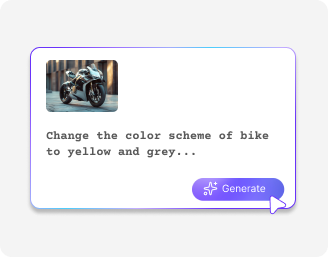
Describe the changes you want to make in simple words. Include the colors, lighting, style, and other details.
3
Generate & download
Click on “Generate,” preview the edited image, and download it in HD, free from any watermark or additional costs.

Why use Pixelbin for bike photo editing?

Multiple formats
Upload photos in common formats such as JPG, JPEG, PNG, or WEBP.
Image upscaling
Enhance photo resolution up to 8× and sharpen details for improved clarity".
Browser-based
Access the tool from any browser without installing expensive software.
Complete privacy
Process all bike images on encrypted servers to keep your assets secure.
No sign-up
Start editing immediately without creating an account.
HD downloads
Export high-quality images ready for online stores or showroom displays.

Effortless bike photo editing at your fingertips

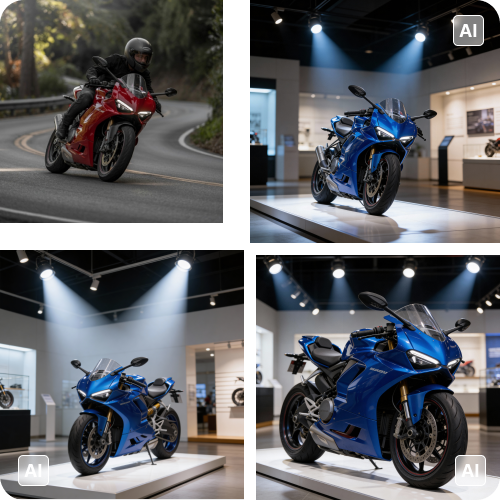
Change bike colors or adjust textures and materials in seconds with minimal efforts.

Batch editing

Edit multiple bike photos at once using bulk API support while maintaining consistent quality across your catalog.

Feature 1
Easy access

Use the bike photo editor directly from any modern browser, including Chrome, Safari, Edge, and Firefox.
Feature 2
Free trials

Try the bike photo editor up to three images each month for free, and upgrade anytime for more credits or API access.
Feature 3
Clean outputs

Download professional bike photos without watermarks, logos, or text overlays.
Feature 4

AI tools by Pixelbin

Key highlights of Pixelbin’s AI bike photo editor online

Benefits of using the AI bike photo editor online

Here’s how Pixelbin’s AI bike photo editor can improve workflows while delivering high-resolution outputs:

  • Improve photo quality instantly: Automatically fix lighting, sharpness, and colors to make every bike look its best.
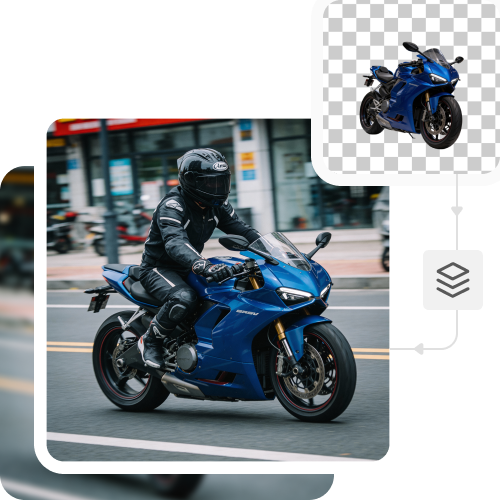
  • Remove distractions easily: Clean up messy backgrounds so the bike stays in focus.
  • Faster load times: Get optimized images that load quickly on websites and apps. This can reduce bounce rates and increase the chances of getting more sales.
  • Make bikes stand out: Highlight details and finishes without over-editing or manual work.
  • Create professional images fast: Get studio-quality results from regular phone photos in seconds.
  • Enhance listing performance: Better images build trust. You can enhance your bikes to attract more clicks and help your collections sell faster.

Use cases of best AI bike photo editor online

1. Multiple color variants

Create multiple variants of your bike with one single image.

2. Professional store displays

Remove cluttered backgrounds or enhance color-contrast to maintain consistency and professionalism.

3. Marketing content

Generate visuals for social media platforms by changing the background, perfect for seasonal ads.

4. New arrivals

Edit photos instantly and let your team put the product live on the website before it reaches the warehouse.

How to get the best results with Pixelbin’s AI bike photo editor?

  • Upload images taken in clear, even lightning.
  • Make sure the entire bike is in frame.
  • Use photos with less-noisy backgrounds.
  • Try to keep the area around the bike clear of other items like tools or boxes.
  • When asking for edits, be clear and direct. Instead of saying "change color," try "change bike color to matte blue.

FAQs

Here are some of the most commonly asked questions about our AI bike photo editor. If you still can’t find what you’re looking for, contact us at support@pixelbin.io or read our documentation for more details. documentation for more details.

Pixelbin lets you process 3 images per month as part of the free plan. But if you want to edit more, you need to sign up and purchase extra credits on a pay-as-you-go basis.
Yes, you can maintain a consistent look as the tool applies uniform editing across images. This helps you keep your bike collections and storefront looking professional.
The editor applies edits across different models while preserving paint finishes, textures, and other details of your bike image.
No, your bike photos will appear realistic and enhanced after editing them. The AI does not change the original image but refines it to make it look professional.
Yes, your images are processed on encrypted servers, so all assets remain private and not shared without your consent.
Edit images in seconds, not hours
Get pixel-perfect results just with your words
Start editing with AI