PixelBin logo
🚀 50% More Credits in Monthly and 30% discount on all plans  Click to Claim Discount
Turn your images into videos
Generation Model
Select Model
Prompt

Free AI commercial video generator

Create short, ready-made Television, digital, or print ad videos directly from your description in seconds

Your generated video will appear here.

How to use Pixelbin’s AI commercial generator for free?

Describe your idea in text
1

Describe your idea in text

Type a clear, short description of your product, service, or campaign, such as “15-second Instagram ad for a skincare brand."

Choose video settings
2

Choose video settings

Pick your preferred video duration and aspect ratio that match Instagram, TikTok, YouTube, or Facebook.
Generate and download
3

Generate and download

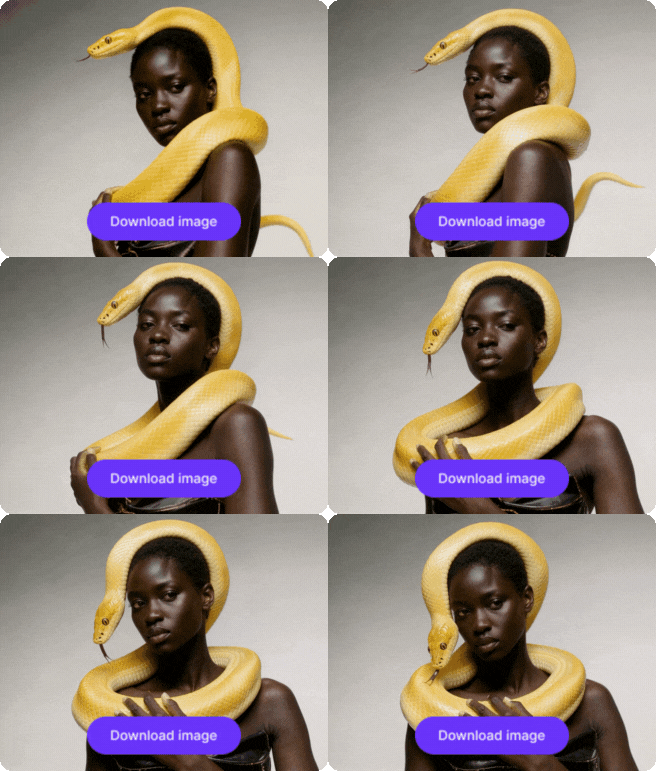
Click generate, preview the AI commercial video generator output, and save your HD video with no extra steps.

Why use Pixelbin’s AI commercial video generator?

Multi‑angle ad creation

Multi‑angle ad creation

Generate close‑ups to wider shots with the AI commercial ad generator so you can test which angle works best for your audience.

Creative backgrounds

Creative backgrounds

Build tailored backgrounds that match your product or brand, so every ad feels intentional and aligned to your brand messaging

Hook & CTA optimized output

Hook & CTA optimized output

Shape the opening hook and call‑to‑action to build a clear, engaging mini‑story inside the video.

Brand‑consistent visuals

Brand‑consistent visuals

Use recurring colors, fonts, and moods in your prompts to create a mini “brand kit” that keeps all your commercials feeling united.

Prompt‑based camera control

Prompt‑based camera control

Direct the shot type and style using your text, so the AI commercial video generator simulates real camera movement and framing.

HD quality, ready‑to‑use videos

HD quality, ready‑to‑use videos

Download clean, high‑resolution clips that you can post directly to social media or insert into your campaigns without extra editing.

Make real ads free from watermarks with simple text prompts

Turn your thoughts into polished commercial-style clips without cameras, actors, or editing experience.

Natural pacing & structure

The AI commercial video generator builds short stories from start to finish, so your ad feels logical and smooth to watch.

Brand-style visuals

Keep your videos visually consistent by matching brand colors, tones, and design styles across every piece of content.

Built-in audio

Try the free AI ad video generator to create videos with background audio, simple motion effects, and on-screen text that keep viewers interested from start to finish.

Multi-purpose lengths

Create short commercials that are long enough to tell a short message, short enough to grab attention quickly on busy feeds.

AI tools by Pixelbin

AI animation generator
Motion control video generator
AI image animator
AI image animator
AI image animator
AI video generator
AI video generator
AI video generator

Key highlights of Pixelbin’s AI commercial generator

Benefits of using an AI commercial video generator

  • Faster ad creation: You can create real ads much faster than planning, filming, and editing everything yourself.


  • Professional results for any team: Even small teams, startups, and solo creators can make polished, professional-looking video ads with ease.


  • Multiple versions to test: Generate different ad variations quickly so you can compare styles, messaging, and formats to see what works best.


  • Ready-to-post videos: Videos come formatted and ready to share, helping you save time on editing, resizing, and final adjustments.


  • Stronger brand presence: Keep your brand active online by publishing fresh ad content regularly across social media and marketing channels.


  • Low-risk creative experimentation: Try new ideas, campaigns, and ad concepts without spending heavily on production or large creative teams.

Use cases of the AI commercial video generator

Below are some of the ways in which you can use the AI commercial generator:  


  • Turn your product idea into fast, eye-catching social ads: Use the AI commercial generator for Instagram, TikTok, or Facebook, without doing a full shoot. You just feed a few simple prompts, and it sends out a bunch of variations, then you quickly see what really grabs more attention, not what you thought would.


  • Boost small business visibility too: Local shops or online brands can create low-budget yet professional promotions for limited deals, new launches or that “this week only” vibe.


  • Run quick A/B tests without wasting time: Use the AI commercial video generator outputs as light-weight test assets before you commit real budget to bigger production. Make several versions of essentially the same ad, swap the hook, shift the background, tweak the call to action, then check which one actually wins.


  • Build consistent brand content: Make a library of ads with a similar general look so your feed stays recognizable. Keep your brand colors fonts, and tone consistent, so everything feels like it fits together, even when you’re between larger campaigns.


  • Onboard or brief stakeholders: Create short, easy-to-understand preview videos for internal teams or clients. These visuals help explain how the final ad might look, without needing to stage a full production.


  • Experiment with new formats: Try teaser explainer, or testimonial style videos by changing your text prompts. No need to start from zero every time.

How to get the best results from the AI commercial generator?

Use these tips to make your AI commercial video generator output feel natural and useful:  


  • Keep your description short and clear, but include key details like the product, audience, and mood.  
  • Pick a duration that matches where you’ll post the video so it feels comfortable to watch.   
  • If the first version is close but not perfect, change a word or two and generate again.  
  • Use simple language in your prompts, so the tool can focus on the main idea.  

FAQs

It’s a tool that turns your written description into a short ad video you can watch and share directly.
When you use the commercial video generator, you just need to describe your idea, set the duration and ratio, and the tool builds and renders a short video for you.
Yes, you can create short clips for social media or slightly longer ads by choosing the right duration.
Yes, Pixelbin can use the free plan to test ideas and build simple ads. However, once you exhaust the limit, you need to sign up and purchase additional credits on a pay-as-you-go basis.
Yes, you just describe your idea, pick settings, and generate; no editing or technical skills needed.
You can tweak your prompt or choose different settings to test different looks and moods in your ads.

Edit images in seconds, not hours

Get pixel-perfect results just with your words

Start editing with AI