PixelBin logo
Image generator is here -   Create Now   and Claim 30% off on Pro Plans. Use code SALE30 at checkout.   Claim Discount

Online AI glasses filter

Experiment with different eyewear looks by adding realistic glasses to your photos.

Uploaded image
2500 chars left
Max file size 10 MB.
Loading

AI Magic in progress
Generating realistic glasses while preserving facial features, lighting, and shadows

Export Image

Your glasses-added image is ready!

Edit image with AI
Get 🔥 free credits for image editing, upscaling, generation and more
Add glasses to another photo
Generation Failed

There was some issue on our end. Please try again.

Try Again
Show case

How to use Pixelbin’s AI glasses photo editor?

1
Upload the image
Paste a URL or upload your image in any of the following formats: JPG, JPEG, WEBP, or PNG.
2
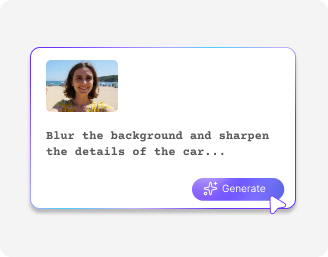
Add a prompt
Describe the glass style you want - aviators, round sunglasses, cat-eye, and more.
3
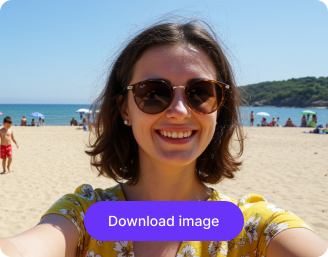
Download the image
Preview your enhanced photo and download it in HD quality, free and without watermarks.

Why use Pixelbin glasses photo editor?

Multiple image formats
Upload images in common formats such as JPG, JPEG, WEBP, or PNG.
No sign-up required
Access the tool instantly without logging in or entering payment details.
Free HD downloads
Download your edited images in high definition without watermarks or extra costs.
Complete privacy
Your images are encrypted, securely processed, and never shared with third parties.
Batch editing
Process multiple images at once with Pixelbin’s API to speed up large workflows.
Easy accessibility
Use the glasses filter from any device with a browser and an internet connection.

Try on glasses in just one click

Apply natural-looking eyewear to your photo in seconds without any app or manual editing.

Natural eyewear look

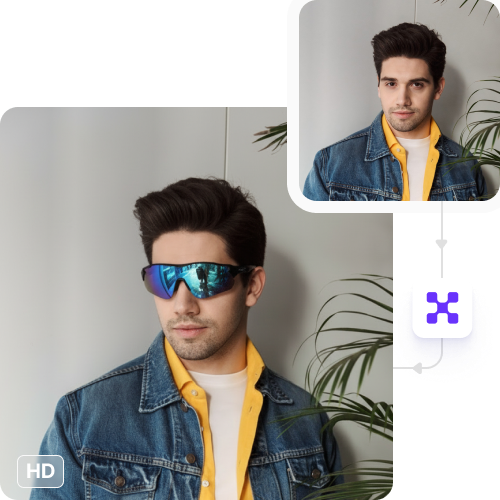
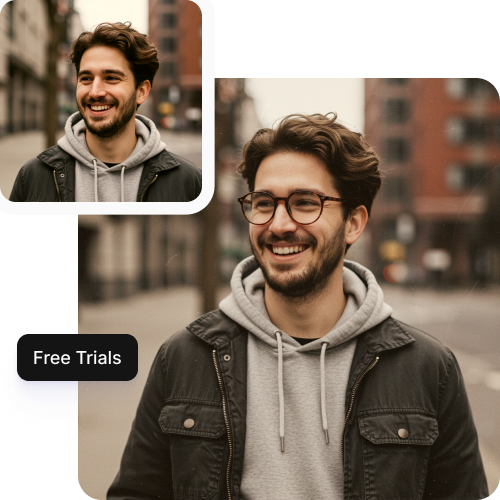
Add glasses that fit your face well and blend smoothly with your photo’s light and angle.

Feature 1
No loss in photo quality

Keep your photo clear and sharp after adding eyewear with our AI glasses filter.
Feature 2
Try it free

Edit three images each month using the glasses filter at no cost. Upgrade anytime for more credits or API access.
Feature 3
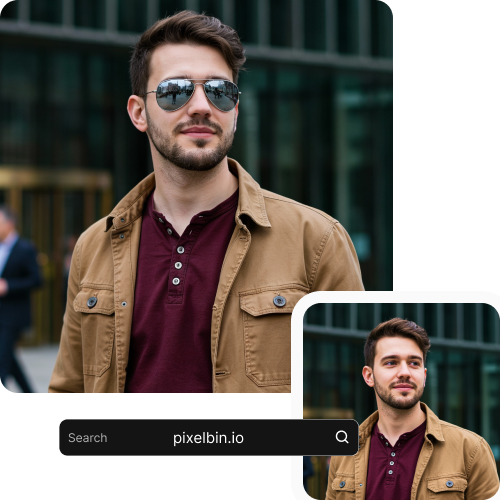
No app downloads

Use the AI glasses filter straight from your browser on any device without downloading any app or software.

Feature 4

AI tools by Pixelbin

Key highlights of the Pixelbin glasses photo editor

Benefits of using an AI glasses photo editor

Pixelbin lets you add glasses to photo in seconds, without using complex editing tools. Here’s why people love it:

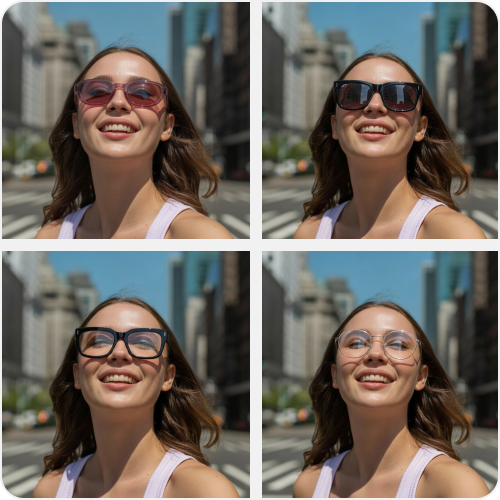
  • No Pick eyewear styles easily: Try aviators, round frames, cat-eye styles, and more. Each style adjusts smoothly to fit your face.
  • Get high-quality results: Your photos stay sharp and clean after editing. Great for profile pictures, social posts, thumbnails, or brand visuals.
  • Use it on any device: Add glasses to photos online directly from your browser on a laptop, tablet, or phone. No setup and no apps are needed.
  • Download without watermarks: Save clean photos with no logos. Use them for personal or business work.
  • Edit many photos at once: Add glasses to multiple photos together using Pixelbin’s API. Helpful for eCommerce and large projects.
  • Keep your photos private: Your images are handled safely and stay private at all times.
  • Edit without effort: Upload a photo, choose a glasses style, and you’re done. No editing experience needed.

Use cases of our free AI glasses photo editor

1. Try new styles

See how round, square, rimless, retro frames, or sunglasses look on you and find what suits your face.

2. Better profile photos

Add neat, well-fitted glasses to your LinkedIn, Instagram, or work profile pictures.

3. Stronger social posts

Use stylish glasses or sunglasses to make posts, thumbnails, and campaigns stand out.

4. Create characters

Test eyewear for characters, outfits, or creative ideas and build a complete look easily.

5. Fun photo edits

Add playful or classy glasses to create photos and memes people enjoy sharing.

How to get the best results from free glasses filter apps?

  • Use a clear photo so the AI can see your face and eyes properly.
  • Look straight at the camera for the best glasses fit.
  • Keep your eyes visible and free from hair or accessories.
  • Upload a good-quality photo for better light and details.
  • Avoid strong shadows on your face for a more natural look.

FAQs

Here are some of the most common questions about our AI glasses filter tool. If you can’t find the information you need, contact us at support@pixelbin.io or refer to our documentation for more details.

No. You can try the tool three times per month for free without signing up. Signing up gives extra credits and additional features.
Yes. You can use edited images for personal or commercial purposes, including social media, ads, catalogs, or branding.
You can add glasses to photo within a few seconds to under a minute, depending on image resolution and server load.
Yes. AI can replace or add a new pair, but photos without obstructive frames give the best results.
Yes. The API and bulk upload options let you add glasses to multiple images efficiently, perfect for e-commerce or content batches.
Yes. Images up to 10 MB in supported formats will work smoothly.
Edit images in seconds, not hours
Get pixel-perfect results just with your words
Start editing with AI