PixelBin logo
Image generator is here -   Create Now   and Claim 60% off on Pro plans. Use code PB60 at checkout.   Claim Discount

AI TikTok watermark remover

Remove watermarks and logos from TikTok videos automatically without losing quality.

Upload Image

File should be less than 50MB

or Drag and drop your file here

(Max duration: | Max resolution: )

Supported formats:

No Video in hand? Try one of these

Uploading video...

Select output type to start removing watermark

Upload another video
Before

Removing watermark…

Est. time left:

After

Your watermark-free video is ready!

Download your cleaned video

Get full length video

Get full length video once you login.

Remove watermark from another video
Generation Failed

There was some issue on our end. Please try again.

Try Again
Show case

How to remove TikTok watermarks using Pixelbin?

1
Upload your video
Choose a file from your device in one of the supported formats: MP4, WebM, or MOV.
2
Wait for AI processing
Pixelbin automatically removes watermarks & logos from your video without any manual edits.
3
Download your video
Preview & download your video for free, without watermarks or any hidden costs.

Why use Pixelbin’s TikTok watermark remover app?

Multiple upload options
Upload videos in WEBM or MP4 formats, or drag and drop your file.
Smart AI editor
Automatically removes logos and usernames while preserving natural video frames.
Batch editing
Process multiple videos at once with API support to save time and improve workflow efficiency.
Free HD downloads
Download your edited videos in HD, free of watermarks or hidden costs.
No sign-up required
Access the tool instantly without registering or entering payment details.
Complete privacy
Videos are encrypted, processed securely, and never shared with anyone.

Get watermark-free TikTok videos in seconds

Pixelbin’s AI remover helps you save your favorite TikTok clips without distracting logos, straight from your browser, without any software downloads.

Automatic watermark detection

Identifies and removes TikTok watermarks from all frames, even when they shift corners throughout the video.

Feature 1
Preserved video quality

Maintains your video’s original resolution and clarity without cropping, blurring, or distortion.

Feature 2
Monthly free trials

Remove watermarks from up to three videos each month for free, and upgrade anytime for more credits or API access.
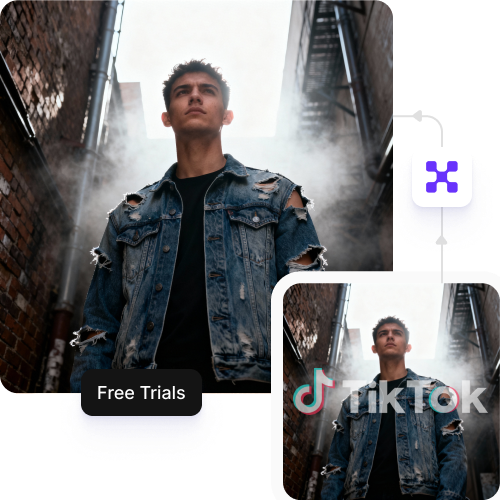
Feature 3
Browser-based editor

Access the TikTok watermark remover directly from your browser on any device – no downloads or installations required.

Feature 4
AI tools by Pixelbin

Key highlights of Pixelbin’s TikTok watermark remover app free

Benefits of using our TikTok watermark remover website

With Pixelbin, you can remove watermarks from your videos to repurpose them for any platform. Here are some benefits of using this tool.

  • Get blur-free results: Our AI reconstructs the area behind the watermark, leaving no blur, smudges, or artifacts.
  • Preserve original quality: Your video's resolution, clarity, and frame rate are perfectly maintained.
  • Handle moving watermarks The AI tracks and removes the bouncing TikTok logo effectively from the entire video.
  • Simple UI: Pixelbin has a simple interface and is easy even for beginners.
  • No watermarks: We never add our own brand watermark to your processed videos.

Use cases of our TikTok watermark remover online free tool

With Pixelbin, you can prepare your videos for any platform or purpose. Here are some common ways this tool can help:

1. Reposting to other social platforms

Platform algorithms often downrank videos with competitor logos. Using Pixelbin’s AI-powered watermark remover, you can generate a clean video that performs better on other apps.

2. Creating video compilations

If you are building a compilation of your best work, having platform logos popping up can look unprofessional. You can use Pixelbin to ensure every clip in your montage is clean and uniform.

3. Archiving your original content

Sometimes creators lose their original raw files and only have the version posted to TikTok. With Pixelbin’s watermark remover for TikTok, you can recover a near-original version of your own videos for your personal archives.

4. Use video clips in presentations

Need to use a TikTok clip for a work or school presentation? Use our free watermark remover to clean the video and use it in your slides, without any distraction.

5. Repost user-generated content (UGC)

Using Pixelbin, brands can clean up UGC videos (with permission from the creator) to feature on their own social feeds or websites. This maintains a consistent brand aesthetic without the original platform's logo.

6. Reaction & commentary videos

When creating reaction videos, keeping the source clip clean ensures your audience isn't distracted by floating logos. Pixelbin helps you prepare these clips quickly so you can focus on your commentary.

How to get the best results from TikTok watermark remover tools?

To get the cleanest removal when using our tool, follow these simple tips:

  • Use the highest quality version of the video you have.
  • Avoid uploading screen-recorded versions of TikToks, as these often have lower quality.
  • Check standard preview intervals to ensure moving watermarks are fully detected.
  • Ensure the video doesn’t have important visual elements directly behind the watermark area.
FAQs

Here are some of the most commonly asked questions about our TikTok Video Watermark Remover tool. If you still can’t find what you’re looking for, reach out to us at support@pixelbin.io or read our documentation for more details.

Yes, Pixelbin offers a free tier that lets you use the TikTok watermark remover up to three times per month without an account. Sign up anytime to redeem ten additional free credits and keep using the tool. Credits also work with other AI apps on the platform, like Face Expression Changer and Photo Restoration.
No. Our TikTok watermark remover is designed to preserve the original quality. It removes the logo without adding blur or lowering resolution, so your video stays sharp and clear.
Not at all. Unlike older tools that simply blur or pixelate, Pixelbin uses AI inpainting to reconstruct the pixels behind the watermark—so it looks like the logo was never there.
Yes. Pixelbin is web-based and works in your mobile browser (Safari, Chrome, etc.). No app download or installation required.
Only remove watermarks from videos you created and own—e.g., when repurposing content for other platforms. Removing branding from someone else’s content and presenting it as your own may violate copyright laws and platform terms of service.