


Support png/jpg/jpeg/webp, up to 10MB
/pixelbin_blogs/PB_2.0/Apps_New_design_graphics/YouTube_thumbnail_Generator/Blog_banner/Sample_image_1.webp)
/pixelbin_blogs/PB_2.0/Apps_New_design_graphics/YouTube_thumbnail_Generator/Blog_banner/Sample_image_4.webp)
/pixelbin_blogs/PB_2.0/Apps_New_design_graphics/YouTube_thumbnail_Generator/Blog_banner/Sample_image_3.webp)
/pixelbin_blogs/PB_2.0/Apps_New_design_graphics/AI_THUMBNAIL_MAKER/food_thumbnail.webp)
/pixelbin_blogs/PB_2.0/Apps_New_design_graphics/AI_THUMBNAIL_MAKER/gamingthumb.webp)
/pixelbin_blogs/PB_2.0/Apps_New_design_graphics/AI_THUMBNAIL_MAKER/finance_thumb.webp)
/pixelbin_blogs/PB_2.0/Apps_New_design_graphics/AI_THUMBNAIL_MAKER/stock_thumb.webp)
/pixelbin_blogs/PB_2.0/Apps_New_design_graphics/AI_THUMBNAIL_MAKER/fitness_thumb.webp)
/pixelbin_blogs/PB_2.0/Apps_New_design_graphics/AI_THUMBNAIL_MAKER/podcast_thumb.webp)
/pixelbin_blogs/PB_2.0/Apps_New_design_graphics/AI_THUMBNAIL_MAKER/technology_thumb.webp)
/pixelbin_blogs/PB_2.0/Apps_New_design_graphics/AI_THUMBNAIL_MAKER/facts_thumbnail.webp)
/pixelbin_blogs/PB_2.0/Apps_New_design_graphics/AI_THUMBNAIL_MAKER/travel_thumbnail.webp)
Best AI thumbnail maker
Free AI thumbnail maker
Turn any ordinary photo into a high-clicking thumbnail cover in seconds for YouTube, blogs, and social feeds
/pixelbin_blogs/PB_2.0/Apps_New_design_graphics/AI_THUMBNAIL_MAKER/women_food_vlogger.webp)
/pixelbin_blogs/PB_2.0/Apps_New_design_graphics/AI_THUMBNAIL_MAKER/women_portrait.webp)


How to use AI thumbnail maker for free?
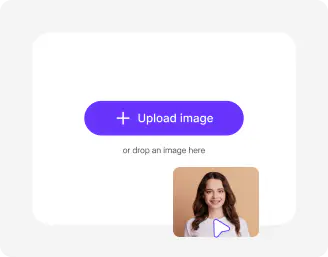
Add image & custom prompts
Upload your photo in JPG, JPEG, PNG, or WEBP format, then type a simple description of the style and text you want to see.
Choose image model and ratio
Select your preferred AI generation model and pick the aspect ratio that fits your platform, like widescreen for videos or square for posts.
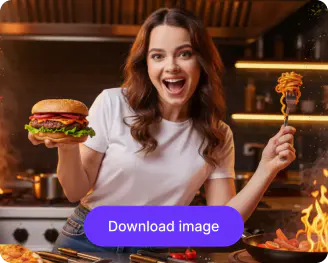
Generate and save
Click generate to let the tool process your details, then preview the finished layout and download your image in high definition.
Why use Pixelbin's AI thumbnail maker without watermark?

Clean background removal
Isolate yourself or your subject from messy backdrops instantly so you can place clean backgrounds behind the image.

Multiple thumbnail styles
Turn a single photo into multiple thumbnail styles like reaction layouts, educational text covers, or review graphics, just by typing what you want.

Text contrast boosting
Apply smart drop shadows and outlines to your words so your thumbnail title stays readable over any background color.

Image upscaling
Upgrade your AI thumbnails by up to 8X while preserving all the details, so it looks great on all screens

High-contrast color grading
Brighten dull colors and fix lighting to make sure your thumbnails look punchy and vibrant on dark mode feeds.

Instant canvas resizing
Format your graphics to the exact digital dimensions required for standard video hosting and article platforms automatically.
Design scroll-stopping thumbnail covers for any platform instantly
Make high-impact graphics that grab viewers' attention on any feed using the best AI thumbnail maker available online.
No design experience required
Skip the steep learning curve of professional layout apps and build clean thumbnails with simple words.
Watermark-free downloads
Save every single thumbnail art you make in perfectly clean quality without any annoying brand stamps or logos.
Completely free to start
Get working on your project immediately without entering a credit card or spending any money up front.
Browser-based tool
Run the AI thumbnail maker directly inside your regular web browser on your phone, laptop, or desktop computer.
/pixelbin_blogs/PB_2.0/Apps_New_design_graphics/AI_THUMBNAIL_MAKER/no_design_(2).webp)
AI tools by Pixelbin
/pixelbin_blogs/PB_2.0/Apps_New_design_graphics/AI_Tools_by_Pixelbin/AI_background_generator_(1).webp)
/pixelbin_blogs/PB_2.0/Apps_New_design_graphics/AI_Tools_by_Pixelbin/AI_Image_generator_from_text_(1).webp)
/pixelbin_blogs/PB_2.0/Apps_New_design_graphics/YouTube_thumbnail_Generator/Blog_banner/thumbnail_(1).webp)
/pixelbin_blogs/PB_2.0/Apps_New_design_graphics/AI_movie_poster/movie_thumbnail.webp)
Key highlights of the AI thumbnail maker for free
Benefits of using a free AI thumbnail maker with no login
Pixelbin helps content creators and businesses build striking video graphics without wasting hours on manual editing. Here are the main benefits:
- Higher click rates: Bright colors and clean text layouts in your thumbnails help your videos and posts stand out against competitors to get more views.
- Massive time savings: Instead of spending an hour masking images and picking fonts, you can generate different thumbnail styles in seconds.
- Better brand consistency: Keep your fonts, colors, and layout styles matching across your whole channel page or blog for a professional look.
- No hidden walls: Start editing your project immediately without jumping through signup loops or filling out long forms.
- More focus on creation: Spend less time worrying about graphics and use your energy to script, film, and edit better thumbnails.
Use cases of our free AI thumbnail maker
- YouTube and video creators: Refresh the look of your channel uploads with bold titles and clean facial cutouts that make people want to click.
- Bloggers and article writers: Create appealing header graphics and post previews that match your story topic and draw readers in.
- Online course instructors: Build neat cover graphics for your educational modules and video lessons to make your dashboard look organized.
- Social media marketers: Create punchy thumbnails for stream clips, product features, and promo ads across different video feeds.
- Gamers and streamers: Turn your best live stream screenshots into clean gameplay highlights covers by removing background clutter.
- Small business owners: Design product demonstration covers that highlight your items clearly to pull in potential buyers.
How to get the best results from the free AI thumbnail maker for YouTube
- Use clear photos where your facial features or product details are sharp and well-lit.
- Be specific in your custom prompt by describing the background style, clothing colors, and text placement.
- Keep your thumbnail text short and punchy, using only three to five words so viewers can read it at a glance.
- Check how your graphic looks on a small scale to ensure the text remains readable on mobile screens.
- Avoid using cluttered base photos where your main subject is heavily cut off at the edges.
FAQs


Edit images in seconds, not hours
Get pixel-perfect results just with your words
Start Editing with AI