


Support webp/jpg/jpeg/png, up to 10MB
/pixelbin_blogs/PB_2.0/Apps_New_design_graphics/AI_Silhouette_maker/sample_3.webp)
/pixelbin_blogs/PB_2.0/Apps_New_design_graphics/AI_Silhouette_maker/sample_4.webp)
/pixelbin_blogs/PB_2.0/Apps_New_design_graphics/AI_Silhouette_maker/sample2.webp)
Silhouette maker
Free AI silhouette maker
Create silhouettes from your photos without tracing or editing.
/pixelbin_blogs/PB_2.0/Apps_New_design_graphics/AI_Silhouette_maker/download_(15).webp)
/pixelbin_blogs/PB_2.0/Apps_New_design_graphics/AI_Silhouette_maker/sample.webp)


How to make a silhouette using Pixelbin?
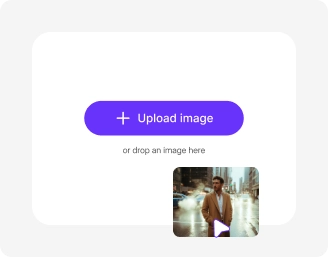
Add your image
Paste a URL or upload your photo in JPG, JPEG, PNG, or WEBP format.
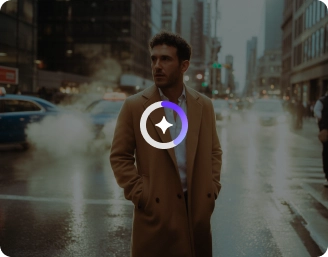
AI processing
Our AI editor automatically detects the subject and generates a clean silhouette without any manual editing required.
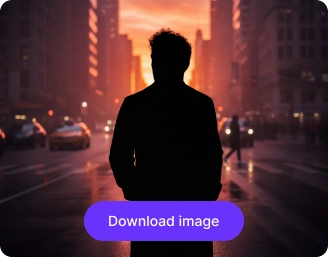
Download the image
Preview & download the silhouette for free, without watermarks or any hidden costs.
Why use Pixelbin’s silhouette photo maker app?

Multiple image formats
Upload images in popular formats such as JPG, JPEG, PNG, or WEBP.
.png)
Batch editing
Process multiple images at once with API support to save time and improve workflow efficiency.

Easy accessibility
Access the silhouette maker from any device using a browser and an internet connection.
.png)
Free HD downloads
Download your silhouettes in high definition without watermarks or extra costs.
.png)
No sign-up required
Use the tool instantly without logging in or entering payment details.

Complete privacy
Your images are encrypted, processed securely, and never shared with anyone.
Design clean silhouettes effortlessly
Generate high-quality silhouettes from your photos in seconds without advanced tools or design experience.
Prompt-free conversion
Transform your uploaded images into silhouettes automatically without writing prompts or detailed instructions.
Perfect for any design
Create high-quality silhouettes for posters, stickers, profile photos, business graphics, and product mockups.
Monthly free trials
Add a suit to your photo effortlessly without Photoshop or editing experience needed, just upload and generate.
Browser-based editor
Access the silhouette maker directly from your browser on any device – no downloads or installations required.
/pixelbin_blogs/PB_2.0/Apps_New_design_graphics/AI_Silhouette_maker/Prompt-free_conversion.webp)
AI tools by Pixelbin
/DynamicApps/thumbnails/AI_BG_Remover.png)
/pixelbin_blogs/PB_2.0/Apps_Graphics/Transparent_Background/Graphics/Thumbnail_(12).png)
/pixelbin_blogs/PB_2.0/Apps_Graphics/Remove_background_from_logo/Graphics/Thumbnail.png)
/pixelbin_blogs/PB_2.0/Related_apps_tumbnail/erasebg-transformed_-_2026-04-01T130755.340.webp)
Key highlights of Pixelbin’s silhouette maker online free tool
Benefits of using the photo silhouette maker
Create clean, high-quality silhouettes from your photos in seconds without the need for design software:
- Instant results: Create silhouettes from your images in seconds using our AI-powered editor.
- No design skills required: Get precise cutouts without manually tracing outlines or adjusting settings.
- Consistent results: Generate uniform silhouettes ideal for branding, team profiles, or graphic design.
- Cross-platform access: You can access our tool from any device or operating system (Windows, Android, iOS, etc.).
- No watermarks: Download your generated silhouette artwork in high definition without any distracting watermarks.
- Bulk-ready: Pixelbin’s API lets you create multiple silhouette images at once.
Use cases of our silhouette photo maker
Using Pixelbin, you can create visuals for a wide range of creative needs - from personal decor to professional branding. Let’s check out some of the best use cases:
1. Create custom wall art & decor
Transform cherished photos of loved ones, pets, or landscapes into elegant silhouette art pieces using Pixelbin. Print them, frame them, and use them to add a minimalist touch to your home or office decor.
2. Design timeless logos & branding
Create a professional brand identity by converting portraits or object photos into clean silhouettes. A silhouette logo is often more versatile and recognizable across different media types than a detailed photograph.
3. Streamline vinyl cutting & crafts
If you use machines like Cricut or Silhouette Cameo, creating a clean cut file is essential. Our AI silhouette maker generates high-contrast images that are perfect for converting into stencils, vinyl decals, and iron-on transfers.
4. Design personalized gifts
Looking for a unique, thoughtful gift? Use Pixelbin to turn a picture of a friend, family member, or partner into a beautiful silhouette. It's a perfect personal touch for birthdays, anniversaries, or any special occasion.
5. Enhance your graphic design projects
Integrate silhouettes into your graphic design work for posters, invitations, or website elements. Our silhouette maker provides clean, professional-grade images that elevate your visual content.
How to get the best results from picture silhouette maker tools?
Follow these simple tips to ensure you generate the best-looking silhouettes using our tool:
- Upload a photo with a clear contrast between the subject and the background.
- Ensure the subject is well-lit and not blending into the shadows.
- Choose photos where the subject has a distinct outline or pose.
- Avoid images where objects overlap significantly with the main subject.
- Use high-resolution images to ensure the edges of your silhouette remain sharp.
- Try to use photos with simple backgrounds to help the AI detect the subject faster
FAQs
Here are some of the most commonly asked questions about our Silhouette Maker AI tool. If you still can’t find what you’re looking for, contact us at support@pixelbin.io or refer to our documentation for more details.


Edit images in seconds, not hours
Get pixel-perfect results just with your words
Start editing with AI