


Support webp/jpg/jpeg/png, up to 10MB
/pixelbin_blogs/PB_2.0/Apps_New_design_graphics/Selfie_Generator/download_(41).png)
/pixelbin_blogs/PB_2.0/Apps_New_design_graphics/Selfie_Generator/download_(42).png)
/pixelbin_blogs/PB_2.0/Apps_New_design_graphics/Selfie_Generator/download_(45).webp)
/pixelbin_blogs/PB_2.0/Apps_New_design_graphics/Selfie_Generator/mirror.webp)
/pixelbin_blogs/PB_2.0/Apps_New_design_graphics/Selfie_Generator/onehand.webp)
/pixelbin_blogs/PB_2.0/Apps_New_design_graphics/Selfie_Generator/two_hand.webp)
/pixelbin_blogs/PB_2.0/Apps_New_design_graphics/Selfie_Generator/gym.webp)
/pixelbin_blogs/PB_2.0/Apps_New_design_graphics/Selfie_Generator/travel.webp)
/pixelbin_blogs/PB_2.0/Apps_New_design_graphics/Selfie_Generator/bed.webp)
Convert photos into AI Selfies
Free AI Selfie Generator online
Upload any photo and generate natural, high-quality AI selfies with perfect lighting, angles, and styles—ready for social media or professional use.
/pixelbin_blogs/PB_2.0/Apps_New_design_graphics/Selfie_Generator/erasebg-transformed_(3).webp)
/pixelbin_blogs/PB_2.0/Apps_New_design_graphics/Selfie_Generator/1.webp)


How to use Pixelbin’s AI generator selfie?
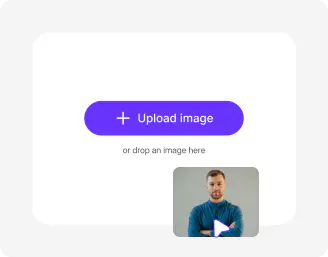
Upload your photo
Start with a clear selfie or portrait in JPG, PNG, JPEG, or WEBP. Keep the limit within 10MB.
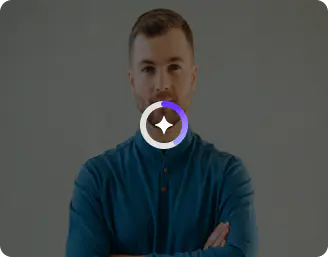
Select styles & image ratio
Choose from our one-click presets and pick the image ratio you need for a profile, story, or print.
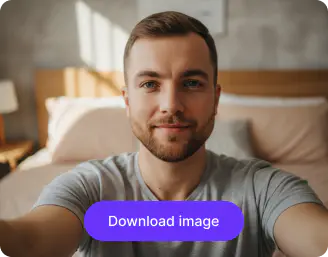
Generate and download
Tap generate, compare the result side by side and download a high-resolution file ready to use.
Why use Pixelbin’s AI selfie generator?

Natural looks
Enhance lighting and improve colors while keeping your features natural, familiar, and true to how you actually look in real life.

Simple style guidance
Explore easy sliders and visual examples that help you understand how small edits can completely change the mood of a photo.
.webp)
Instant retouching
Smooth your skin subtly, refine colors naturally, and remove small distractions like stray hairs without making the final image feel over-edited.

Background and crop control
Swap backgrounds and crop photos effortlessly for social media, profile pictures, websites, and different content formats.

Object removal
Remove unwanted distractions, extra objects, or photobombers while keeping the image realistic and visually balanced.

Image upscaling
Enhance image clarity, sharpen details, and improve low-resolution photos while maintaining a polished and natural-looking finish.
Try AI selfie styles made for every mood and moment
Whether you want cute anime visuals, magical fantasy-inspired portraits, or trendy social-ready edits, create standout selfies with just a few taps.
Browser-based
Access the selfie AI generator on all modern browsers, such as Chrome, Edge, or Firefox; no app installations needed.
One-click style swaps
Switch from a warm, soft headshot to an editorial look with a single click while keeping your original expression.
No steep learning curve
Skip the need to learn complex editing software. The tool handles color, lighting, and gentle touch-ups for you.
Quick iterations
Make a handful of variations in minutes and choose the best image for LinkedIn, Instagram, or a portfolio.
/pixelbin_blogs/PB_2.0/Apps_New_design_graphics/Selfie_Generator/browser_(2).webp)
AI tools by Pixelbin
/pixelbin_blogs/PB_2.0/Apps_Graphics/ai_ecommerce_product_photo_editor/Thumbnail.png)
/pixelbin_blogs/PB_2.0/Apps_New_design_graphics/AI_Tools_by_Pixelbin/AI_Image_Upscaler.webp)
/pixelbin_blogs/PB_2.0/Apps_Graphics/black_and_white_photos_to_color/Graphics/Free_online_AI_black_and_white_photo_to_color_converter-02.png)
/DynamicApps/thumbnails/AI_BG_Remover.png)
Key highlights of Pixelbin’s selfie generator
Benefits of the AI generator selfie tool
- Fast results: Turn one photo into a set of polished selfies in minutes, so you can update profiles or campaign visuals the same day.
- Range of looks: Pick styles for professional headshots, casual portraits, or stylized editorial images, and choose what fits your needs.
- No app installs: Try the AI selfie generator on your browser, and on any device, such as phone or desktop, which makes the process quick and simple.
- High-resolution output: Download crisp files that are ready for web or print, with an option to enhance resolution when needed.
- Privacy-minded handling: Your photos are processed securely and are not shared publicly, so you stay in control.
- Budget friendly: Create multiple versions without booking photographers or studios, which saves time and money.
- Consistent results: Use the same preset or sliders to produce a matching set of photos for team pages or campaigns.
Use cases for the free selfie generator
- Profile picture refresh: Update LinkedIn, dating apps, or personal websites with a clean, professional photo that reflects how you want to be seen. A single good headshot can make your profile look more current and approachable.
- Creator thumbnails and covers: Make thumbnails and social covers that stand out in feeds and help boost clicks.
- Team and company pages: Produce a matching set of headshots for staff pages so every team member looks consistent. This helps your site appear polished and trustworthy.
- Marketing and ad creatives: Try the AI selfie generator to create authentic-looking faces in banners, landing pages, and ads to improve trust and conversions.
- Portfolio and bio updates: Refresh author bios, speaker pages, and freelancer profiles with current photos that match your brand tone and present you professionally.
- Event and promo assets: Create themed AI selfies or speaker photos for event pages and social countdowns without scheduling a photoshoot.
How to get the best selfie results using Pixelbin?
- Start with a clear, well-lit photo where your face is visible.
- Use front-facing or slightly angled shots for better framing and face mapping.
- Choose one style at a time and tweak a single slider between runs to see steady improvement.
- Avoid heavy filters, extreme shadows, or hands covering the face.
- If you want a specific vibe, add short notes like “soft warm light” or “clean studio headshot.”
FAQs


Edit images in seconds, not hours
Get pixel-perfect results just with your words
Start editing with AI