


Support webp/png/jpg/jpeg, up to 10MB
/pixelbin_blogs/PB_2.0/Apps_New_design_graphics/image_to_emoji_converter/girl-city.jpg)
/pixelbin_blogs/PB_2.0/Apps_New_design_graphics/image_to_emoji_converter/casual-beauty-hair-young-adult-paper.jpg)
/pixelbin_blogs/PB_2.0/Apps_New_design_graphics/image_to_emoji_converter/masculinity-confidence-body-language-isolated-shot-handsome-joyful-young-man-knitted-maroon-jumper-feeling-confident-proud-himself-keeping-arms-folded-her-chest-smiling.webp)
Turn any image into emojis instantly
Free Image to Emoji Converter
Turn your images into cute emoji stickers for chats and social apps in a single click
/pixelbin_blogs/PB_2.0/Apps_New_design_graphics/image_to_emoji_converter/download_(10)-transformed.webp)
/pixelbin_blogs/PB_2.0/Apps_New_design_graphics/image_to_emoji_converter/smiling-good-looking-girl-white-dress-pointing-aside-showing-left-logo-staring-camera-confident-standing-beige-background-transformed.webp)


How to use Pixelbin’s image-to-emoji converter?
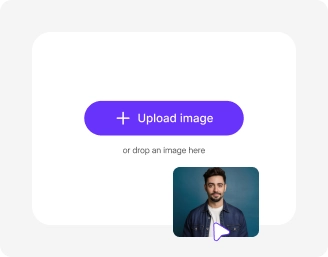
Upload your image
Paste your image link or simply upload it from your device in JPEG, JPG, PNG, or WEBP format.
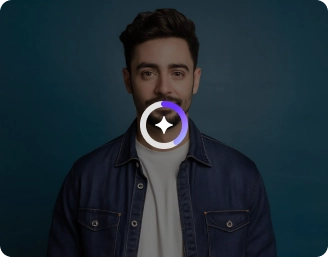
Click on “Generate"
Pick from Nano Banana or Pro, select the image ratio, and click on Generate.

Download the image
Pixelbin detects the image and converts it into an emoji within seconds. Preview and save the image in HD quality.
Why use Pixelbin’s image-to-emoji converter?

Add design elements
Give your emoji a creative touch by adding shapes or graphics to make it expressive and visually engaging.

Selective editing
Focus on key areas like eyes or mouth to fine-tune how your emoji looks and feels
.webp)
URL-based transformation
Update the size, format, or quality in real time just by adjusting the image URL

Custom backgrounds
Add simple or fun backdrops to make your emoji stand out and feel more complete.

Color and tone adjustment
Refine colors and contrast so your emoji looks bright, balanced, and visually clear.

Image upscaling
Enhance your images by up to 2x, 4x, or 8x while keeping every detail sharp and clear.
Turn reactions into fun emojis that actually look like you
Capture different moods such as laughter, anger, shock, or excitement with custom image-based emojis.
Simple interface
Use an easy, beginner-friendly interface that lets you create emojis without any learning curve.
Quick sharing
Copy the generated image URL and share your emoji instantly with friends, teams, or communities.
Browser-based
Use the tool directly in your browser, such as Chrome, Safari, Edge, and Firefox; no app installations needed.
Complete privacy
Your images are processed on encrypted servers and never shared or stored.
/pixelbin_blogs/PB_2.0/Apps_New_design_graphics/image_to_emoji_converter/Simple_interfaceÃ__Ã__-transformed.webp)
AI tools by Pixelbin
/pixelbin_blogs/PB_2.0/Apps_Graphics/Ai_cartoon_Generator/Graphics/thumbnail_(16).webp)
/pixelbin_blogs/PB_2.0/Apps_Graphics/Chibi_Maker/Graphics/Main.png.webp)
/pixelbin_blogs/PB_2.0/Related_apps_tumbnail/erasebg-transformed_-_2026-04-01T130755.340.webp)
/pixelbin_blogs/PB_2.0/Related_apps_tumbnail/Artboard_1_copy_3_4x_(1)-transformed.webp)
Key highlights of Pixelbin’s online image-to-emoji converter
Benefits of the photo to emoji converter
- Create personal expression: Let's face it: that regular yellow emoji sometimes misses the mark. Making emojis from your photos lets you send your happy face, not just a generic one. That special smirk of yours, or your pet looking puzzled, adds a personal touch that standard emojis can't copy.
- Enhance social media engagement: To grab people's attention, show them something new. Using custom emojis on Instagram or X can make your posts and comments stand out. It’s an easy trick to get more people talking and make things more fun.
- Build stronger brand presence: Turn your logo or main product into an emoji. It gives your community a visual shortcut to your brand. It makes your brand feel both friendly and business-like, mostly in emails and chats with customers.
- Get better team vibes: Work chats can be boring. Adding custom emojis to Slack or Discord, like turning a funny photo of a teammate into a reaction, can lighten things up. It helps build team spirit and makes working online feel more like being part of a real group.
- Explore creativity without any pro skills: You don't have to be a design expert to get good results. Our image-to-emoji converter can automatically clean up backgrounds and add fresh styles, like 3D or cartoon looks, without using complex software.
Use cases for online image-to-emoji converter
1. Product marketing
Try turning product photos into custom emojis to make your calls-to-action stand out. Instead of a regular shopping cart, use an emoji of your product. It will grab people's eyes and get them to click.
2. Branded sticker packs
Turn brand mascots or logos into sticker packs for WhatsApp or Telegram. It’s a cool way to get fans to share your brand. This will let you reach new people naturally.
3. Avatar creation
Make avatar-style emojis that fit your style, be it simple, bold, or vibrant. Using these in Instagram Stories or TikTok captions will make your content known to your followers right away.
4. Team appreciation
Turn your coworker’s photo into emojis in Slack or Discord. They’re great for saying you'll do a task, celebrating wins, or adding fun to work talks.
5. Fun status updates
Switch out old status icons with something that shows your day. A coffee mug emoji can mean you're in the zone. A laptop emoji can show you're working away from the office, giving your team a quick update.
6. Community building
Turn inside jokes or group photos into emojis with our photo-to-emoji converter for Discord groups. It’s a way to make bonds stronger and connect better.
7. Classroom characters
Turn your school mascot or class pet into emojis showing actions, like Mascot Reading or Mascot Celebrating. It’s a way to make lessons fun for students.
How to get the best results using the image-to-emoji converter
- Use clear, front-facing photos with good lighting so the AI identifies faces easily.
- Avoid using images with heavy editing or filters.
- Keep prompts simple and specific. Instead of "me," try "happy man with a blue hat" to guide the AI effectively.
- Pick a consistent art style. Mention "Kawaii chibi" or "3D cartoon" in your prompt to give your emoji a high-quality finish.
- Focus on one subject. Avoid group shots and use a square-cropped image to get the sharpest results.
- Mention specific colors and moods. Include details like "vibrant red background" or "shocked face" to make your emojis visible in any chat.
FAQs
Here’s a list of commonly asked questions about our emoji Trend Maker Tool. If you still can't find what you're looking for, reach out to us at support@pixelbin.io or check out our documentation for more details.


Edit images in seconds, not hours
Get pixel-perfect results just with your words
Start editing with AI