


Max resolution 10,000 × 10,000 px
Support png/webp/jpg/jpeg, up to 10MB
AI image enlarger
Free AI image enlarger online
Enlarge images, extend backgrounds, and enhance framing without losing resolution.
/pixelbin_blogs/PB_2.0/Apps_New_design_graphics/upscaler/67d00ba5d62f58ceb8cf7194_After.webp)
/pixelbin_blogs/PB_2.0/Apps_New_design_graphics/upscaler/67d00ba1625cd4a1e01827b2_Before.webp)
/pixelbin_blogs/PB_2.0/Apps_New_design_graphics/upscaler/67e685ef44f8642076041c4f_A_boy.webp)
/pixelbin_blogs/PB_2.0/Apps_New_design_graphics/upscaler/67e6861b1814e96d4240f73f_Perfume.webp)
/pixelbin_blogs/PB_2.0/Apps_New_design_graphics/upscaler/67e68636cd8bb0ae7e02e5f3_A_school_girl.webp)
/pixelbin_blogs/PB_2.0/Apps_New_design_graphics/upscaler/67e6864fd29d7a8fd1928c61_Cute_cat.webp)


How to enlarge an image using Pixelbin?
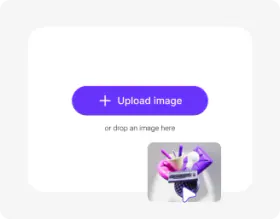
Add your image
Paste an image URL or click “Upload Image” to select your picture in any of the following formats: JPG, JPEG, WEBP, or PNG.
Wait for AI processing
Our AI editor automatically enlarges your image, while preserving its natural look.
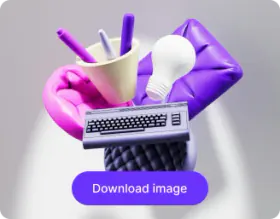
Download the output
Preview the enlarged image next to the original, and download it instantly at no extra cost.
Why choose Pixelbin’s AI image enlarger?

Multiple image formats
Upload images in common formats such as JPG, JPEG, WEBP, or PNG.

Batch editing
Enlarge multiple images at once with bulk editing API for faster, more efficient processing.

Monthly free trials
Get up to three free enlarged images per month, without even registering.

Free downloads
Preview your generated image & download it free of cost, without watermarks.

No credit card login
Start enlarging images instantly, without entering payment details or creating an account.

Browser-based editor
Access Pixelbin directly from your browser, without downloading any software.
Resize and enlarge your images in seconds
Pixelbin’s AI image enlarger free tool transforms blurry, low-res photos into clean, detailed images in just one click, without any manual editing.
One-click enlargement
Resize small images instantly with automatic content-aware background filling for a natural look.
Easy accessibility
Access the image enlarger tool anytime from any device using just a web browser and an internet connection.
Smart AI editor
Enhance image size seamlessly as new pixels are generated to match the original lighting, shadows, and textures.
Complete privacy
Your images are encrypted, processed securely on protected servers, and never shared with third parties.
/pixelbin_blogs/PB_2.0/Apps_New_design_graphics/AI_image_enlarger/resize-01-one-click-enlargement.webp)
AI tools by Pixelbin
/pixelbin_blogs/PB_2.0/Apps_Graphics/denoise_image/Graphics/thumbnail_(4).webp)
/DynamicApps/thumbnails/AI_Image_Upscaler.png)
/pixelbin_blogs/PB_2.0/Apps_Graphics/Sharpen_blurry_images_with_AI/image_sharpner/Thumbnail_(1).png)
/pixelbin_blogs/PB_2.0/Apps_Graphics/Clarity_Upscaler/Graphics/clarityupscaler-0_(4).jpeg)
Key highlights of Pixelbin’s best free AI image enlarger
Benefits of using our free online AI image enlarger
Using Pixelbin, you can enlarge photos with sharper details and richer colors, while also preserving the original resolution. Here are some of its benefits:
- Fix framing & composition: Easily correct poorly framed shots or add more "breathing room" around your subject.
- Natural-looking results: Pixelbin’s AI editor seamlessly blends the enlarged content with the original image, avoiding repetitive patterns.
- Change aspect ratios: Turn a vertical photo into a horizontal one (or vice-versa) for banners, social media, or prints.
- No quality loss: Pixelbin’s AI editor maintains the original composition and color balance of your photo, even after enlarging it.
- No watermarks: You can download your processed image with no watermarks added.
- Cross-platform access: Our AI image upscaler tool is accessible from any device or operating system (Windows, Android, iOS, etc.).
- Scalable for bulk edits: For large projects, you can use Pixelbin’s bulk-editing API to process multiple images in one batch.
Use cases of our best AI image enlarger
Using Pixelbin, you can make your images look clearer and more professional without the need for reshooting. Here are some of the ways you can use it:
Adapt images for social media
Turn a single photo into a 9:16 story, a 1:1 post, or a 16:9 banner. Pixelbin’s AI image enlarger makes it easy to fit any platform's requirements.
Create landscape & cinematic shots
Expand a portrait-oriented photo and create a wide-angle landscape or cinematic view by extending the background using Pixelbin’s AI editor.
Fix cropped photos
Ever cut off someone's head or feet in a photo by mistake? Instead of shooting the same image or putting it in the bin, you can use our image enlarger AI app to uncrop the image and recover the missing parts.
Prepare images for printing
Need to print a photo in a specific size? Quickly expand the image to fit standard paper or frame sizes without losing any part of the original shot.
Enhance product photography
Add more white space or background to your product shots, creating a cleaner, more professional look for your eCommerce store.
How to get the best results from our online AI image enlarger?
Follow these tips to get the best results when using our AI image enlarger:
- Use images with clear subjects and backgrounds that have some texture or pattern for the AI to learn from.
- For best results, expand the image gradually rather than all at once if you need a very large extension.
- The AI editor works best on landscapes, cityscapes, and photos with abstract backgrounds.
- Try to avoid images with complex, repeating patterns or subjects cut off at the extreme edge.
FAQs
Here are some of the most commonly asked questions about our AI Image Enlarger Tool. If you still can’t find what you’re looking for, contact us at support@pixelbin.io or check our documentation for more details.


Edit images in seconds, not hours
Get pixel-perfect results just with your words
Start editing with AI