


Support webp/jpg/jpeg/png, up to 10MB
/pixelbin_blogs/PB_2.0/Apps_Graphics/Fish_eye_maker/charming-man-black-suit-white-t-shirt-eyeglasses-smiles-widely-looks-into-camera.webp)
/pixelbin_blogs/PB_2.0/Apps_Graphics/Fish_eye_maker/men-fashion-editorial-outdoors-TQIOBydKG-transformed.webp)
/pixelbin_blogs/PB_2.0/Apps_Graphics/Fish_eye_maker/tanned-woman-with-white-flower-wavy-dark-hair-smiles-while-walking-tropical-park-transformed.webp)
Free AI fisheye PFP maker
AI fisheye PFP maker
Turn any photo into a bold, wide-angle portrait with dynamic depth and distortion.
/pixelbin_blogs/PB_2.0/Apps_Graphics/Fish_eye_maker/download_(16).webp)
/pixelbin_blogs/PB_2.0/Apps_Graphics/Fish_eye_maker/outdoor-shot-beautiful-young-bob-haired-female-wearing-striped-red-dress-posing-against-blurred-background-various-green-trees-shrubs-spacious-greenhouse-garden-plant-nursery-transformed.jpeg)


How to make a fisheye PFP with Pixelbin?
.png)
Add your image
Paste a URL or upload your picture in any of these formats: JPG, JPEG, PNG, or WEBP.
Wait for AI processing
Pixelbin automatically generates your fisheye profile picture without any manual editing required.
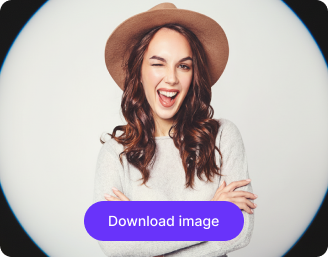
Download the image
Preview & download your fisheye profile picture for free, without watermarks or any hidden costs.
Why use Pixelbin’s AI fisheye PFP generator?

Multiple image formats
Upload images in popular formats such as JPG, JPEG, PNG, or WEBP.
.webp)
Smart AI editor
Automatically applies the fisheye distortion effect without any manual edits.

Batch editing
Process multiple images at once with API support to save time and improve workflow efficiency.
.webp)
Free HD downloads
Download your edited images in HD without watermarks or extra costs.
.webp)
No sign-up required
Access the tool directly without registering or entering payment details.

Complete privacy
Erase backdrops & convert image to transparent background for free, using Pixelbin’s AI editor.
Create bold fisheye profile pictures for any platform
Instantly create a unique profile picture with a distorted, circular lens effect with Pixelbin’s fisheye lens PFP tool.
One-click result
Create your new profile picture instantly with a single click - no manual editing needed.
Perfect for any platform
Generate perfectly-sized profile pictures for Instagram, Discord, TikTok, YouTube, and other social apps.
Monthly free trials
Create up to three fisheye PFPs each month for free, and upgrade anytime for more credits and API access.
Browser-based editor
Make your new profile picture directly from your browser without downloading any software or mobile apps.
/pixelbin_blogs/PB_2.0/Apps_Graphics/Fish_eye_maker/graphics/One-click_result.png)
AI tools by Pixelbin
/pixelbin_blogs/PB_2.0/Apps_Graphics/Ai_cartoon_Generator/Graphics/thumbnail_(16).webp)
/pixelbin_blogs/PB_2.0/Apps_Graphics/Caricature_Maker/Graphics/Thumbnail.png)
/pixelbin_blogs/PB_2.0/Apps_Graphics/profile_picture_generator/Graphics/Thumbnail.png)
/pixelbin_blogs/PB_2.0/Apps_Graphics/Photo_retouch/Graphics/thumb.png)
Key highlights of Pixelbin’s AI tool to add suit to photo
Benefits of using our PFP fisheye app
Pixelbin helps you create aesthetic and funny profile pictures in seconds. Here are some of its benefits:
- Fast & simple: No need for using editing tools. Just upload, wait a few seconds, and download your new fisheye profile picture.
- No quality loss: Your generated image maintains the same high resolution as your original photo.
- No watermarks: Download your generated PFP in HD without distracting watermarks.
- Bulk-ready: Pixelbin’s API lets creators and businesses generate multiple PFPs at once.
- Cross-platform ready: Your PFP is perfectly sized for any social media or gaming platform.
- Lightweight tool: It runs entirely in your browser, keeping your device fast and responsive.
Use cases of our AI fisheye PFP generator
Pixelbin’s AI-powered fisheye profile picture maker does more than just warp your photo. Here are some of the best ways you can use this tool:
- Make funny profile pictures of friends: Take a normal photo of a friend (or a pet) and run it through the generator. The wide-angle distortion creates a hilarious, big-nose effect perfect for a laugh.
- Make an aesthetic Instagram profile picture: Give your Instagram profile a creative edge with Pixelbin. Our AI editor generates PFPs that are perfect for artists, creators, or anyone wanting a trendy look that breaks the standard "selfie" format.
- Create humorous Discord PFPs: Stand out in Discord servers with a funny fisheye PFP. Using Pixelbin, you can create a distorted look that is popular in gaming and social communities, making your profile instantly recognizable.
- Design a funny TikTok avatar: Grab attention on TikTok with a comically warped profile picture. The fisheye effect can exaggerate your expression, making your profile more memorable to new followers.
- Create a Christmas fisheye PFP: Get into the holiday spirit by creating a Christmas PFP using Pixelbin’s fisheye profile picture generator. Upload a photo of yourself in a Santa hat or in front of a Christmas tree for a fun, festive, and distorted look.
How to get the best results from the fisheye lens PFP tools?
Follow these simple tips to ensure you get the best-looking image from our tool:
- Use a clear, high-quality photo where your face is centered.
- Photos with a plain background often create a cleaner, more focused distortion.
- Make sure your face is well-lit and your features are clearly visible.
- Avoid using photos that are blurry, too dark, or have objects covering your face.
- Try uploading photos of your pets or favorite characters for funny results.
- If your image is off-center, crop it first so the subject is in the middle.
FAQs
Here are some of the most commonly asked questions about our Fisheye PFP Maker Tool. If you still can’t find what you’re looking for, you can reach out to us at support@pixelbin.io or refer to our documentation for more details.

