


Support webp/jpg/jpeg/png, up to 10MB
/pixelbin_blogs/PB_2.0/Apps_New_design_graphics/Birthday_editor/outdoor.webp)
/pixelbin_blogs/PB_2.0/Apps_New_design_graphics/Birthday_editor/sample3.webp)
/pixelbin_blogs/PB_2.0/Apps_New_design_graphics/Birthday_editor/erasebg-transformed_-_2026-05-12T170131.822.webp)
Birthday photo editor
Free AI birthday photo editor
Apply birthday decorations, stickers, and celebratory effects to photos instantly.
/pixelbin_blogs/PB_2.0/Apps_New_design_graphics/Birthday_editor/indoorresult.webp)
/pixelbin_blogs/PB_2.0/Apps_New_design_graphics/Birthday_editor/erasebg-transformed_-_2026-05-12T170131.822.webp)


How to use Pixelbin’s online AI birthday photo editor?
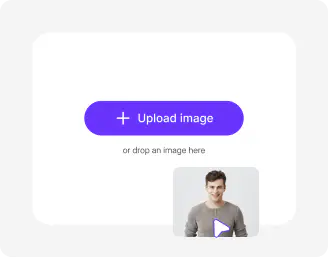
Upload image
Start by adding your birthday photo in any of the formats: JPEG, JPG, PNG, or WEBP format.
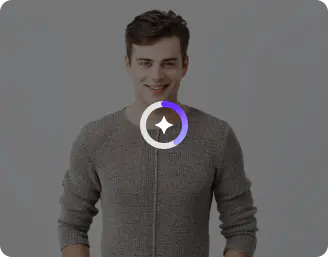
Add prompts
Enter simple instructions to personalize your photo, whether it’s adding branded themes or custom names.
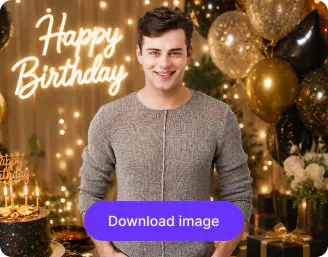
Save photo
Preview the final result and download a high‑resolution image, free from watermarks or overlays.
Why use Pixelbin's AI birthday editor?

Mobile friendly
Access the tool on any device, be it laptops, mobile phone, or tablets

Text to video
Give detailed prompts to create high-quality birthday videos.

Global CDN
Deliver birthday visuals quickly, regardless of location.

Multiple formats
Upload images using standard formats such as JPEG, JPG, WEBP, or PNG.

HD exports
Download edited birthday creatives in high resolution.

Complete privacy
Process images on secure servers to prevent unauthorized access or misuse.
Create birthday visuals without hiring designers
Skip the cost and complexity of design resources while still producing high-quality birthday images with pixlebin AI birthday photoshoot tool
Instant access
Create birthday visuals directly from your browser. No downloads required, whether using Chrome, Safari, or Firefox.
Fast turnarounds
Refine images quickly with speed & accuracy; no manual efforts or professional editing software required.
Consistent quality
Maintain the same visual standards across all images, avoiding inconsistencies that come with multiple designers.
Clear exports
Export your birthday images in HD without watermarks or text overlays, ideal for presentations or internal communications.
/pixelbin_blogs/PB_2.0/Apps_New_design_graphics/Birthday_editor/instantaccess.webp)
AI tools by Pixelbin
/pixelbin_blogs/PB_2.0/Apps_New_design_graphics/AI_Tools_by_Pixelbin/Unblur_Images)
/pixelbin_blogs/PB_2.0/Apps_Graphics/black_and_white_photos_to_color/Graphics/Free_online_AI_black_and_white_photo_to_color_converter-02.png)
/App_blogs/Remove_White_Background/graphics/Thumbnail.png)
/pixelbin_blogs/PB_2.0/Apps_New_design_graphics/AI_Tools_by_Pixelbin/Emoji_Remover.webp)
Key highlights of Pixelbin’s AI birthday photo editor
Benefits of the AI photo editor
- Instantly add festive elements: You can drop in realistic balloons, confetti, or a glowing birthday cake that matches the lighting of your original photo.
- Swap cluttered backgrounds: Replace a messy living room with a professional studio backdrop or a magical party theme using a simple text prompt.
- Fix candid imperfections: Use the AI to open closed eyes or sharpen blurry shots of kids moving fast during the "happy birthday" song.
- Remove unwanted distractions: Remove photobombers or stray trash cans from the background, and the AI will perfectly "heal" the space left behind.
- Generate custom milestone cards: Turn your single portrait into a high-quality invitation or thank-you card with coordinated text and graphics.
Use cases
- Rescuing ruined “action” shots: Birthday moments happen very fast, and photos do not always come out right. Birthday AI editing can help fix blurry or unfocused pictures and correct small issues like closed eyes, so special moments are not lost.
- Virtual “themed” photoshoots: If you do not have a studio or props, AI can create themed scenes for your photos. A simple picture can look like it was taken in a fantasy setting or a real birthday setting.
- Instant social media “hype” content: AI helps you quickly create fun, ready-to-post photos during the event. You can add party effects and keep all photos looking festive without spending time editing each one.
- Personalised gift and invite design: Turn your regular photos into finished designs for invites or thank-you cards. The AI photo editor can easily adjust the layout and background, so your photos look clean and ready to share.
- Solve “crowded room” logistics: Birthday photos often include clutter or unwanted people in the background. AI can remove distractions and clean up the scene, keeping the focus on the main moment.
- Long-distance connection: When loved ones cannot attend, you can try our text to video convertor to share memories in a more engaging way. Photos can be turned into short videos or animated greetings that feel more personal.
FAQs
Here are some of the most commonly asked questions about our AI birthday photo editor. If you still can’t find what you’re looking for, contact us at support@pixelbin.io or read our documentation for more details.


Edit images in seconds, not hours
Get pixel-perfect results just with your words
Start Editing with AI