


Support webp/jpg/jpeg/png, up to 10MB
/pixelbin_blogs/PB_2.0/Apps_New_design_graphics/Avatar_generator/sample_images/10006.webp)
/pixelbin_blogs/PB_2.0/Apps_New_design_graphics/Avatar_generator/sample_images/10005.webp)
/pixelbin_blogs/PB_2.0/Apps_New_design_graphics/Avatar_generator/sample_images/10007.webp)
/pixelbin_blogs/PB_2.0/Apps_New_design_graphics/Avatar_generator/output-image_(12).webp)
/pixelbin_blogs/PB_2.0/Apps_New_design_graphics/Avatar_generator/output-image_(13).webp)
/pixelbin_blogs/PB_2.0/Apps_New_design_graphics/Avatar_generator/PixelBin-AI-Image-Generator-1778244408327.webp)
/pixelbin_blogs/PB_2.0/Apps_New_design_graphics/Avatar_generator/PixelBin-AI-Image-Generator-1778245707914.webp)
/pixelbin_blogs/PB_2.0/Apps_New_design_graphics/Avatar_generator/output-image_(14).webp)
/pixelbin_blogs/PB_2.0/Apps_New_design_graphics/Avatar_generator/output-image_(15).webp)
/pixelbin_blogs/PB_2.0/Apps_New_design_graphics/Avatar_generator/PixelBin-AI-Image-Generator-1778246345869.webp)
/pixelbin_blogs/PB_2.0/Apps_New_design_graphics/Avatar_generator/showcases/output-image_(16).webp)
AI media generator by Pixelbin
AI avatar generator
Turn ordinary photos into customized avatars with realistic features and fine detail.
/pixelbin_blogs/PB_2.0/Apps_New_design_graphics/Avatar_generator/showcases/result_0_(1).webp)
/pixelbin_blogs/PB_2.0/Apps_New_design_graphics/Avatar_generator/showcases/Home_made_pic_(1).webp)


How to create your AI avatar with Pixelbin?
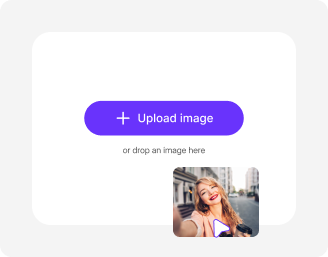
Add your image
Paste a URL or upload your picture in any of these formats: JPG, JPEG, PNG, or WEBP.
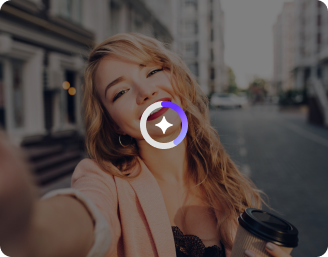
Wait for AI processing
Pixelbin automatically generates your AI avatar without requiring any manual edits.
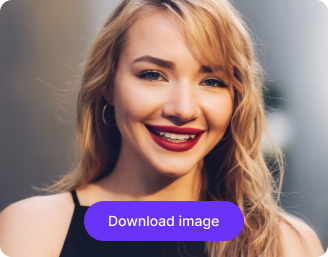
Download your image
Preview & download your avatar for free, without watermarks or any hidden costs.
Why use Pixelbin’s free AI avatar generator app?

Multiple image formats
Upload images in common formats such as JPG, JPEG, PNG, or WEBP.
.png)
Smart AI editor
Automatically maps your facial features to generate a clear, recognizable avatar without manual edits.

Batch editing
Process multiple images at once with API support to save time and improve workflow efficiency.
.png)
Free HD downloads
Download your avatars in HD, free of watermarks and hidden costs.
.png)
No sign-up required
Access the tool instantly without creating an account or entering payment details.

Complete privacy
Your images are encrypted, processed securely, and never shared with anyone.
Design unique digital personas for every platform
Pixelbin’s AI avatar generator app turns your selfies into artistic avatars, without needing any editing skills.
One-click result
Generate high-quality avatars automatically. The editor analyzes your uploaded image and creates a clean, ready-to-use version in seconds.
Versatile for any channel
Design perfectly sized avatars that fit seamlessly across Discord, Steam, Instagram, LinkedIn, and virtual meeting platforms.
Free trials for everyone
Access up to three free avatar generations each month, and upgrade anytime for more credits or API access.
Browser-based editor
Use the avatar generator directly from your browser on any device – no downloads or installations required.
/pixelbin_blogs/PB_2.0/Apps_Graphics/AI_Avatar/No_need_for_prompts.webp)
AI tools by Pixelbin
/DynamicApps/thumbnails/Headshots.png)
/pixelbin_blogs/PB_2.0/Apps_Graphics/Mugshot_Generator/mugshot/Thumbnail.png)
/pixelbin_blogs/PB_2.0/Apps_Graphics/plush_toy_generator/Graphics/thumbnail_(10).png)
/pixelbin_blogs/PB_2.0/Apps_Graphics/Halloween_Trend/Graphics/Thumbnail.png)
Key highlights of Pixelbin’s AI avatar generator from photo
Benefits of using our free AI avatar generator from photo
Pixelbin’s AI editor helps you create custom digital avatars instantly, without editing skills or complex tools. Here are some of the other benefits:
- Fast & simple: Forget using editing tools. Just upload an image, wait a few seconds, and download your new avatar.
- No quality loss: Your generated avatar maintains the same high resolution as your uploaded photo.
- No watermarks: Download your generated image in high definition without any distracting watermarks.
- Bulk-ready: Pixelbin’s API (available in premium plans) lets you generate multiple avatars at once.
Use cases of our AI avatar generator free online tools
Pixelbin’s AI-powered avatar maker does more than just crop images to fit in the right frame. Here are some of the ways you can use this tool:
1. Gaming profiles & streams
Stand out in gaming lobbies on Steam, Discord, or Twitch with a unique avatar. Our AI editor creates accurate personas that fit perfectly into gaming environments.
2. Professional social networks
Update your LinkedIn or CV with a professional-looking portrait that looks approachable. A well-crafted AI avatar can make your profile more memorable to recruiters than a standard headshot.
3. Craft a YouTube channel icon
Use our YouTube profile picture maker AI to design an icon that grabs attention. Ensure your profile picture is clear, branded, and perfectly sized for your channel, helping you attract more subscribers.
4. Social media branding
Refresh your Instagram, TikTok, or Twitter profile without needing a new photoshoot. Use our best AI avatar generator to create a consistent, recognizable visual anchor for your followers.
5. Virtual meeting avatar
Generate a professional-looking avatar as your display picture for Zoom, Teams, or Google Meet when your camera is off. Maintain a professional presence in remote work environments even when you aren't on video.
6. Brand mascots for small businesses
Design a friendly digital face for your brand's chatbots or help centers. Using an AI image avatar generator online lets you have a consistent "mascot" without a huge branding budget.
7. Team directories & "About Us" pages
Create modern and cohesive avatars for your company website for all team members. This avoids mismatched employee photo quality while adding a creative touch to your corporate branding.
How to get the best results from AI image avatar generator online tools?
Follow these simple tips to ensure you generate the best-looking avatar using our tool:
- Use a high-resolution source photo where your face is clearly visible and well-lit.
- Ensure you are facing the camera directly or at a slight angle for better facial mapping.
- Avoid photos with heavy filters, extreme shadows, or accessories that obscure key features (like large sunglasses).
- A neutral or gently smiling expression often brings the most versatile results.
- Make sure only one person is in the frame to prevent the AI from merging features from multiple faces.
FAQs
Here are some of the most commonly asked questions about our AI Avatar Generator Tool. If you still can’t find what you’re looking for, you can reach out to us at support@pixelbin.io or read out our documentation for more details.


Edit images in seconds, not hours
Get pixel-perfect results just with your words
Start editing with AI