


Support webp/jpg/jpeg/png, up to 10MB
/pixelbin_blogs/PB_2.0/Apps_New_design_graphics/Add_Suit_on_Photo/Banner_Images/Sample_3)
/pixelbin_blogs/PB_2.0/Apps_New_design_graphics/Add_Suit_on_Photo/Banner_Images/Sample_2)
/pixelbin_blogs/PB_2.0/Apps_New_design_graphics/Add_Suit_on_Photo/Banner_Images/Sample_1)
/pixelbin_blogs/PB_2.0/Apps_New_design_graphics/Ai_photoshoot/birthday.webp)
/pixelbin_blogs/PB_2.0/Apps_New_design_graphics/Ai_photoshoot/model.webp)
/pixelbin_blogs/PB_2.0/Apps_New_design_graphics/Ai_photoshoot/wedding.webp)
/pixelbin_blogs/PB_2.0/Apps_New_design_graphics/Ai_photoshoot/graduation1.webp)
/pixelbin_blogs/PB_2.0/Apps_New_design_graphics/Ai_photoshoot/fitness1.webp)
/pixelbin_blogs/PB_2.0/Apps_New_design_graphics/Ai_photoshoot/cafe1.webp)
/pixelbin_blogs/PB_2.0/Apps_New_design_graphics/Ai_photoshoot/traditional.webp)
/pixelbin_blogs/PB_2.0/Apps_New_design_graphics/Ai_photoshoot/streetwear1.webp)
AI photoshoot
Free AI photoshoot
Turn your basic selfies or portraits into fashion shoots or cinematic lifestyle photos for free.
/pixelbin_blogs/PB_2.0/Apps_New_design_graphics/Ai_photoshoot/wedding_bride_photoshoot.webp)
/pixelbin_blogs/PB_2.0/Apps_New_design_graphics/Ai_photoshoot/women_outdoor.webp)


How to use Pixelbin’s AI photoshoot generator?
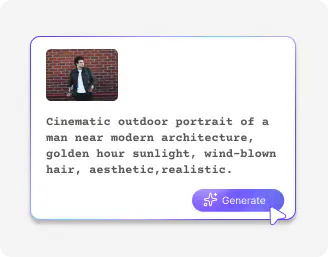
Add your image
Upload your product photo or your selfie in JPEG, JPG, PNG, or WEBP formats.
Describe the photoshoot style
Mention your dream photoshoot in a few words, such as the cinematic style, vibe, or theme you want.
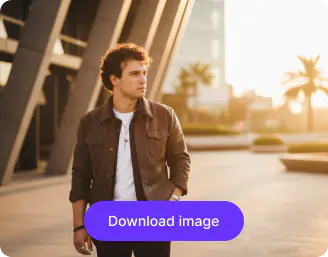
Download your image
Save the edited photo in HD quality, free from watermarks, labels, or added texts.
Why use Pixelbin’s product photoshoot AI generator?

Multiple image formats
Upload images in popular formats such as JPG, JPEG, PNG, or WEBP.

Watermark-free exports
Download car images for free without any logos, text overlays, or watermarks.

Instant access
Edit your photos online without creating an account or adding payment information.

Accessibility on any device
Use the AI photoshoot software from any device with a browser and an internet connection.

Smart image adjustments
Adjust brightness, contrast, warmth, and saturation to match the tone and style of your photoshoots.

Image upscaling
Increase image resolution up to 8X while keeping every detail sharp and clear.
Try fashion, maternity, or birthday photoshoots in cinematic style
Explore different settings, moods, and cinematic styles to generate high-quality visuals from just one image.
No photographers needed
Try an AI photoshoot without the hassle of cameras or crews, and capture cinematic-style moments instantly.
Complete privacy
Your images are processed on secure servers and are never shared without your consent.
Browser-based
Create your AI-generated photoshoots on any modern browser you use, such as Firefox, Chrome, Edge, or Safari.
HD quality
Get crystal-clear, high-definition photos that look professional in magazines, social media feeds, portfolios, and online stores.
/pixelbin_blogs/PB_2.0/Apps_New_design_graphics/Ai_photoshoot/nophotograph).webp)
AI tools by Pixelbin
/pixelbin_blogs/PB_2.0/Apps_New_design_graphics/AI_Tools_by_Pixelbin/Corporate_Headshot.webp)
/pixelbin_blogs/PB_2.0/Apps_Graphics/Add_Black_Background/graphics/Thumbnail.png)
/DynamicApps/thumbnails/AI_Image_Upscaler.png)
/DynamicApps/thumbnails/AI_BG_Remover.png)
Key highlights of Pixelbin’s AI photoshoot online tool
Benefits of the AI photoshoot generator
- It’s a huge win for your budget: You can stop pouring money into one-off expenses like studio rentals and equipment. Instead, you get professional-grade shots without the high-end price tag, which means you can reinvest that cash where it actually matters.
- Save an incredible amount of time: We’ve all been there waiting for "just one more week" for proofs to come back. With AI photoshoots, you can generate your assets in minutes. It turns a month-long project into something you can finish before your morning coffee gets cold.
- Total freedom to experiment: If you decide halfway through that the lighting looks off or the background doesn't fit your vibe, you don't have to call for a re-shoot. You just tweak the settings and try again instantly. It takes the "risk" out of being creative.
- Branding stays perfectly on point: It’s tough to keep things consistent when you’re shooting in different locations at different times of the year. With our AI photoshoot generator, you can lock in your look so that every single image, whether it’s for a quick social post or a major ad, looks like it came from the exact same set.
- It scales as fast as you do: Whether you’re launching one product or a hundred, the workload doesn’t actually change. You can generate different variations for different markets without feeling like you're drowning in production tasks.
- You don’t need to be a pro to get pro results: Our AI photoshoot generator is easy to use, and it gives anyone on your team the power to create professional content that actually converts.
Use cases
- Virtual modeling for apparel: For fashion brands, you can take "ghost mannequin" or flat lay shots and create them into images with realistic virtual models. This allows you to showcase your products on different body types and in varying settings without having to incur the enormous cost of hiring a modeling agency.
- Seasonal and global refreshes: In case you need to update your entire catalog for a holiday sale or a specific international market, you don't need to do a new shoot. You can digitally "re-style" your products using seasonal props or backgrounds and keep your content fresh all year long.
- A/B testing with zero production cost: You can create 5 different lighting styles or background colors for the same product to see which one actually gets people clicking "Buy".
- Maternity shoots without the physical strain: Let's be honest, standing for hours in fancy outfits in the third trimester is exhausting. With the AI maternity photshoot, a mom-to-be can snap a few comfortable photos at home, and the tool can make them look like they were taken in a professional studio or an ethereal outdoor location without the physical toll.
- The "perfect" newborn and baby photos: Anyone who has tried to take a picture of a baby knows that they don't exactly take direction well. With Pixelbin’s AI baby photoshoot generator, you can digitally insert your baby’s images into creative and whimsical settings, such as a forest of fairytales or a cozy moon, that would be impossible or even unsafe to set up in a real studio.
- Milestone birthdays and "glow-ups": Whether it's a 1st birthday or a 50th, you can create themed portraits that go way beyond the simple party photo. You can take a simple snapshot of someone and put them in a high-fashion editorial or fun theme background that fits their personality much better, making for a much more memorable keepsake.
- Updating family portraits on a budget: Getting the whole family together, dressed up, and smiling at the same time is a miracle in itself. AI can help you take individual photos and "stitch" them into a cohesive, beautifully lit family portrait in a professional-looking setting.
- Professional headshots from your couch: This is a big one for anyone who needs a "grown-up" photo for LinkedIn or a bio. You do not even need to hire a professional; you can just take a selfie in good lighting, and with AI photoshoots, you can generate headshots with a blazer and put yourself behind a professional office or a clean studio background.
- Engagement and anniversary "travel" shots: If a couple loves the idea of a photoshoot in Paris, but doesn't have the budget for a flight, AI can take their local engagement photos and realistically place them in any iconic location in the world. It's a fun way to celebrate a relationship with a little "Hollywood" flair.
How to get the best results with Pixelbin’s AI photoshoot?
No matter whether you are doing AI product photshoots or high-end, fashionable editorials, here are a few tips that will help you generate realistic results:
- Make sure your original photo is clear and well-lit for the AI to generate the best output.
- Use specific prompts if you want a particular style, pose, or background.
- Experiment with different angles and expressions to see which looks most natural.
- Keep your clothing and props simple if you want the AI to focus on you, not distractions.
- Review and tweak the results, as small adjustments can make the images look more polished.
FAQs
Here are some of the most commonly asked questions about our AI photoshoot generator. If you still can’t find what you’re looking for, you can reach out to us at support@pixelbin.io or read our documentation for more details.


Edit images in seconds, not hours
Get pixel-perfect results just with your words
Start editing with AI