


Support png/jpg/jpeg/webp, up to 10MB
/pixelbin_blogs/PB_2.0/Apps_Graphics/Actor_headshot/Sample_image_2_for_actor_headshots.webp)
/pixelbin_blogs/PB_2.0/Apps_Graphics/Actor_headshot/Sample_image_3_for_actor_headshots.webp)
/pixelbin_blogs/PB_2.0/Apps_Graphics/Actor_headshot/Sample_image_1_for_actor_headshots.webp)
/pixelbin_blogs/PB_2.0/Apps_Graphics/Actor_headshot/Cinematic.webp)
/pixelbin_blogs/PB_2.0/Apps_Graphics/Actor_headshot/Luxury.webp)
/pixelbin_blogs/PB_2.0/Apps_Graphics/Actor_headshot/Theatrical.webp)
Actor headshot generator
Free AI actor headshot generator
Create professional actor headshots from any photo for auditions, casting profiles, and portfolios
/pixelbin_blogs/PB_2.0/Apps_Graphics/Actor_headshot/cinematic_headshot.webp)
/pixelbin_blogs/PB_2.0/Apps_Graphics/Actor_headshot/A_man_portrait.webp)


How to use Pixelbin’s AI actor headshot generator?
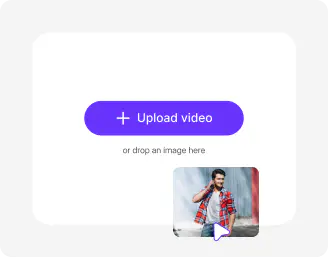
Upload your image
Drop your selfie or portrait in JPEG, JPG, PNG, or WEBP format.
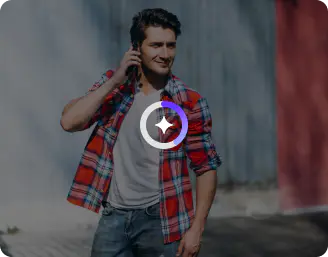
Choose from templates or customize
Select any style from our ready-made templates or customize styles with prompts to match your audition, casting profile, or portfolio needs.
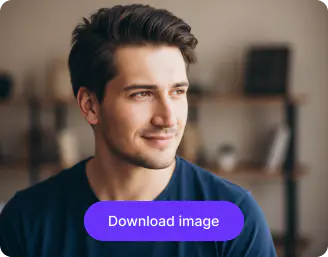
Download in HD
Preview the headshot side-by-side and save it in high-quality without any watermarks, labels, or added texts.
Why choose Pixelbin’s AI actor headshots?

Multiple formats
Upload your images in popular formats, such as JPEG, JPG, PNG, or WEBP.

Image upscaling
Increase your image resolution by upto 2x, 4x, or 8x while keeping all your details true to the original.

Browser based
Access the AI actors headshot in any modern browser, such as Safari, Chrome, Edge, or Firefox.

Instant sharing
Copy and paste the image directly to chat interfaces and docs, or simply share the generated URL across social media platforms

Asset management
Manage all your headshots in one secure place so you can find them whenever you need.

Free trials
Try different looks and styles without worrying about paying any additional cost.
Experiment with different styles to match every role
Switch between soft, bold, and character-driven looks to build a portfolio that truly shows your acting range.
No editing skills
Create professional actor headshots without any editing experience, just upload your image and let the AI handle everything.
Flexible image ratios
Choose from multiple aspect ratios like 1:1, 16:9, 9:16, 4:3, and 3:4 to get perfectly sized headshots for every purpose.
HD outputs
Download high-definition AI headshots that are sharp, clear, and ready for auditions, agencies, and online use.
Complete privacy
Your images stay private, with full control over your uploads and no unwanted sharing or exposure.
/pixelbin_blogs/PB_2.0/Apps_Graphics/Business_headshots/NO_EDITING.webp)
AI tools by Pixelbin
/pixelbin_blogs/PB_2.0/Apps_New_design_graphics/AI_Tools_by_Pixelbin/Corporate_Headshot.webp)
/pixelbin_blogs/PB_2.0/Apps_New_design_graphics/AI_Tools_by_Pixelbin/Celebrity_Headshot.webp)
/pixelbin_blogs/PB_2.0/Apps_New_design_graphics/AI_Tools_by_Pixelbin/Lawyer_Headshot.webp)
/pixelbin_blogs/PB_2.0/Apps_New_design_graphics/AI_Tools_by_Pixelbin/CEO_Headshot.webp)
Key highlights of Pixelbin’s AI actor headshot generator
Benefits of the AI actor headshot
- Strategic versatility: You can use the one single base image to create 15-20 different character looks (such as a 1920s detective, a high-tech executive, or a dirty-fighting main character). You can generate role-specific photos that allow the casting directors to imagine you in the role even prior to your appearance in the room.
- Massive cost reduction: We know well enough that the costs of a traditional pro session can be as high as dollars 250 to 450 and above, and when you are beginning, or there is a break between gigs, that is a lot of money. With the actor headshot maker, you can generate images on a pay-as-you-go basis.
- Quick turnaround: Turnovers are quite high in this industry. You may have to wait weeks before a photographer can forward you some photos, but with our tool, you can receive dozens of polished images, ideal for last-minute submissions.
- Online wardrobe & styling: Play with hair styles, backdrops, outfits without buying them. You can switch between the corporate and casual in a couple of clicks.
Use cases
- The pitch deck visual: If you are developing your own web series or pitching a project, you can use AI to create a visual lookbook of yourself in the world of the story. It shows producers exactly how you would look as the lead in a sci-fi epic or a gritty period drama.
- A living social media presence: Instead of posting the same three professional photos over and over, you can generate lifestyle versions of yourself in different settings, like a coffee shop, a gym, or an urban street. This keeps your Instagram or IMDB profile looking active and fresh without you having to organize a photoshoot every month.
- Testing your type: If you are not sure if you lean more toward an approachable neighbor or corporate villain, you can generate both styles to see which one actually resonates. You can send these to your agent or trusted peers to get feedback on which brand looks most authentic to you before you spend big money on a physical shoot.
- International market research: If you are looking to get work in a different market, such as moving from musical theater to film or trying to get cast in a different country, you can generate looks with an actor's headshot that specifically cater to the aesthetic of that market. It is a low-risk way to see if your look translates to a new area of the industry.
- Voiceover character portraits: Even if you primarily work in a booth, having a visual representation of the type of characters you voice helps casting directors connect your voice to a physical presence. You can create a portfolio of faces that match your vocal range, from a high-energy animated hero to a weathered documentary narrator.
How to get the best result using Pixelbin’s AI actor headshot
- Your facial features should appear clearly in photographs that show your face completely. The best results come from natural light.
- Your outfit should consist of basic garments that lack any eye-catching designs or brand identification. The best choice for professional headshots consists of solid colors, which include black, white, and neutral tones.
- Make sure the image background is free from any objects.
- The use of group photographs, sunglasses, hats, and heavy makeup and filters needs to be avoided.
- Write direct, clear, and short statements. You should describe the desired appearance through specific terms, such as "professional actor headshot with studio background”.
- Avoid using complicated prompts. The most effective outcomes result from using brief instructions that are direct and easy to understand.
FAQs
Here are some of the most commonly asked questions about our AI actor headshot. If you still can’t find what you’re looking for, you can reach out to us at support@pixelbin.io or read our documentation for more details.


Edit images in seconds, not hours
Get pixel-perfect results just with your words
Start editing with AI