


Support webp/png/jpg/jpeg, up to 10MB
/pixelbin_blogs/PB_2.0/Apps_New_design_graphics/Oil_Paint/women2.webp)
/pixelbin_blogs/PB_2.0/Apps_New_design_graphics/Oil_Paint/men.webp)
Photo to oil painting converter
Free AI photo to oil painting converter
Turn ordinary photos into artistic oil paintings with natural texture, color, and brushstroke detail.
/pixelbin_blogs/PB_2.0/Apps_New_design_graphics/Oil_Paint/output-image_(10).webp)
/pixelbin_blogs/PB_2.0/Apps_New_design_graphics/Oil_Paint/close-up-portrait-laughing-brunette-girl-walking-city-background-happy-woman-sunglasses-dress-walking-outdoors-image-beautiful-stylish-woman-street-spring-day.webp)


How to convert a photo to oil painting?
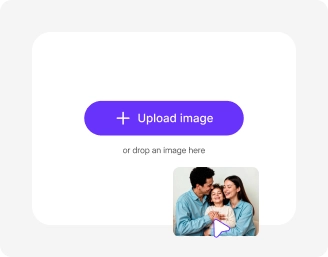
Add your image
Upload your image in any of the following formats: JPG, JPEG, PNG, or WEBP.

Choose your image model
Select Nano Banana or Nano Banana Pro, and also pick the image ratio.
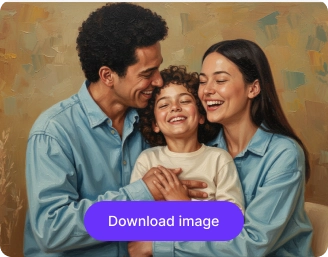
Generate & download
Click on generate and wait for a few seconds. Preview & download your oil painting art or share it instantly
Why use Pixelbin’s photo-to-oil painting effect app?

Enhance brushstroke details
Sharpen key areas so your image captures the rich, textured feel of oil painting.
.png)
Adjust light and shadow depth
Control brightness and contrast to create dramatic highlights and deep, painterly shadows.

Refine color tones
Balance hues and saturation to achieve warm, blended colors typical of oil paintings.
.png)
Frame styles
Choose the ratio that fits your content best: 1:1, 16:9, 9:16, 4:3, or 3:4.
.png)
Frame your composition
Crop and resize your image to match traditional painting styles and balanced compositions.

Upscale for canvas quality
Increase resolution by up to 2X, 4X or 8X , so your oil painting effect looks sharp even on large prints.
Turn image into oil painting with realistic brush texture
With Pixelbin, you can turn any picture into a classic piece of art without any manual editing or downloading expensive software.
Instant transformation
Turn your photos into oil paintings in one click – no complex settings or lengthy prompts required.
No editing skills required
Transform images into artistic oil paintings automatically without any design or technical experience.
Free trials for everyone
Convert the first few images for free, and upgrade anytime for more credits or API access.
No software downloads
Use the photo-to-oil painting tool directly from your browser on any device – no apps or installations needed.
/pixelbin_blogs/PB_2.0/Apps_New_design_graphics/Oil_Paint/Instant_transformation.webp)
AI tools by Pixelbin
/pixelbin_blogs/PB_2.0/Related_apps_tumbnail/erasebg-transformed_-_2026-04-01T130755.340.webp)
/pixelbin_blogs/PB_2.0/Apps_Graphics/watercolor_painting/Graphics/Thumbnail_(14).png)
/pixelbin_blogs/PB_2.0/Apps_Graphics/Ai_cartoon_Generator/Graphics/thumbnail_(16).webp)
/pixelbin_blogs/PB_2.0/Apps_Graphics/Ghibli_style/Graphics/ghibli-01_(1).webp)
Convert photo to oil painting effect online free
Benefits of using photo to oil painting effect online free tools
Turn your photos into oil-painted art using Pixelbin’s AI editor. Here are some of the benefits:
- Quick results: Convert your photo to oil painting effect online free in just seconds.
- Professional quality: Enjoy lifelike oil textures and brush details without the need of using expensive editing tools.
- HD output: Download detailed oil painting conversions in high definition.
- Watermark-free downloads: Your converted artwork is yours, without logos or marks added.
- Universal access: Pixelbin works seamlessly across browsers and operating systems.
- Batch support: Convert multiple images to oil painting at once with Pixelbin’s API (available in premium plans).
Use cases of free online photo to oil painting converter tools
Pixelbin’s photo to oil painting AI tool is perfect for gifts, social media, and personal projects. Here are some of the ways you can use it:
1. Create timeless portraits
Turn family photos, selfies, or pet pictures into classic oil portraits. It’s a great way to create a unique artwork to print on canvas.
2. Reimagine your travel photos
Convert your favorite landscape, cityscape, or nature shots into oil paintings. Give your travel memories an artistic flair with Pixelbin’s free photo to oil painting app.
3. Design unique gifts & decor
Looking for a personalized gift option? With Pixelbin, you can convert a photo to an oil painting on canvas for an anniversary, birthday, or holiday present that truly stands out
4. Enhance your online content
Give your blog, website, or social media posts a sophisticated, artistic look by transforming images into oil paintings. Use our photo to oil painting effect tool to make your content more engaging.
How to get the best results from free online photo to watercolor converter tools?
For professional-looking results using Pixelbin’s free online photo to oil painting converter, follow these simple tips:
- Start with high-quality photos. Clear, well-lit images with good detail work best.
- Portraits and landscape images often produce the most stunning results.
- Avoid very dark, blurry, or low-resolution images for a cleaner conversion.
FAQs
Here are some of the most common questions about Pixelbin’s photo to oil painting converter app. If you can’t find what you’re looking for, you can contact us at support@pixelbin.io or check our documentation for more details.


Edit images in seconds, not hours
Get pixel-perfect results just with your words
Start Editing with AI