


Support webp/jpg/jpeg/png, up to 10MB
/pixelbin_blogs/PB_2.0/Apps_New_design_graphics/AI_outfit_generator/sample2.webp)
/pixelbin_blogs/PB_2.0/Apps_New_design_graphics/AI_outfit_generator/sample1.webp)
/pixelbin_blogs/PB_2.0/Apps_New_design_graphics/AI_outfit_generator/sample3.webp)
/pixelbin_blogs/PB_2.0/Apps_New_design_graphics/AI_outfit_generator/sample4.webp)
/pixelbin_blogs/PB_2.0/Apps_New_design_graphics/AI_outfit_generator/613bf31a-063b-4663-afad-77b456bc4ac9.webp)
/pixelbin_blogs/PB_2.0/Apps_New_design_graphics/AI_outfit_generator/formalmen.webp)
/pixelbin_blogs/PB_2.0/Apps_New_design_graphics/AI_outfit_generator/traditionalmen.webp)
/pixelbin_blogs/PB_2.0/Apps_New_design_graphics/AI_outfit_generator/bikermen.webp)
/pixelbin_blogs/PB_2.0/Apps_New_design_graphics/AI_outfit_generator/partymen.webp)
/pixelbin_blogs/PB_2.0/Apps_New_design_graphics/AI_outfit_generator/vintage_men.webp)
AI outfit generator
Free AI outfit generator
Change your outfit into sharp suits, relaxed streetwear, or summer and winter styles in seconds.
/pixelbin_blogs/PB_2.0/Apps_New_design_graphics/AI_outfit_generator/erasebg-transformed_(36).webp)
/pixelbin_blogs/PB_2.0/Apps_New_design_graphics/AI_outfit_generator/erasebg-transformed_(35).webp)


How to use Pixelbin’s AI description outfit generator?
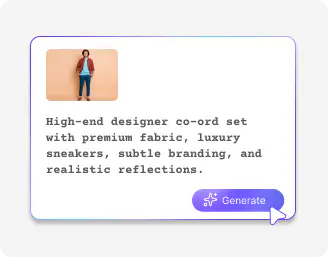
Add your image
Upload your photo in JPEG, JPG, PNG, or WEBP format. Make sure the outfit is clearly visible.
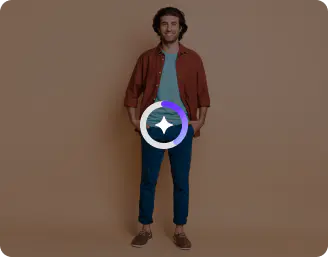
Describe the outfit style
Write in simple words and mention the style, color, fabric, or occasion. The AI reads your input and updates the outfit in the image.
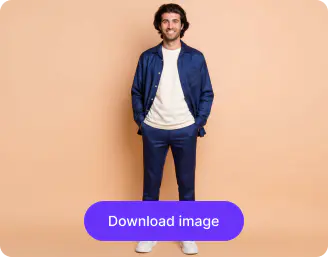
Save your image
Click on Generate, and once you are satisfied, download the updated image in HD, without any watermarks, labels, or added texts.
Why use Pixelbin’s AI outfit generator tool?

Multiple formats
Work with all popular image formats, be it JPEG, JPG, WEBP, or PNG
.webp)
Localized editing
Select the area you want to modify, enter your prompt, and keep the remaining details unchanged.

Watermark-free exports
Save your final images without any marks, labels, logos, or added text overlays ready for commercial use across digital platforms and brand assets.

Image upscaling
Enhance image resolution by up to 2X, 4X,or 8X while maintaining clarity and details.

Asset management
Organize, store, and manage edited images so you can find them whenever you need them.

Complete privacy
Your images are processed on secure servers and are never shared without your consent.
Produce trend-ready apparel visuals from a single image
Build diverse fashion collections with custom colors, patterns, and realistic vintage outfits from the 70s, 80s, and 90s.
No studio shoots needed
Generate your AI outfits instantly, eliminating the time and cost needed for physical photoshoots.
Works on modern browsers
Access the outfit generator AI from Safari, Chrome, Edge, or Firefox; no software installation needed.
Supports bulk transformations
Process 50 images in one go and accelerate large-scale outfit updates across your campaigns or catalogs.
Compare styles side by side
Preview multiple outfit variations at once and make faster, more confident style decisions.
/pixelbin_blogs/PB_2.0/Apps_New_design_graphics/AI_outfit_generator/no_studio.webp)
AI tools by Pixelbin
/pixelbin_blogs/PB_2.0/Apps_New_design_graphics/AI_Tools_by_Pixelbin/Unpixelate_Image)
/pixelbin_blogs/PB_2.0/Apps_New_design_graphics/AI_Tools_by_Pixelbin/Unblur_Images)
/pixelbin_blogs/PB_2.0/Apps_New_design_graphics/AI_Tools_by_Pixelbin/AI_Image_Upscaler.webp)
/pixelbin_blogs/PB_2.0/Apps_Graphics/black_and_white_photos_to_color/Graphics/Free_online_AI_black_and_white_photo_to_color_converter-02.png)
Key highlights of Pixelbin’s AI outfit generator
Types of outfits you can create with the AI
- Polished professional looks: You can immediately visualize yourself in expensive business suits, customized blazers, or smart-casual office attire. It is a savior in case you require a professional-looking photo on a profile, yet you do not feel like being completely dressed in real life.
- Everyday streetwear and casual style: If you’re stuck in a style rut, you can generate trendy outfits like oversized denim, leather jackets, or minimalist layering. Pixebin has the best AI outfit generator for casual wear that helps you to test out "quiet luxury" or edgy street aesthetics to see if they actually suit your vibe.
- High-fashion and special occasions: Imagine yourself in fancy evening dresses, silk dresses, or sleek tuxedos at major events. It is simply a virtual dress-up test, which allows you to play around with bold cuts and hues before investing in an item to wear to a wedding or a party.
- Seasonal and vacation wardrobes: Plan your entire holiday wardrobe by generating looks ranging from breezy linen beachwear and boho maxi dresses to heavy winter layers and chic wool coats. It helps you figure out exactly what to pack based on the climate and "vibe" of your destination.
- Retro and experimental aesthetics: You can travel through time by trying on 1950s vintage dresses, 70s flares, or even futuristic techwear. Since there are no limits, you can also go full fantasy with avant-garde runway pieces or cosplay styles that you’d never find in a regular store.
Use cases
- High-stakes events: You know how it feels to receive an invitation to a Black Tie or Cocktail Creative wedding and not fully understand the dress code. An ai outfit generator tool lets you visualize those specific looks on your own frame before the event. Instead of guessing, you can preview the outfit in advance and understand exactly how the dress code translates in real terms.
- Professional portfolio: Whether you are a realtor, consultant, or speaker, your online presence needs variety. Instead of spending hours changing outfits at a shoot, an ai outfit generator tool allows you to create multiple business-formal and smart-casual variations from a single image. You can quickly build a consistent and polished portfolio without repeating the production process.
- Audition virtual try-ons: Actors and models often need to dress the part before they act for the role. Whether you are auditioning as a 1920s detective or a technology CEO, you can generate character-specific looks directly on your digital headshots. Casting directors can instantly see your visuals without requiring physical costumes or props.
- Fashion designing: For creators and small business owners, the AI closet outfit generator works like a digital sewing machine. You can test how different fabrics and styles would look on a body before investing in materials. Whether experimenting with structure, texture, or fit, the tool allows you to refine design direction early in the process.
- Organizing family and bridal groups: Coordinating outfits for weddings or family events can become complicated quickly. An AI outfit generator tool allows you to preview how coordinated color palettes and textures appear across multiple individuals. Experiment with themed looks for seasonal celebrations. For instance, you can try spooky looks with our AI Halloween outfit generator and visualize group costume concepts before final decisions are made.
How to get the best results using Pixelbin’s AI fashion outfit generator?
If you want realistic results that feel natural, here are a few things you need to keep in mind:
- Make sure your outfit is clearly visible in the image you upload.
- Your photo must be lit in natural light so that the AI can easily detect your features.
- Avoid heavy filters or strong shadows, as they can affect how new styles are applied.
- Write clear and specific prompts when describing styles, colors, or occasions for more accurate transformations.
- Keep your posture straight and avoid cropped body parts. This will help you generate balanced full-body results.
FAQs
Here are some of the most commonly asked questions about our AI outfit generator. If you still can’t find what you’re looking for, you can reach out to us at support@pixelbin.io or read our documentation for more details.


Edit images in seconds, not hours
Get pixel-perfect results just with your words
Start editing with AI